



February 15, 2019
VXDIAG Ford Mazda IDS V112 free download and native install
Allscanner VXDIAG VCX HD Heavy Duty Truck Diagnostic Tool
(1)
Difference Between M-Diag and EasyDiag
(1)
2015r3 TCS CDP pro PCB v8 v6 v5 v3 differences
(1)
(solved) Xentry 2015.12 Error "License is incorrect†with Mercedes BUS
(1)
Honda HDS v3.101.044, where to download & how to install
(1)
OfferVXDIAG Ford Mazda IDS V112 official free download source and native installation guide
VMware Player version and Native version difference:
- Run
invirtualmachine : to run the original IDS software on VXDIAG Nano interface, you need the correct activation code, therefore, the user is advisedtoactivein the virtual machine and copy to use. However, some usermaycameacrossproblembecause ofthe computer performance etc.
- Native installation
: from IDS 112, it starts runningnatively instead ofvirtualmachine . Native installation features: easy to operate, have lower requirements to the computer configuration, no need to switch the port, as long as the patch is newest, the official newest version can be compatible with the VXDIAG interface (VXDIAG VCX NANOandVXDIAGMulti DiagnosticToolwith Ford Mazda)
V112 native version download link supplied byobdexpress.co.ukengineer:
Ford IDS v112:

Mazda IDS V112

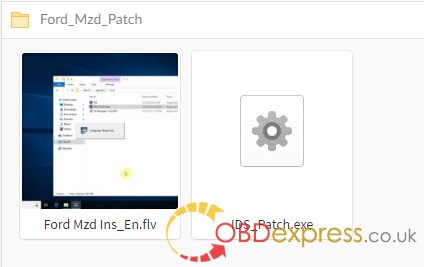
Ford Mazda IDS Patch
OS
Ford IDS v112 and Mazda IDS V112 native installation:
Installation steps:
- Install the official IDS diagnostic software and restart the computer after completion;
- Install VCX
client VX MANAGER, and install FORD type drive at the time point;
- Connect to the Ford VCX device and click "Ford_IDS_FIx.exeâ€. After installation, you will be prompted to create shortcuts on the desktop.
Note:
- In the future, when using VCX to diagnose Ford, we must click on "Ford_IDS_FIx.exe†to run the diagnostic software. Clicking on the original IDS is not diagnosable;
- The diagnostic software must be installed first, and the device driver must be installed.
Who Like This Article Also Viewed:
Posted by: OBDexpress.co.uk at
09:17 AM
| No Comments
| Add Comment
Post contains 328 words, total size 30 kb.
44kb generated in CPU 0.0217, elapsed 0.0684 seconds.
35 queries taking 0.053 seconds, 115 records returned.
Powered by Minx 1.1.6c-pink.
35 queries taking 0.053 seconds, 115 records returned.
Powered by Minx 1.1.6c-pink.

