



November 26, 2020
In fact:
1. SD Connect C4 DOIP supports WIFI setting.ste
Take obdexpress.co.uk for example, the engineer made a operation guide onhow to set SD Connect C4 DOIP WIFI on WIN10 & WIN7.
2. SD connect C4 Plus firmware update does not require battery installation as the older sd c4.
Take
this user's feedback for example: I take a risk from here, only the
battery pack is missing but work ok. I have it over an year and have no
problems.
How to upgrade SD C4 Plus Xentry 2020.3 without battery?
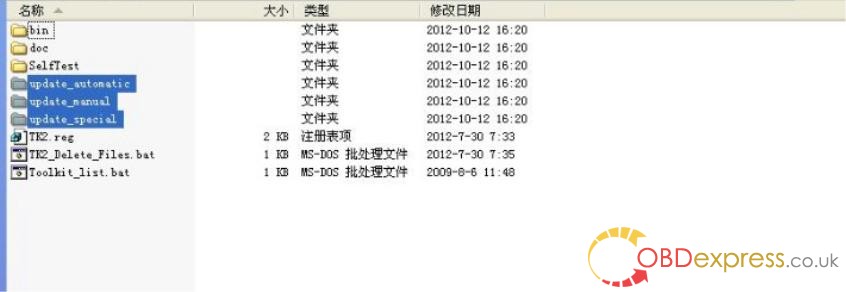
1. Open DAS software, enter the folder "C:\programm files\SDconnect
Toolkit", check if there are the following three folders: Update_automatic, Update_manual
; Update_Special.. As shown in the figure below. If the name is wrong, please correct it.
2. Reboot the computer.
3. Start to upgrade the SD C4 Plus firmware, please follow the procedure below:
1) Closing Xentry Diagnostics/Xentry DAS diagnostics application
When accessing a vehicle in Xentry Diagnostics or Xentry DAS, the following message appears: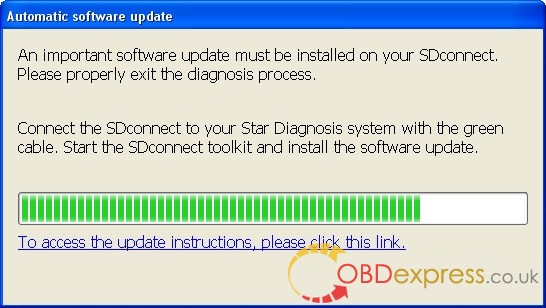
Please exit the diagnostic application Xentry Diagnostics or Xentry DAS correctly and follow the next steps.
2) Connecting the SDconnect to the Star Diagnosissystem
Connect the SDconnect to the Star Diagnosis system with the green LAN cable.
The SDconnect will be automatically selected and appear in the deskband on the Star Diagnosis system:
3)SDnetControl
A) Start SDnetControl by clicking the deskband
Go to the "Connections" tab.
B) Check whether automatic selection via the cable connection is active:
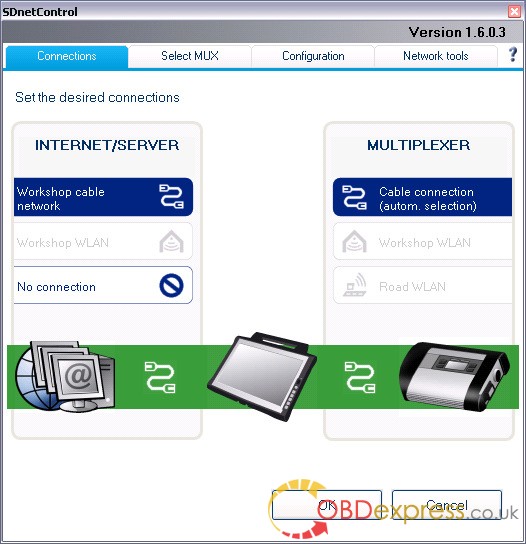
Go to the "Configuration" tab, and confirm the warning with "Yes":

4). Software update
Go to the "MUX" tab in SDnetControl.
Click on the "Software update" button.

The "SDconnect Toolkit Administration" program will start.
Go to the "Software update" tab in the SDconnect Toolkit.
Your SDconnect is already selected on the left-hand side.
Select the "Software update" packet under "Files for software update".
Click "Start" to start the process.
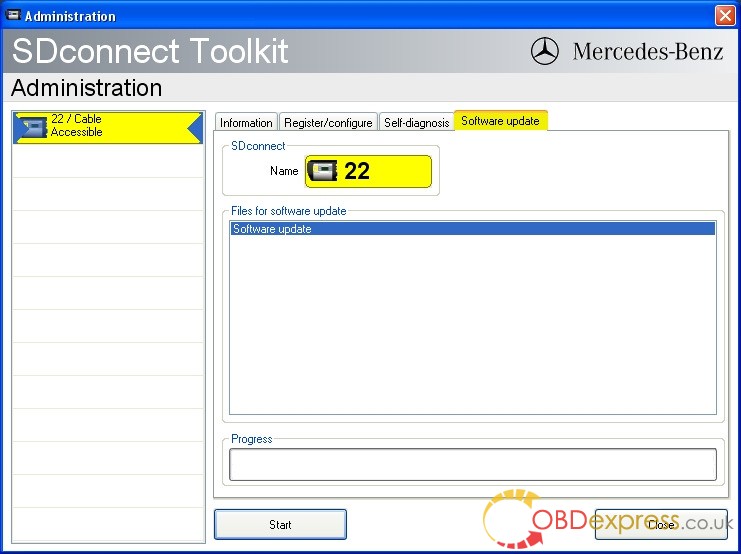
The update process will start. This takes approx. 4 minutes.
5) Complete the installation
Confirm the successful completion of the update.
After a successful update, a message indicating the successful update completion appears.
Confirm the message by clicking "OK".
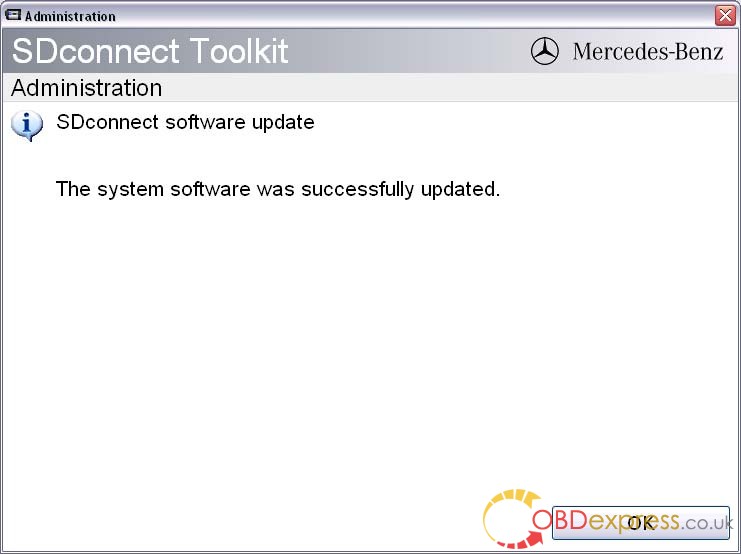
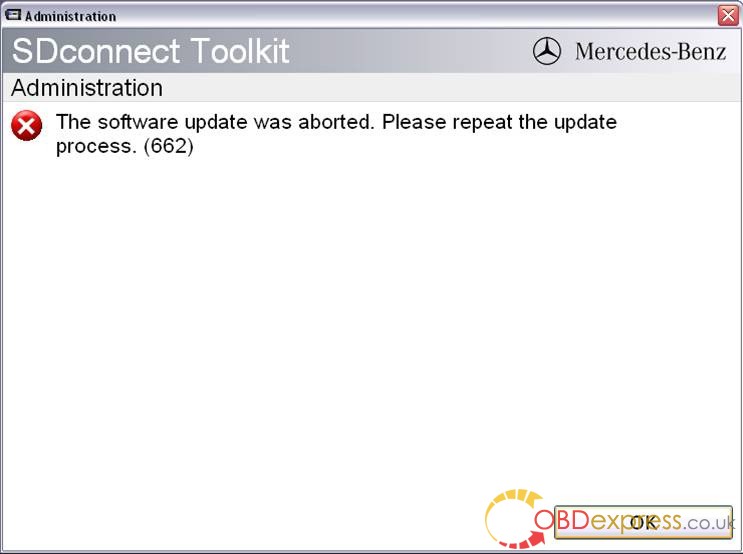
Update not successful
If the update was not successful, the message "The software update was aborted. Please repeat the update process" will appear.
Confirm this message by clicking "OK". Check the SDconnect batteries if necessary and repeat the update process.
6) Check the installed software
Go to the "Information" tab in SDconnect Toolkit
Select your SDconnect on the left-hand side.
• Check the information under "Software versions" at the right:
The versions of the Linux OS and the CommandServer must be at least 2:0 xxxxx.

The SD Connect 4 plus firmware update is completed. The green LAN cable can be removed.
BTW, V2020.11 MB Star Diagnostic software in stock:
V2020.11 MB Star Diagnostic SD Connect C4 256G SSD
V2020.11 MB Star Diagnostic SD Connect C4 500G HDD
Notice:V2020.11 MB Star Software Can’t Support Online SCN Coding stable. We recommend to buyV2019.12 MB Star SSDif you need to do it.
Xentry11.2020
DAS11.2020
EPC11.2018
WIS11.2018
SDmediaoffline2014
HHT-WIN
Vediamo5.01.01
VediamoDatabase2019
StarFinder2008&2016
Posted by: OBDexpress.co.uk at
05:56 AM
| Comments (7)
| Add Comment
Post contains 560 words, total size 10 kb.
Posted by: Cody at December 09, 2020 03:51 AM (355SU)
Posted by: Ceiling Fan Installation Vienna VA at June 16, 2021 12:52 PM (49dSr)
Posted by: peter John at July 06, 2021 11:43 AM (uvOvW)
Posted by: jhon alex at July 12, 2021 11:49 AM (Zr0sC)
Posted by: Kate Winslet at December 02, 2021 06:27 AM (IriS/)
Posted by: Nailey Scott at October 26, 2023 12:11 PM (wNUpD)
Posted by: Do My Online Course at March 22, 2024 06:30 AM (xQkBH)
37 queries taking 0.0255 seconds, 123 records returned.
Powered by Minx 1.1.6c-pink.

