November 28, 2016
Volvo 88890300 Vocom Interfaceis a diagnostics application that covers the whole repair process through the use of plug-ins.This device support WIFI connection.
Step1:
ConnectVolvo Vocomwith computer via USB cable.
Start PPT software
Click on [Menu] and click [Settings]

Step2:
Click [Communication unit configuration]->[configuration]
And choose [USB+Directly to Communication unit]


Click[Direct]->[Restore default values]->OK-> [Apply]


Step3:
Click OK then Disconnect USB cable.

Step4:
Go to [Settings]->[Comm.unit Selection]->[Communication unit 8889300 ….Nickname], then click OK

Set up success!Now you can use signal get wireless signal
Posted by: OBDexpress.co.uk at
07:47 AM
| No Comments
| Add Comment
Post contains 74 words, total size 3 kb.
November 24, 2016
MPPS V18 clone has addedMultiBoot &Tricore Boot forMarelli ECUs and controllers with the tricore processors. Here are details of it.
Mpps v18Multi Boot
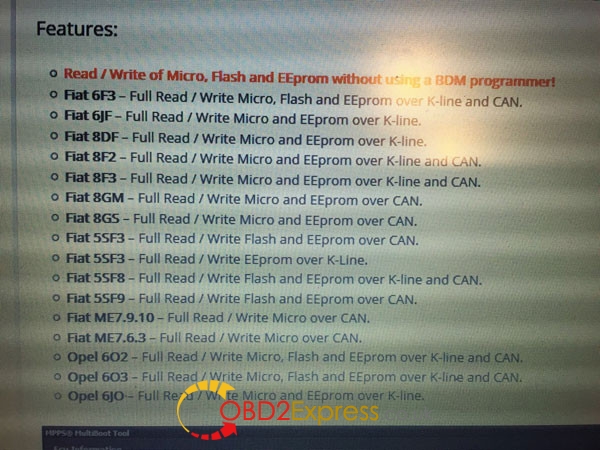
MPPS V18 module supports advanced functions on Marelli ECU’s.
Read/WriteofMicro,FlashandEEpromwithoutusingaBDMprogrammer!
Fiat6F3–FullRead/WriteMicro,FlashandEEpromoverK-lineandCAN.
Fiat6JF–FullRead/WriteMicroandEEpromoverK-line.
Fiat8DF–FullRead/WriteMicroandEEpromoverK-line.
Fiat8F2–FullRead/WriteMicroandEEpromoverK-lineandCAN.
Fiat8F3–FullRead/WriteMicroandEEpromoverK-lineandCAN.
Fiat8GM–FullRead/WriteMicroandEEpromoverCAN.
Fiat8GS–FullRead/WriteMicroandEEpromoverCAN.
Fiat5SF3–FullRead/WriteFlashandEEpromoverCAN.
Fiat5SF3–FullRead/WriteEEpromoverK-Line.
Fiat5SF8–FullRead/WriteFlashandEEpromoverK-lineandCAN.
Fiat5SF9–FullRead/WriteFlashandEEpromoverCAN.
FiatME7.9.10–FullRead/WriteMicrooverCAN.
FiatME7.6.3–FullRead/WriteMicrooverCAN.
Opel6O2–FullRead/WriteMicro,FlashandEEpromoverK-lineandCAN.
Opel6O3–FullRead/WriteMicro,FlashandEEpromoverK-lineandCAN.
Opel6JO–FullRead/WriteMicroandEEpromoverK-line.
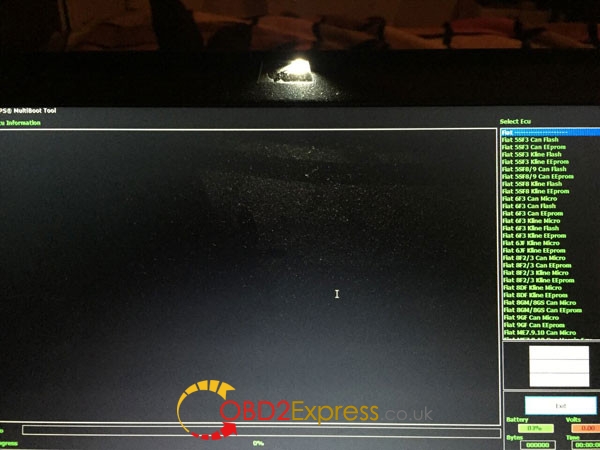
MPPS v18 eu cloneTricore Boot
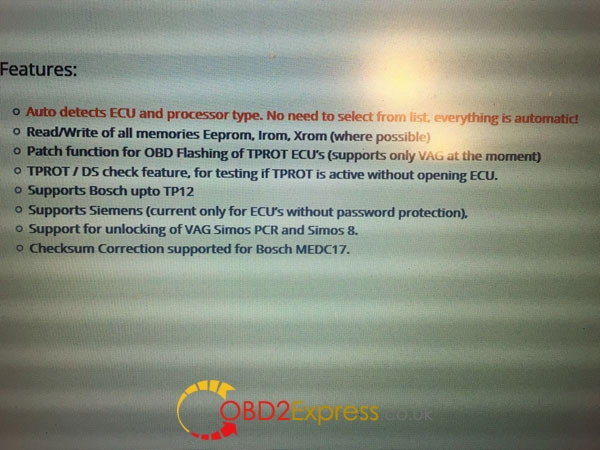
Mpps adds boot mode support for controllers with the tricore processor.
AutodetectsECUandprocessortype.Noneedtoselectfromlist,everythingisautomatic!
Read/WriteofallmemoriesEeprom,Irom,Xrom(wherepossible)
PatchfunctionforOBDFlashingofTPROTECUs(supportsonlyVAGatthemoment)
TPROT/DScheckfeature,fortestingifTPROTisactivewithoutopeningECU.
SupportsBoschup toTP12
SupportsSiemens(currentonlyforECU’swithoutpasswordprotection),
SupportforunlockingofVAGSimosPCRandSimos8.
ChecksumCorrectionsupportedforBoschMEDC17.
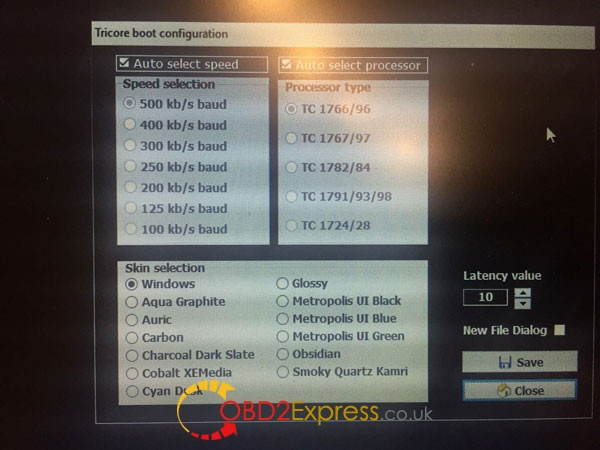
Tricore boot configuration:
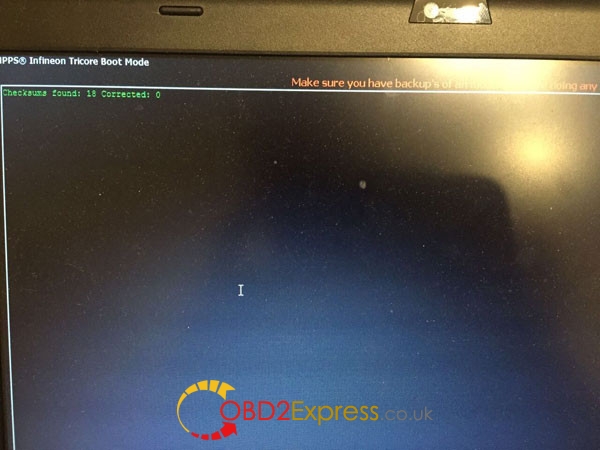
MPPS infineon tricore boot mode display:
http://blog.obdexpress.co.uk/2016/11/23/multiboot-tricore-boot-for-mpps-v18/
Posted by: OBDexpress.co.uk at
01:01 AM
| No Comments
| Add Comment
Post contains 92 words, total size 5 kb.
November 23, 2016
OBDSTAR X300 DPis the newest product of OBDSTAR company ,here has Top 7 reasons to choose X300DP:
1. Powerful Samsung Cortex A9 dual-core processor
2. 7-inch capacitive touch screen(1280*800) & backit and multi-point LED
3. 2G RAM and 16G ROM(memory can be extended)
4.7000MA lithium-ion battery & 10-hour battery life
5.Unique ergonomic design and tri-proof case with high security
6. Cover all functions of X100,X200,X300PRO and VAG-PRO 7. Add diagnostic function of whole-vehicle system
7.One key upgrading, long-distance diagnosis, more convenient after-sales service…..
Two package at obd2express:
SP283-BOBDSTAR X300 DP Standard Package(Immobilizer+Odometer Adjustment+EEPROM/PIC Adapter+OBDII)
SP283OBSTAR X300 DP full version(include most of the OBDSTAR product features, including f100, f108, f102, vag-pro, x100, x300 pro3.DP can’t read Suzuki, Nissan 20 pin code ,and can’t ajustment the mileage on Toyota via OBD)
Software update
One key upgrade ;
Free update for one year
Language
English, simplified Chinese, traditional Chinese, language customization.
Vehicle coverage:
BAIC
BENZ
BESTURN
BMW
BRILLIANE
BYD
CHANGAN
CHANGHE
CHERY
CHRYSLER(CHRYSLER/DODGE/JEEP)
DFFENGSHEN
DFPV
FAW
FIAT
FORD/LINCOLN
GEELY/HUAPU/SQYL
GM(BUICK/CADILLAC/CHEVROLET/GMC/HUMMER)
GREATWALL
HAFEI
HAWTAI
HIMIKO
HNMAZDA
HONDA/ACURA
HONGQI
HYUNDAI
ISUZU
JAC
JAGUAR
KIA
LANDROVER
LIEBAO
LIFAN
LUFENG
LUXGEN
MASERATI
MAZDA
MITSUBISHI
NISSAN/INFINITI
OPEL
PEUGEOT/CITROEN
PORSCHE
PROTON
QQROS
RENAULT
ROEWE/MG
SGMW
SMART
SSANGYONG
SUBARU
SUZUKI
TJFAW
TOYOTA/LEXUS
VW/AUDI/SKODA/SEAT
YOUNGLOTUS
ZZMAZDA
ZZNISSAN
ZOTYE
Note: There would be some difference to software in different countries. If need more specific information, pls feel free to contact us or our distributors in your area.
X300 DP Features
Read and clear fault codes;
Clear key memory;
Program keys, proximity keys, smart key, flip keys;
Program after-market and OEM keys;
Display live data;
Component actuation;
Read keys from immobilizer memory
New ECU programming;
New mechanical key number programming;
Vehicle identification key programming;
Reset ECU& Reset immobilizer;
New remote controller programming;
Immo PINCODE reader;
Mileage adjustment via OBD;
With full and strong database for the most important vehicle makes;
VCI diagnose
One key upgrade via wifi
Remote assistance
Built-in repair video
Report center
EEPROM chip read and immobilizer initialization;
EPB(Electric park brake);
Oil/Service reset;
Battery matching;
ABS
TPS
SRS reset
TPMS(low tire)reset
Steering angle reset
CVT learning/Value reset
EEPROM/PIC adapter
OBDII
Diagnosis
X300 DPconfiguration
Standard package: Immobilizer+ odometer adjustment+ EEPROM/PIC adapter +OBDII
Full package: Immobilizer+ odometer adjustment+ EEPROM/PIC adapter+ OBDII+ ABS+ TPS+ SRS reset+ TPMS(low tire)reset+ Steering angle reset+ CVT learning/Value reset+ EPB+ Oil/service reset+ Battery matching+ Diagnosis(Japanese and Korean serials)
source:http://blog.obdexpress.co.uk/2016/11/21/obdstar-x300-dp/
Posted by: OBDexpress.co.uk at
02:21 AM
| No Comments
| Add Comment
Post contains 393 words, total size 13 kb.
November 22, 2016
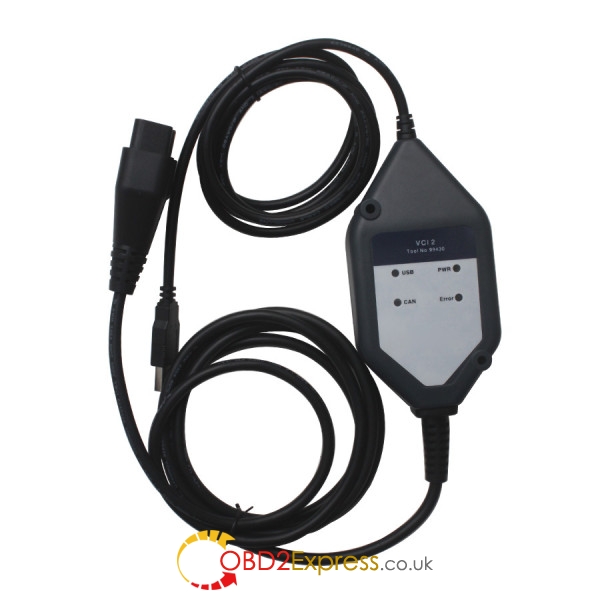
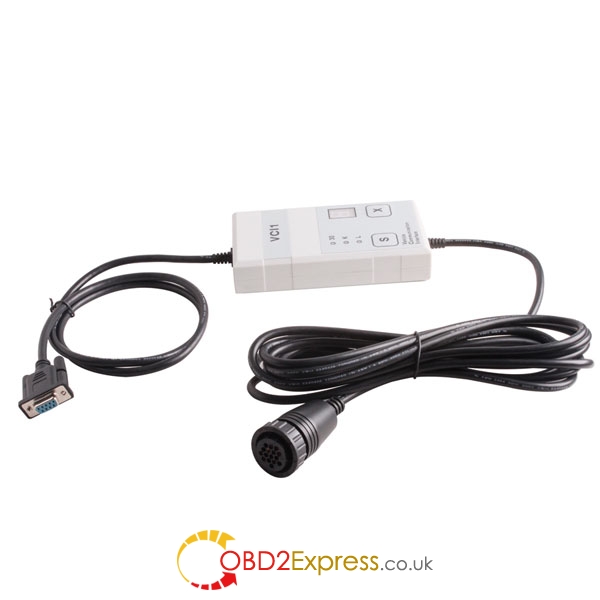
There are some differences amongScania diagnostic tools VCI 1, VCI 2, VCI 3, in terms of connection, vehicles, software and language, etc. For details, please go on your reading.
About hardware compatibility
1) Communication way
Scania VCI1and VCI2 can only be used USB for communication connection.
VCI3 is used via both USB and WIFI connection
2) Workable vehicles
– VCI1 support vehicles from1995 to 2004:
trucks and buses SCANIA 4 and 3 series as well as marine engines SCANIA
– VCI2 can support vehicles after the year 1995:
SCANIA P, G, R, T, buses SCANIA series K, N, and other vehicles using engines SCANIA
– VCI3 support vehicles after the year 2004:
trucks, buses and other heavy vehicles, which produces the corporation SCANIA
4) Supported systems
– VCI 1 supports systems:
APS, ATA, WTA, CTS and AUS, BCS, BWS, EEC, EBS, EMS, COO, ICL, TCO, OPC and RET, RTI, SMS, TPM , LDW
– VCI-2 & VCI-3 support systems:
APS,ATA, WTA, CTS and AUS, BCS,BWS,EBS,EEC,EMS,COO,LAS and BBS,ICL, TCO,OPC and RET,RTI,SMS,TPM,LDW
About software compatibility
5) Software version
Scania vci1, vci2 & vci3 all runs with Scania diagnos & programmer.
– vci1 is designed to work with the older softwaredesigned to work with the program SD2 v2.32.004 (Scania Diagnos) and Scania SP2 v2.29.004 (Scania Programmer)
– both vci 2 & vci 3 works with the latest tested
6) Language available
– vci 1:
English, Spanish
–scania vci2& vci3:
German, English, Spanish, Finnish, French, Italian, Japanese, Korean, Dutch, Polish, Arabic, Portuguese, Russian, Swedish, Turkish, Chinese, Traditional Chinese, Romanian
7) Scania VCI 2 vs. VCI 3
Only hardware difference, they can use the same software
Scania vci 3 diagnostic tool highlights its high-speed WI-FI connection
Picture display:
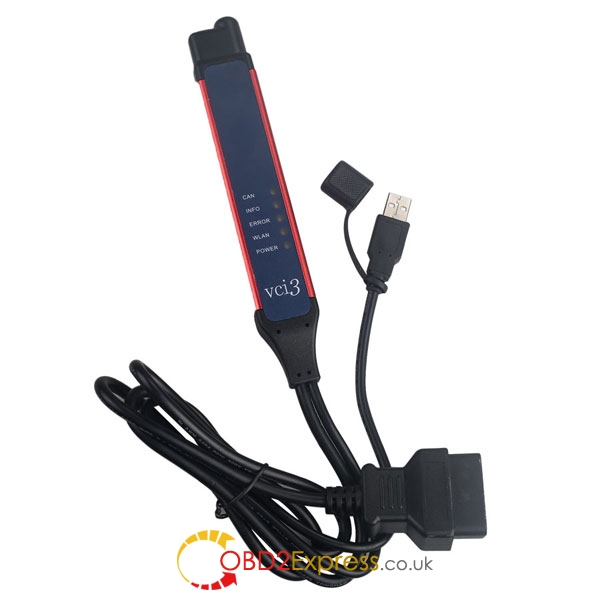
Scania VCI-2:
Scania VCI-1:
Posted by: OBDexpress.co.uk at
06:19 AM
| No Comments
| Add Comment
Post contains 303 words, total size 6 kb.
November 19, 2016


Iveco EASY (Eltrac) Bluetooth module enables wireless connection between vehicle and diagnostic computer it simplifies all service and repair operations in workshops. Fast and very accurate error detection, identification and correction is what every Iveco workshop need every day. The Bluetooth module is heavy-duty ready. It is a reliable solution that currently is used almost all Iveco workshops and services. This is the only and best ever diagnostic tool for Iveco heavy vehicles.
IVECO Eltrac Easy Diagnostic kit Features:
• Make active ECU diagnostic;
• Make parameter programming;
• Perform engine tests;
• View wiring diagrams.
IVECO Eltrac Easy Diagnostic kit Parameters:
Dimension: 175x75x30 mm
Power supply: 6-32V
Connection interfaces: USB and RS232 standard, Bluetooth (optional)
Compatible software: Iveco E.A.SY. 11.1
IVECO Eltrac Easy Supported languages: Italian, Spanish, French, English, German, Czech, Danish, Hungarian, Dutch, Swedish, Finnish, Portuguese, Polish, Turkish, Croatian, Greek, Russian, Korean
For advanced parameter programming you can use our Iveco AlphaNumeric Code Calculator software.
IVECO Eltrac Easy Diagnostic kitSupported brands:
• ASTRA Full
• CNH Full
• DVD_EUROCARGO_FPS
• DVD_LMV
• DVD_LMV_VM90
• DVD_LMV_VM90_RG12
• DVD_MG410
• DVD_MG410_MPV
• DVD_MG410_MPV_EUROCARGO_FPS
• DVD_MPV
• EBU Full
• EDT
• Fpt Fsl
• Fpt Multicar Eol
• Fpt Sor Eol
• Iveco Astra Belgium
• Iveco Astra Pacific
• Iveco Astra Spain
• IRISBUS Full
• IRISBUS Solo Mini
• Iveco Daily
• Iveco Full
• Iveco Leggeri
• Iveco Medi
• Iveco Pesanti
• Iveco- SCA Full
• Iv Motors Full
• Maserab Full
• Power Tech
• System Full
• SIH Full
• SWISSARMY Full
• Tata-Daewoo Full
Posted by: OBDexpress.co.uk at
08:41 AM
| No Comments
| Add Comment
Post contains 355 words, total size 5 kb.
November 17, 2016
i have mini 2012 lost key CAS3+ tried onvvdi2 key programmer.
everything went ok
got ISN from DME and also EEPROM from CAS
and remote programmed successfully
but car did not start i did one fault once thevvdi toolasked me whether the car has been started or no i said yes and car has not started yet i thought maybe because of the low battery but i gave power to the battery and tried no joy remote functioning but a yellow key shown on cluster
Then i was advised to try to select blank key position with 7953 transponder, via ISN method to make key.
And I really did new fresh programming of the key and the car starts
Posted by: OBDexpress.co.uk at
02:11 AM
| No Comments
| Add Comment
Post contains 132 words, total size 1 kb.
November 14, 2016
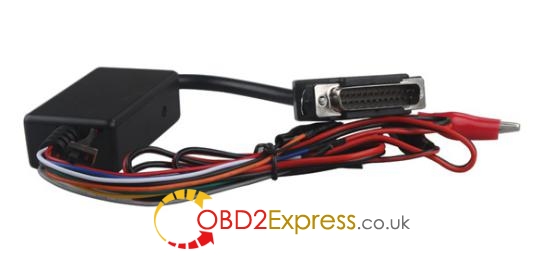
Any doubts about MB temic cables forKess v2 tuningwork? Bench cable or OBD cable?
There are some differences between the bench cable 144300K249 and the obd2 cable 144300K251:
You can not clone ecu from obd, for that you need bench cable.
Old boot cable works only on boot mode and does not support new continental ecu without flash memory.
So buy just two head (round + obd) Temic truck cable (with part number 144300K249). That is your choice for tuning.
This cable has been done on 200-300 MB trucks by a user, first in boot mode and after Kess v2 released OBD protocol.
Never had really any problems.
It’s easy to find with Google search seller from China sellers or other who sell
But you have no this ecu tool now. Better to buy a
Kess v2 truck tuning kitprice:€64
Version:software V2.08/V2.22, firmware V4.024
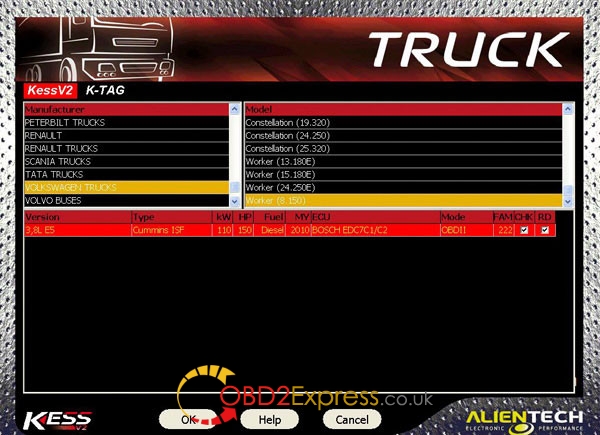
Kess v2 car list (truck):
http://www.obdexpress.co.uk/upload/pro/kess-v2-supported-truck-list-comparison.pdf
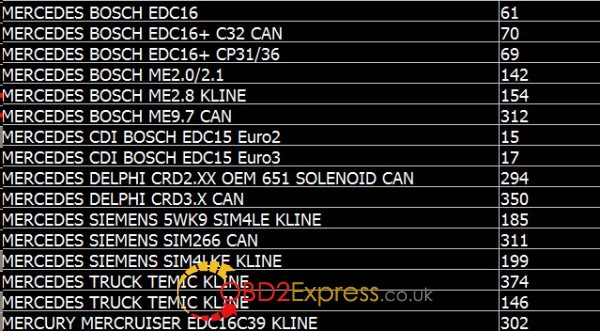
Mercedes ECUs okwith Kess v2 truck:
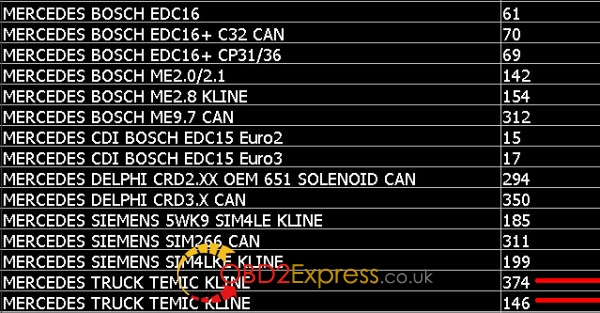
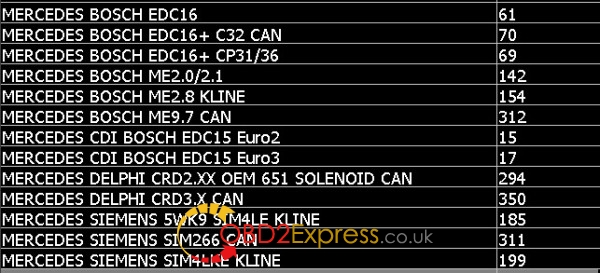
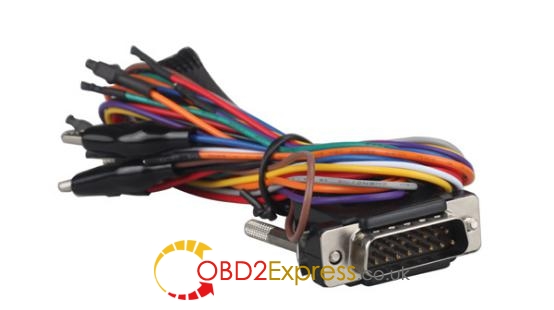
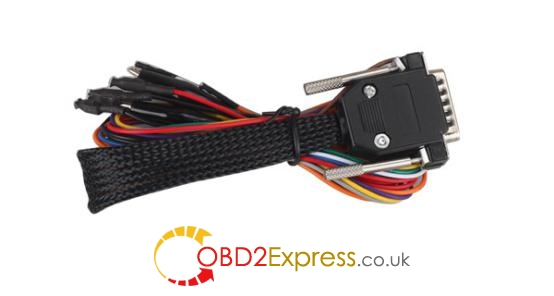
Kess v2 boot cables
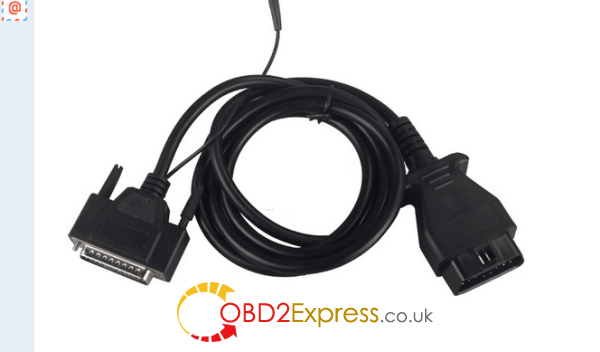
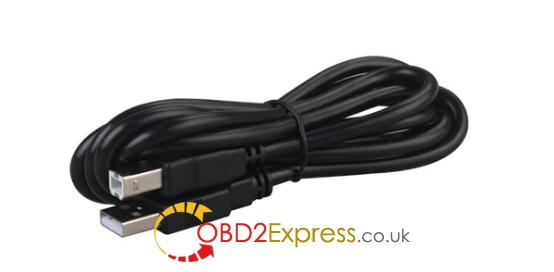
Kess v2 obd cable:
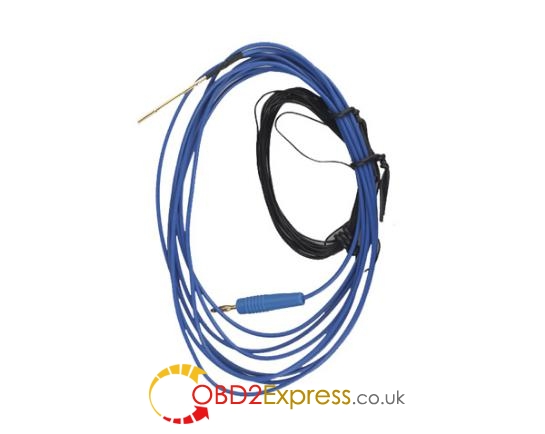
Other kess v2 cablesfor truck tuning:
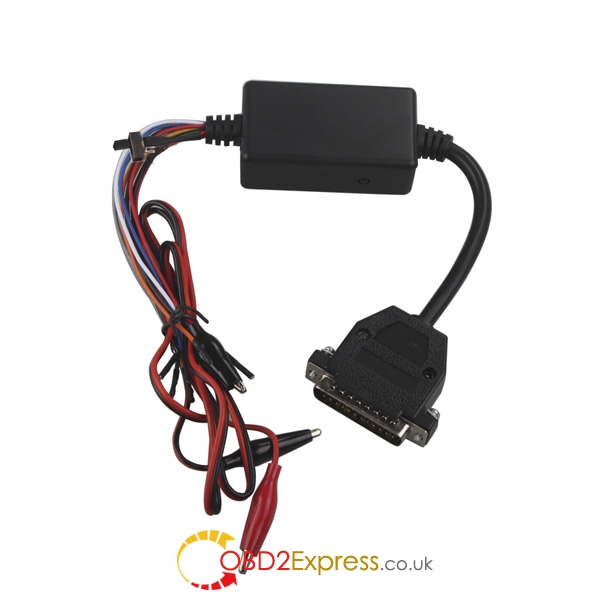
Kess truckfull info:
http://www.obdexpress.co.uk/wholesale/truck-kess-v2-firmware-manager-tuning-kit-master.html
Posted by: OBDexpress.co.uk at
06:28 AM
| No Comments
| Add Comment
Post contains 226 words, total size 6 kb.
November 10, 2016
"I'm looking for a cheap mileage adjustment tool ,it can changer the KM in EDC16 ECU in 2005 Audi A4 b7 by obd2,which tools can you recommed?"
Here is someseveral pieces of workingodometer correction toolin EDC16 ECU in 2005 Audi A4 b7 for based real user's experience,Thanks all experience frommhhauto.com forummember.
car modele and year:
EDC16 ECU in 2005 Audi A4 2.0TDI 140cv
Objective:
Change the mileage
Tools options:
NO1:Carprog Full v9.31/ v8.21 tested ok .
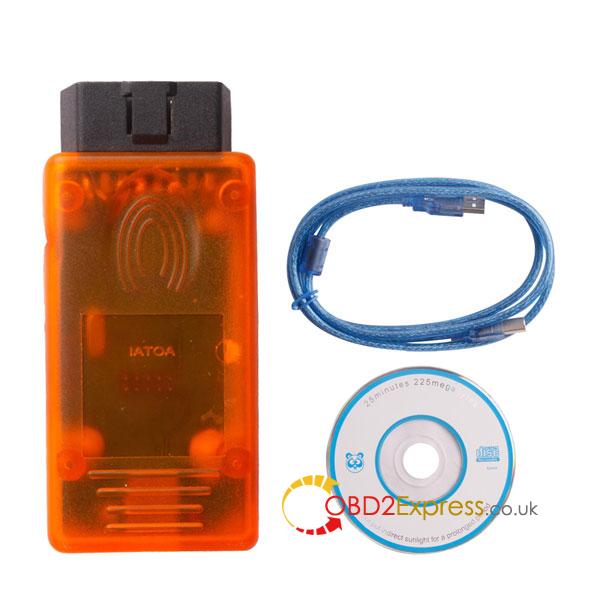
Note :i would recommend you to not open ecu or you will damage it .you need to have experience to do do that ,get vag dash can 5.29 and you will finish the job.
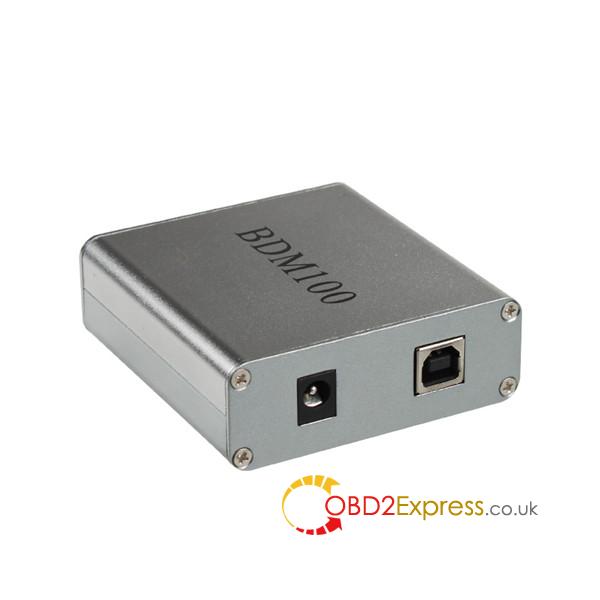
Safe way to open and do the job with BDM ,Older version could fail with your ecu.Tt is hard to damage EDC 16 during opening when you are a little bit careful,you don't have to lift PCB,only remove the cover .Not the hard way like MB EDC 16.
NO4:Cheap V4.94 Digiprog IIIDigiprog 3 Odometer Programmer with OBD2 Cable
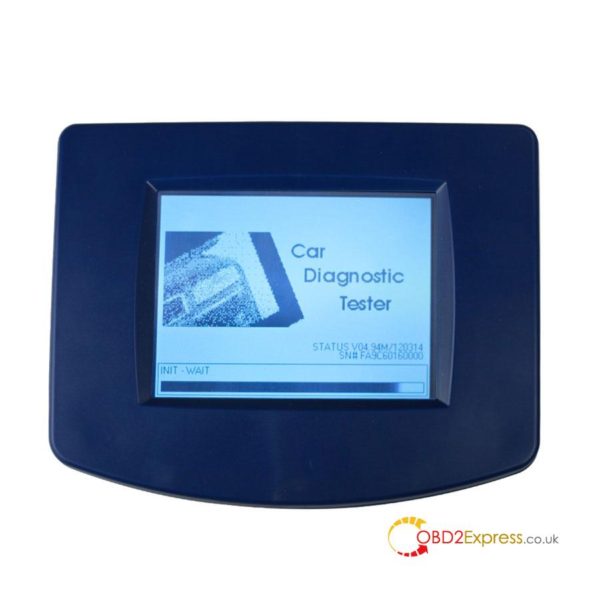
So finally i've opened the ECU (sick job hahah) and desoldered the S95320 eeprom for reading with digiprog clone. It's seems to read it fine.
I think ill make another post from opening the ECU to guide the people that have to do that.
This article is from:http://www.mileageprogrammer.com/change-mileage-in-edc16-ecu-in-2005-audi-a4-b7/
Posted by: OBDexpress.co.uk at
09:58 AM
| No Comments
| Add Comment
Post contains 236 words, total size 4 kb.
November 03, 2016
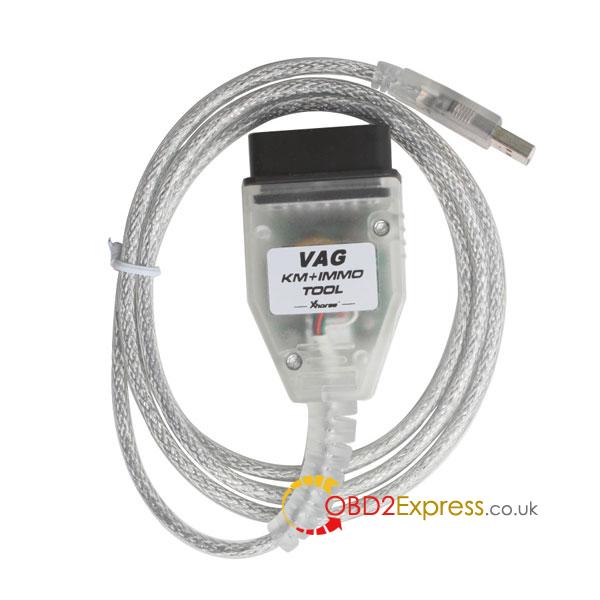
VAG KM+IMMO toolSupports odometer correction, PIN code read, EEPROM read/write by OBD2,Vehicle support:Volswagen ,seat and Skoda cars from year 2006,The latest version:V1.8.2.
Here we will introduce VAG KM+IMMO Tool in two parts:
part 1.How to program VAG group VW Audi Skoda Seat keys using Xhorse VAG KM+IMMO Tool OBD2 cable when all keys are lost.
part 2.VAG KM+IMMO Tool VAG key programmer & mileage programmer car list:
part 1:
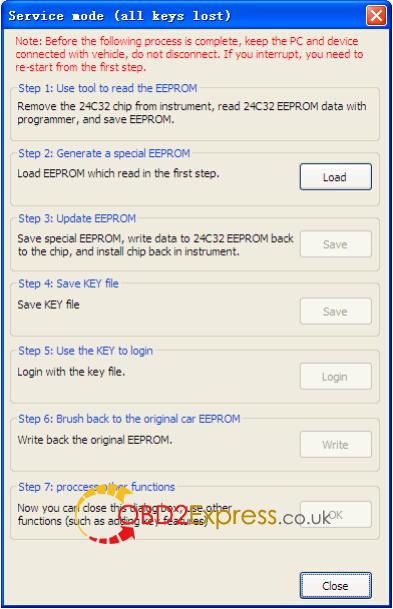
Here is the procedure of new keys programming by VAG KM+IMMO OBDII Tool:
1) Connect "VAG KM+IMMO Tool†to both pc and car.
2) Click "Service Mode†button to open "Service Mode†dialog.
3) Remove the 24C32 chip from instrument, read 24C32 EEPROM data with programmer, and save EEPROM.
4) Switch to "Service Mode†dialog, load EEPROM.
5) Save special EEPROM, write data to 24C32 EEPROM back to the chip,
and install chip back in instrument.
6) Save KEY file.
7) Login with the key file.
 Click "Write†button to write back the original EEPROM (via OBDII).
9) Close "Service Mode†dialog, start adding dealer key (Click "Dealer Key†button, open "Dealer key†dialog.)
Note: Before the process is complete, keep the PC and device connected with vehicle, do NOT disconnect. If you interrupt, you
need to re-start from the first step.
part 2 :
VAG KM+IMMO Tool VAG
CDC32xx Module Options:
Golf, Golf+ from year 2007 (with MICRONAS CDC3272 or CDC3217/97 and 24C32 EEPROM):
odometer correction, PIN code read, EEPROM read/write;
Passat B6 from year 2007 (with MICRONAS CDC3272 or CDC3217/97 and 24C32 EEPROM):
EEPROM read/write;
Bora, Jetta from year 2007 (with MICRONAS CDC3272 or CDC3217/97 and 24C32 EEPROM):
odometer correction, PIN code read, EEPROM read/write;
Touran from year 2007 (with MICRONAS CDC3272 or CDC3217/97 and 24C32 EEPROM):
odometer correction, PIN code read, EEPROM read/write;
Caddy from year 2007 (with MICRONAS CDC3272 or CDC3217/97 and 24C32 EEPROM):
odometer correction, PIN code read, EEPROM read/write;
Tiguan, Eos from year 2008+: odometer correction, PIN code read, EEPROM read/write;
Octavia (with MICRONAS CDC3272 or CDC3217/97 and 24C32 EEPROM):
odometer correction, PIN code read, EEPROM read/write
NEC 24C32 Module Options:
VW Golf 6 – 2009+ with NEC and 24C32 EEPROM – odometer programming and immobiliser data read by OBDII;
VW Passat , Passat CC – 2009+ with NEC and 24C32 EEPROM – odometer programming by OBDII;
VW Tiguan – 2009+ with NEC and 24C32 EEPROM – odometer programming and immobiliser data read by OBDII;
VW T5 – 2009+ with NEC and 24C32 EEPROM – odometer programming and immobiliser data read by OBDII;
VW Polo – 2009+ with NEC and 24C32 EEPROM – odometer programming and immobiliser data read by OBDII;
Skoda Octavia 2009+ with NEC and 24C32 EEPROM – odometer programming and immobiliser data read by OBDII;
Skoda SuperB – 2009+ with NEC and 24C32 EEPROM – odometer programming and immobiliser data read by OBDII;
Skoda Roomster, Yeti – 2009+ with NEC and 24C32 EEPROM – odometer programming and immobiliser data read by OBDII;
Seat Ibiza – 2009+ with NEC and 24C32 EEPROM – odometer programming and immobiliser data read by OBDII;
VW Multivan – 2009+ with NEC and 24C32 EEPROM – odometer programming and immobiliser data read by OBDII;
VW EOS – 2009+ with NEC and 24C32 EEPROM – odometer programming by OBDII;
VW Caddy – 2009+ with NEC and 24C32 EEPROM – odometer programming and immobiliser data read by OBDII;
VW Scirocco – 2009+ with NEC and 24C32 EEPROM – odometer programming and immobiliser data read by OBDII;
VW Bora – 2010+ with NEC and 24C32 EEPROM – odometer programming and immobiliser data read by OBDII;
VW Jetta – 2010+ with NEC and 24C32 EEPROM – odometer programming and immobiliser data read by OBDII;
Skoda Fabia 2009+ with NEC and 24C32 EEPROM – odometer programming and immobiliser data read by OBDII;
Skoda Altea – 2009+ with NEC and 24C32 EEPROM – odometer programming and immobiliser data read by OBDII;
Skoda Yeti – 2009+ with NEC and 24C32 EEPROM – odometer programming and immobiliser data read by OBDII;
Skoda Altea – 2009+ with NEC and 24C32 EEPROM – odometer programming and immobiliser data read by OBDII;
Skoda Exeo – 2009+ with NEC and 24C32 EEPROM – odometer programming and immobiliser data read by OBDII;
GOLF6 MM7 Module Options:
VW Golf 6 – 2010 with MM7 (9S12) EEPROM – odometer programming and immobiliser data read by OBDII;
VW Tiguan – 2010+ with MM7 (9S12) EEPROM – odometer programming and immobiliser data read by OBDII;
Enjoy!!!
This article is from:http://www.mileageprogrammer.com/vag-km-immo-tool/
Posted by: OBDexpress.co.uk at
09:43 AM
| Comments (1)
| Add Comment
Post contains 765 words, total size 7 kb.
34 queries taking 0.0276 seconds, 129 records returned.
Powered by Minx 1.1.6c-pink.