



May 29, 2020
Question: Can anyone tell me why I cannot use Iprog odometer Programmer read with obd2 plug ford focus dashboard odo?
it says can adapter but I want to do in car...
Reply:
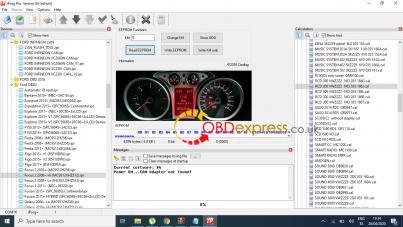
Use automatic id read.
Then choose dash.
Ford Mondeo / S-Max odometer correction with iprog Pro :
Look at iprog+ pro :
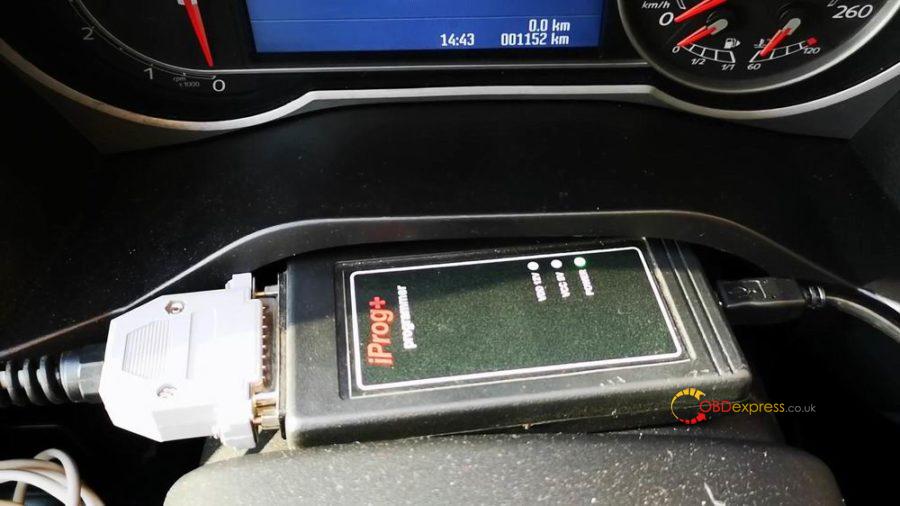
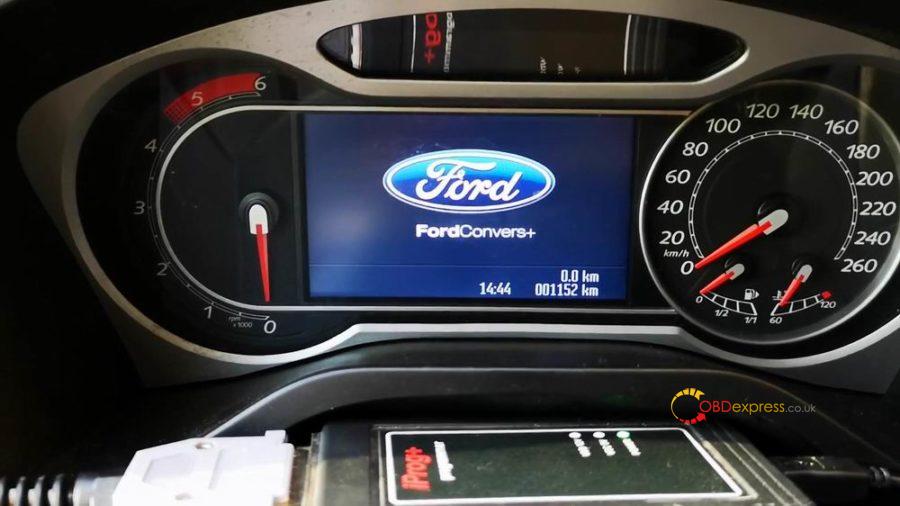
Ford Convers+ dashboard with 001152KM:
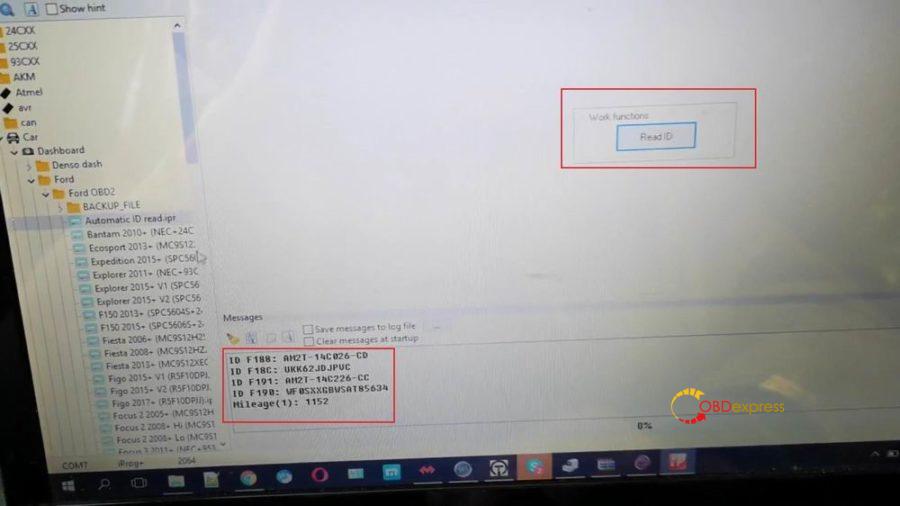
Open iprog software. Select Car -> Dashboard -> Ford -> Ford OBD2 -> automatic id read.ipr
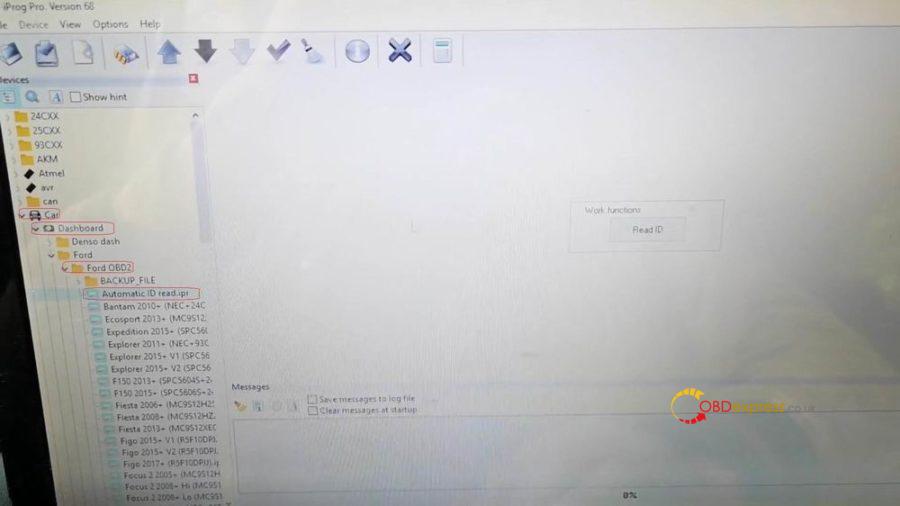
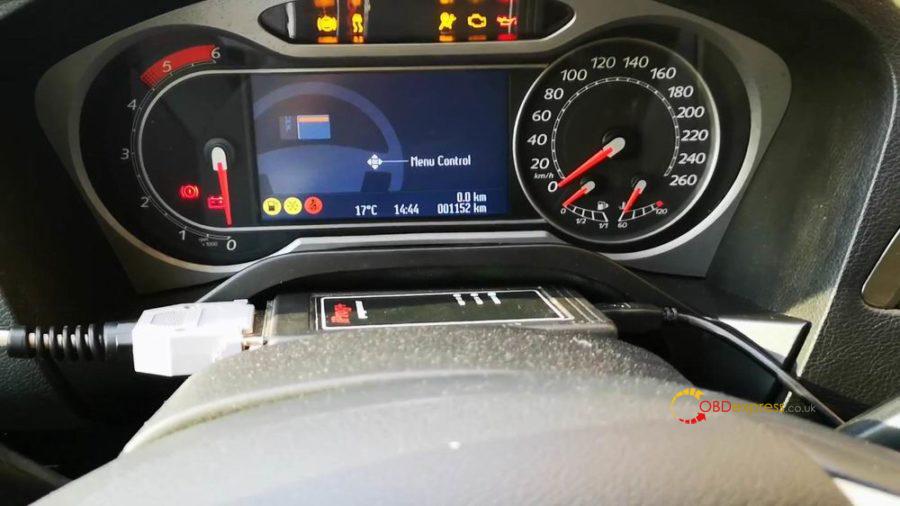
Click on "Read ID" and have mileage.
Select "Mondeo Convers...", click on "Read KM" and have 1152KM.
Write a new KM 166656, click on "Write KM".
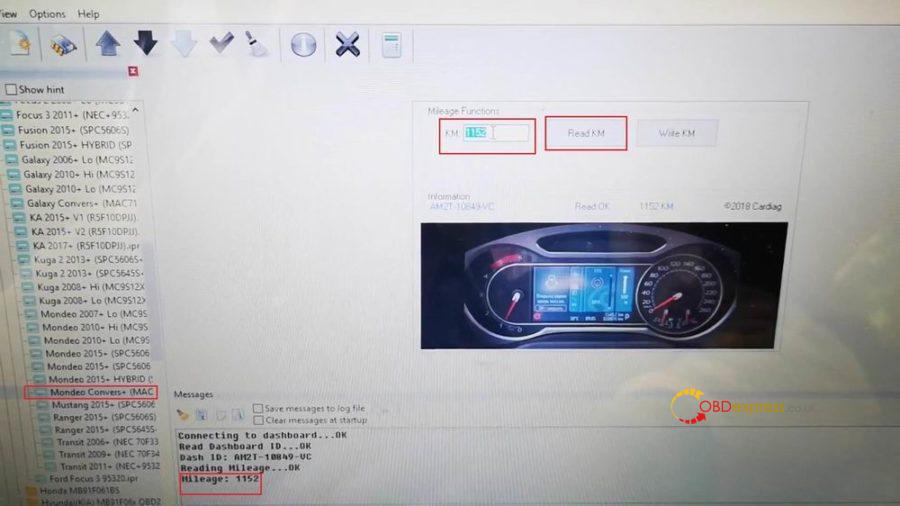
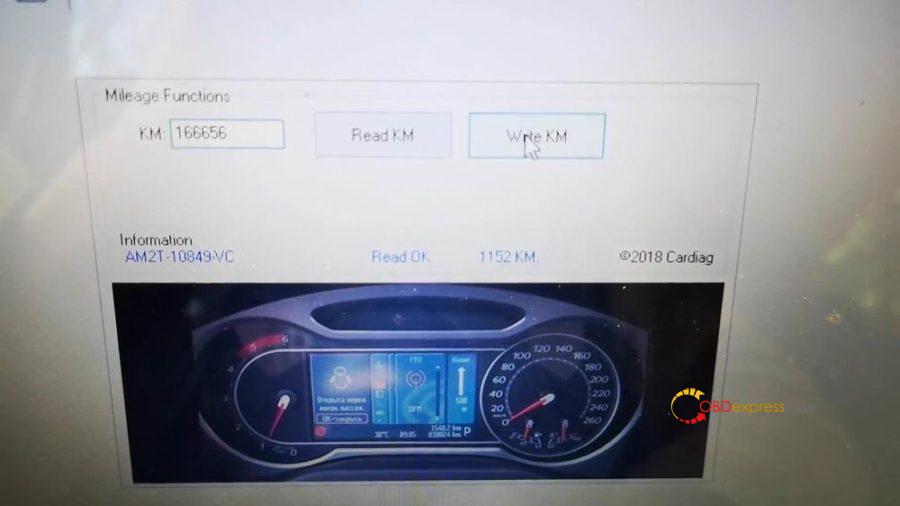
Have new KM 166656km on the dashboard.
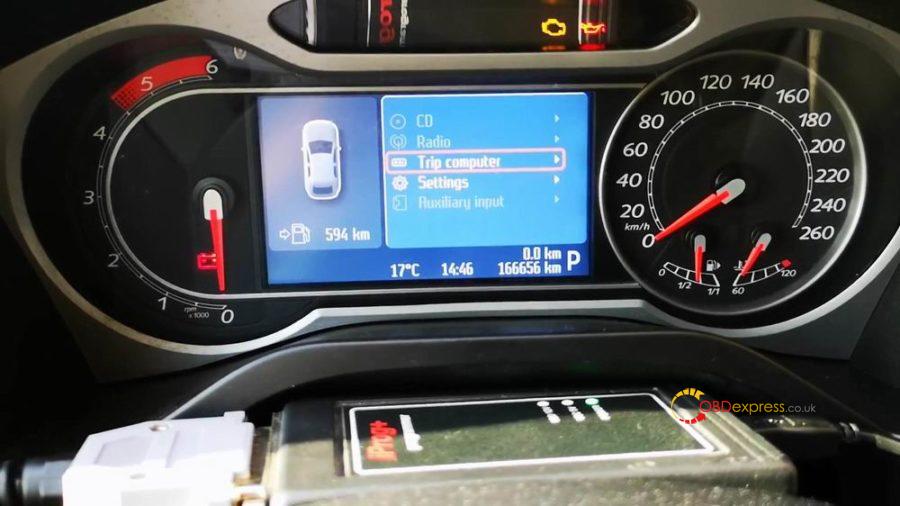
Job is done with iprog+ clone
Posted by: OBDexpress.co.uk at
08:55 AM
| No Comments
| Add Comment
Post contains 123 words, total size 6 kb.
If your Yanhua Digimaster 3 meet error like this below:
a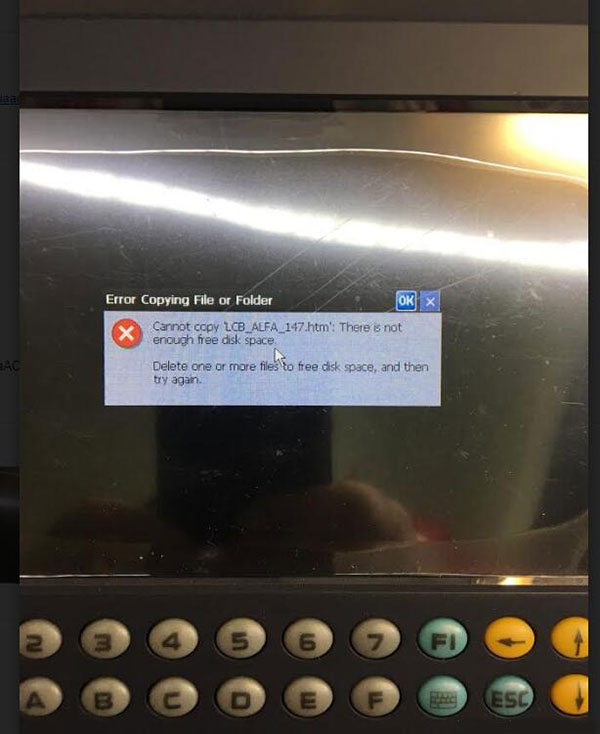
Error:
Cannot copy "LCB_ALFA_147.htmâ€. There is not enough free disk space.
Solution:
1. Turn off DigimasterIII and turn on again, when you enter Digimaster 3 system, there will be a notice asking to download a management program or black screen. Please ignore and press "keyboard†+ "E†to enter the resource manager.
2. Find the "NandFlash†icon, double click "NandFlashâ€, delete the "YHTech†file folder. If the file folder cannot be deleted, please restart and try again.
3. After you delete the file, copy the necessary "YHTech†file folder and "NK_D3.ROM†file to SD card.
4. Press "1†+ "Keyboard†and turn on the power switch, start to refresh the inner core.
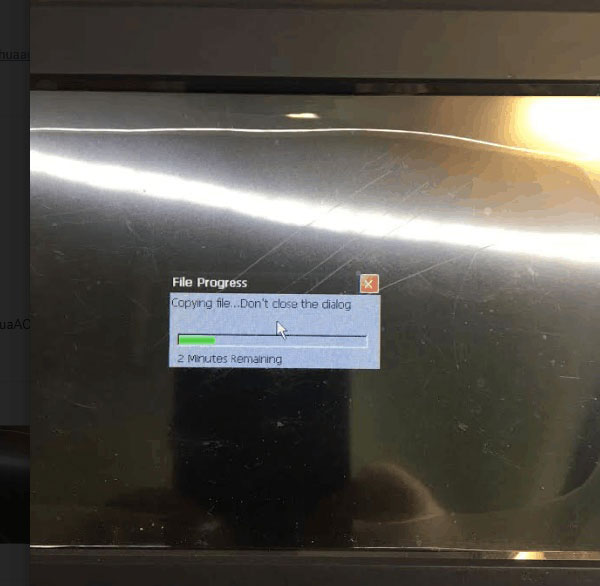
5. When the inner core refresh is finished, and the Digimaster III start icon can be seen, press the "F1†and "5†button in turn immediately, copy files from the SD card to FLASH.
6. When copy finished, you’ll be able to turn it on successfully.
Posted by: OBDexpress.co.uk at
02:22 AM
| No Comments
| Add Comment
Post contains 181 words, total size 3 kb.
May 22, 2020
Scania Multi 2019.5 is tested working successfully and obdexpress.co.uk engineer share the win7 32bit installation video.
Procedure:
There are 4 pieces of DVD to install, let’s install them one by one ((DVD0 DVD1 DVD2 DVD3). After that to openScania multi 2019.05to check Spare Parts Catalog & Service Information.
Part 1: Install DVD0
Insert
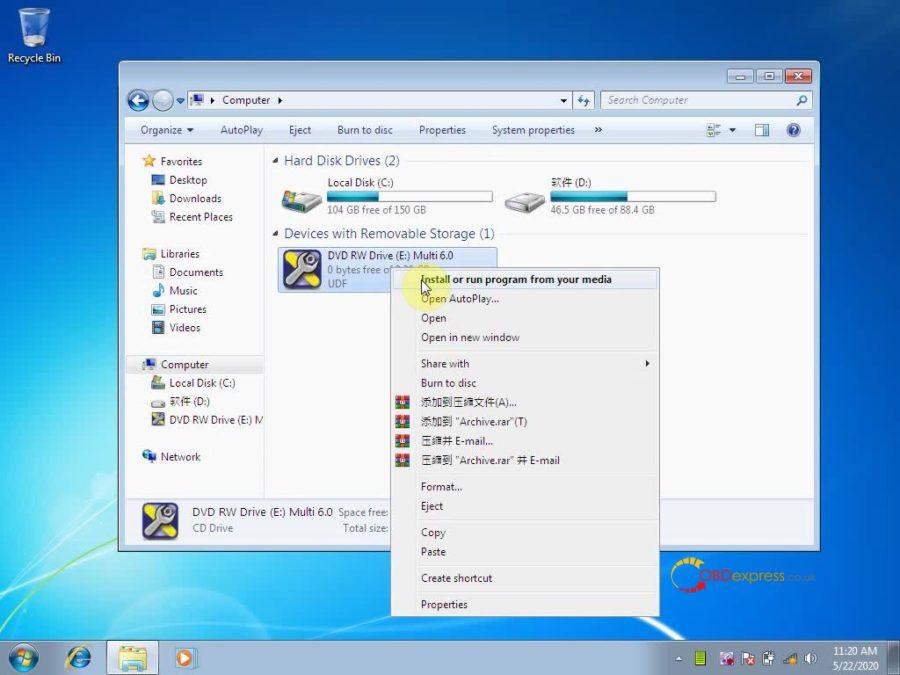
the DVD 0 into the computer, right click on "DVD RW Drive (E Multi
6.0″ and choose †Install or run program from your mediaâ€.
Multi
6.0″ and choose †Install or run program from your mediaâ€.
Accept the license to continue the installation;
Next;
Install;
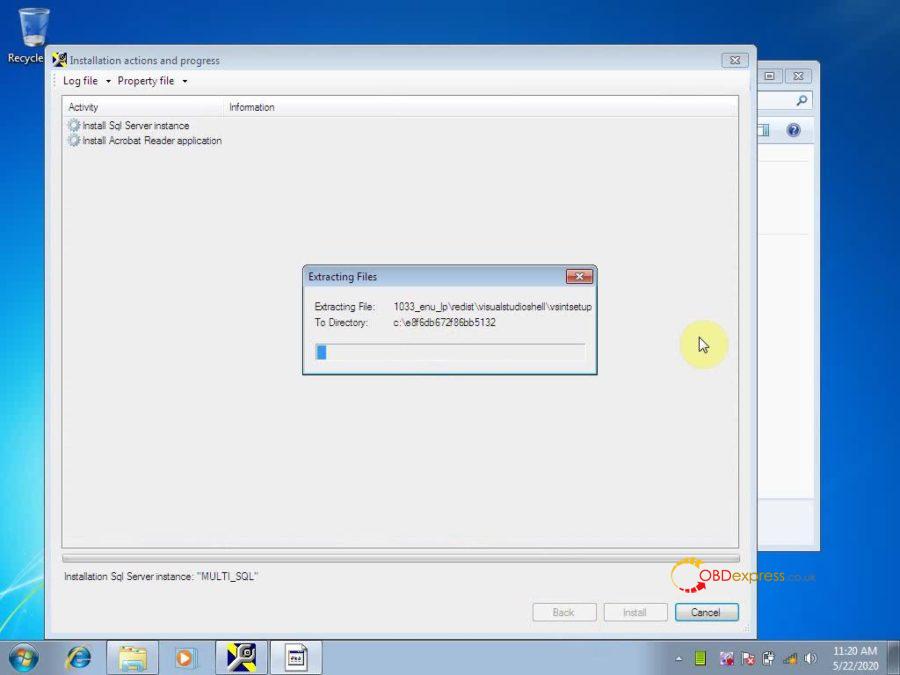
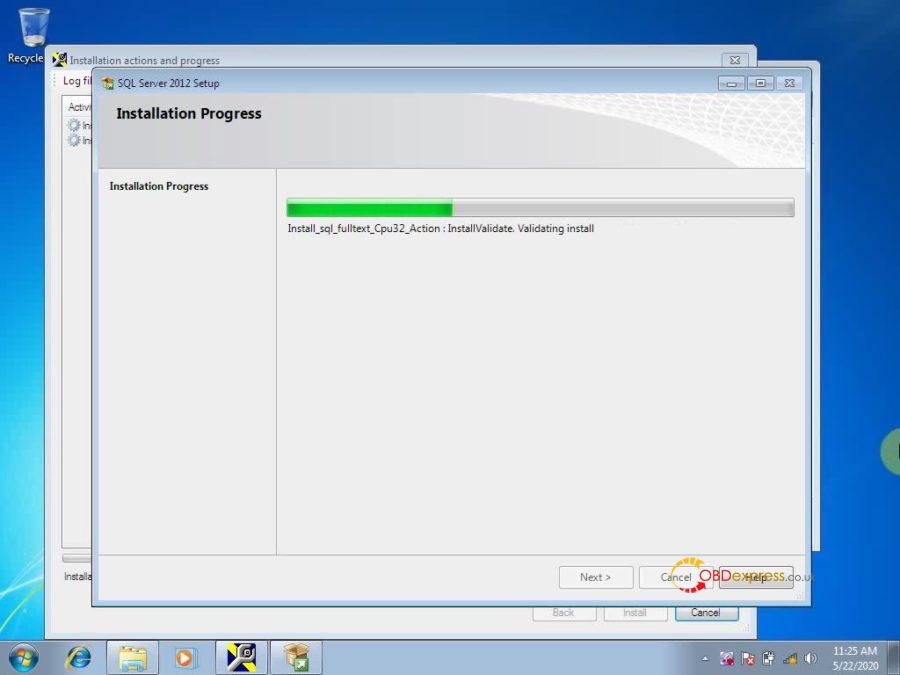
Please wait while Microsoft SQL Server 2012 Setup processes the current operation.
Installation progress.
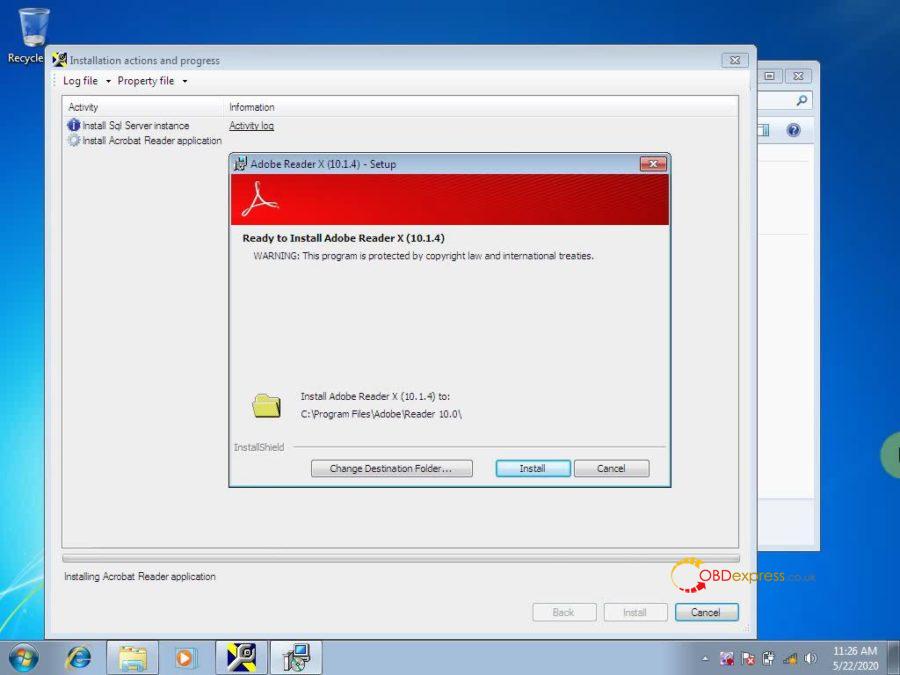
Install Adobe Reader X (10.1.4) until complete.
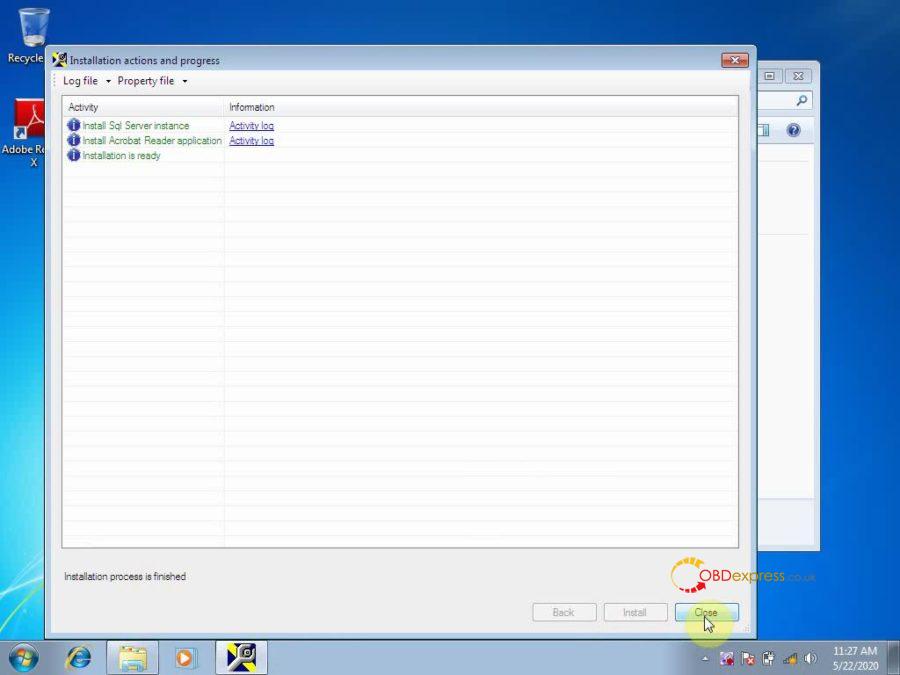
Installation process is finished.
Part 2: Install DVD 1
Insert DVD 1 into the computer, click on "Run Setup.exeâ€.
Accept the license to continue the installation;
Next;
Extract files from archive E.
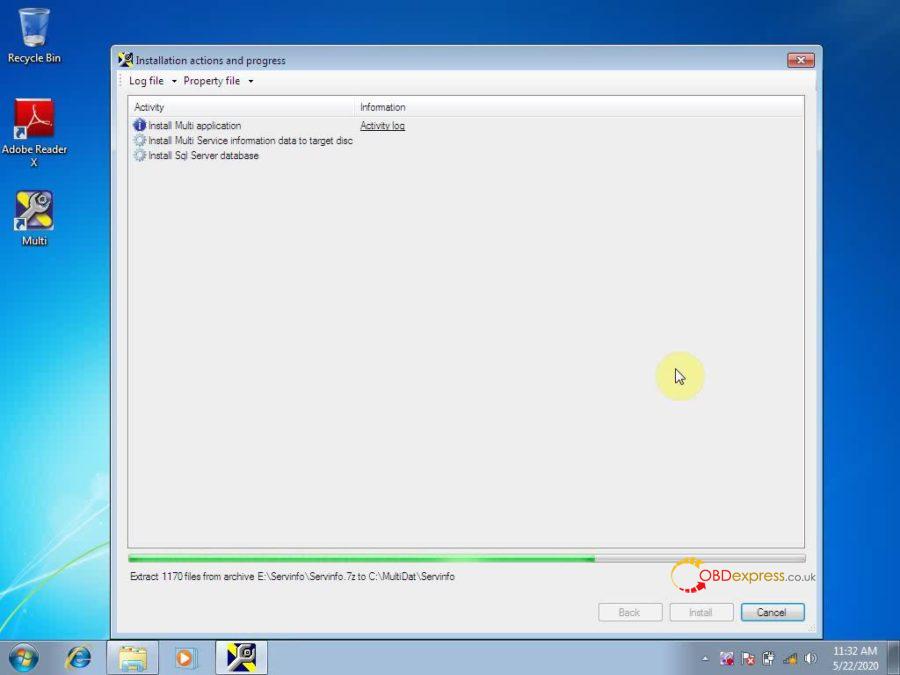
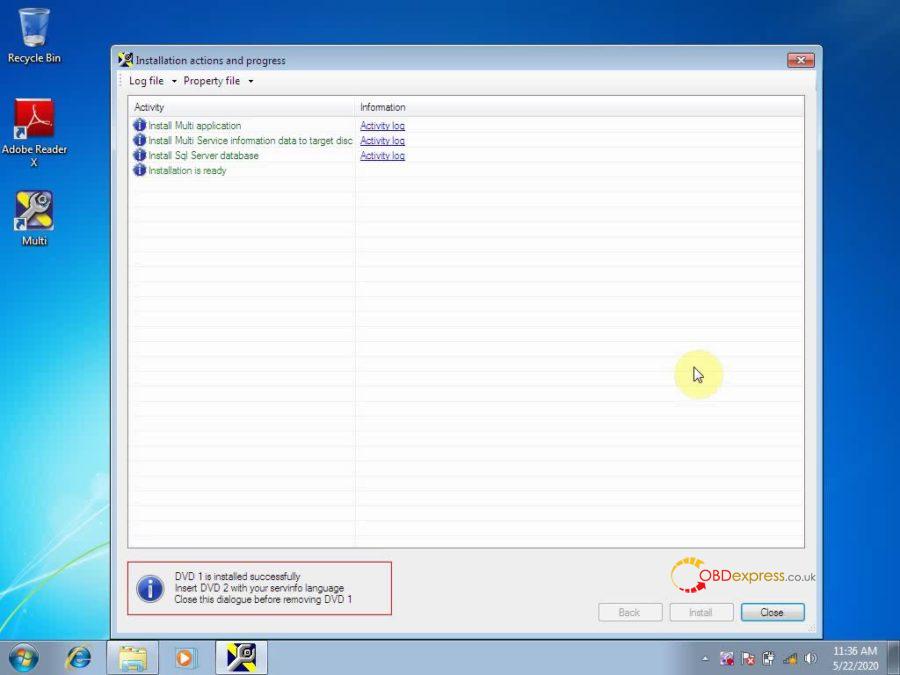
DVD 1 is installed successfully, insert DVD 2 with your servinfo language. Close this dialogue before removing DVD 1.
Part 3: Install DVD 2
Insert DVD 2 into the computer, click on "Run Setup.exeâ€.
Accept the license to continue the installation;
Next;
Extract files from archive E.
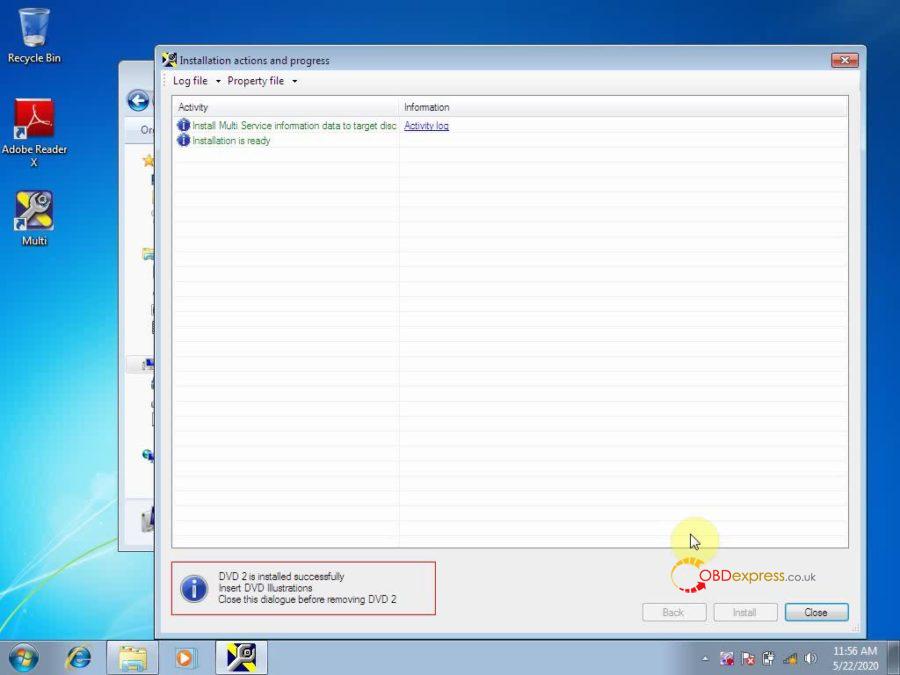
DVD 2 is installed successfully, insert DVD 3 illustrations. Close this dialogue before removing DVD 2.
Part 4: Install DVD 3
Insert DVD 3 into the computer, click on "Run Setup.exeâ€.
Accept the license to continue the installation;
Next;
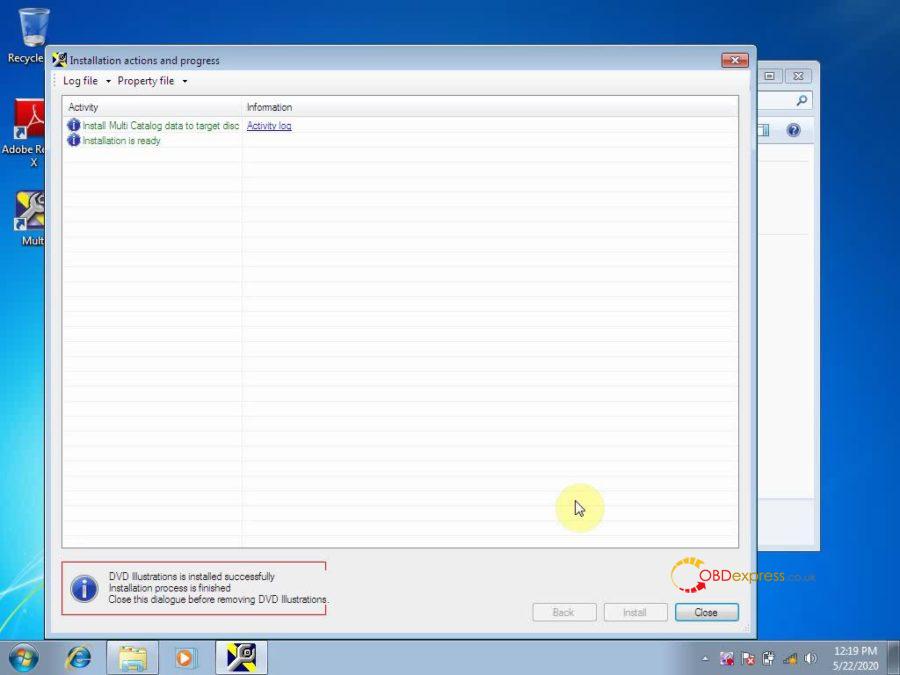
Extract 65465 files from archive E.
DVD illustrations is installed successfully. Installation process is finished. Close this dialogue before removing DVD illustrations.
Part 5: Open Multi.
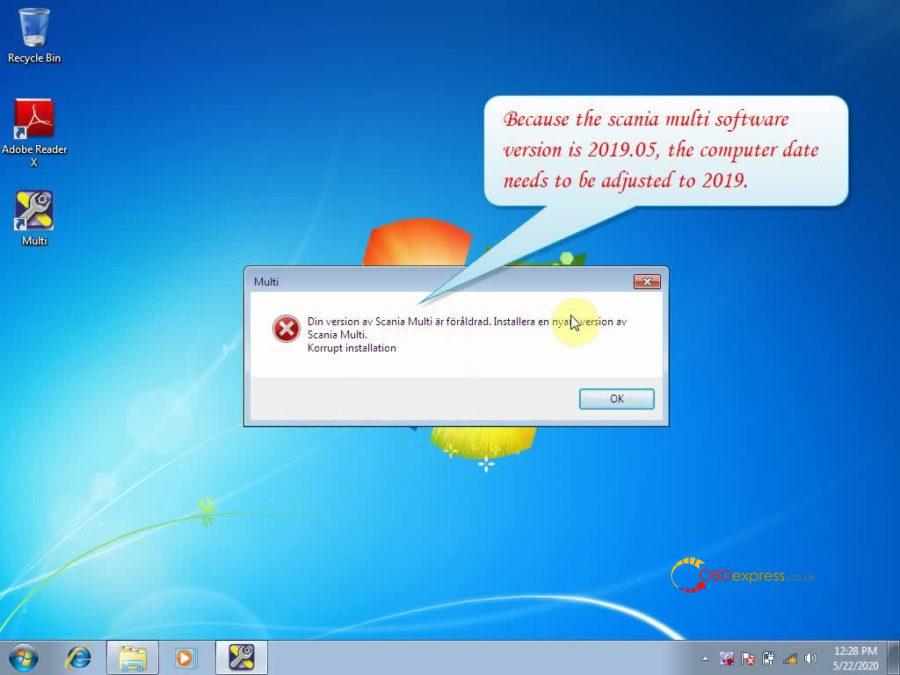
A dialogue pops up saying "Din version av Scania Multi… korrupt installationâ€.
Reason: the scania multi software version is 2019.05, please reset the computer date to 2019.
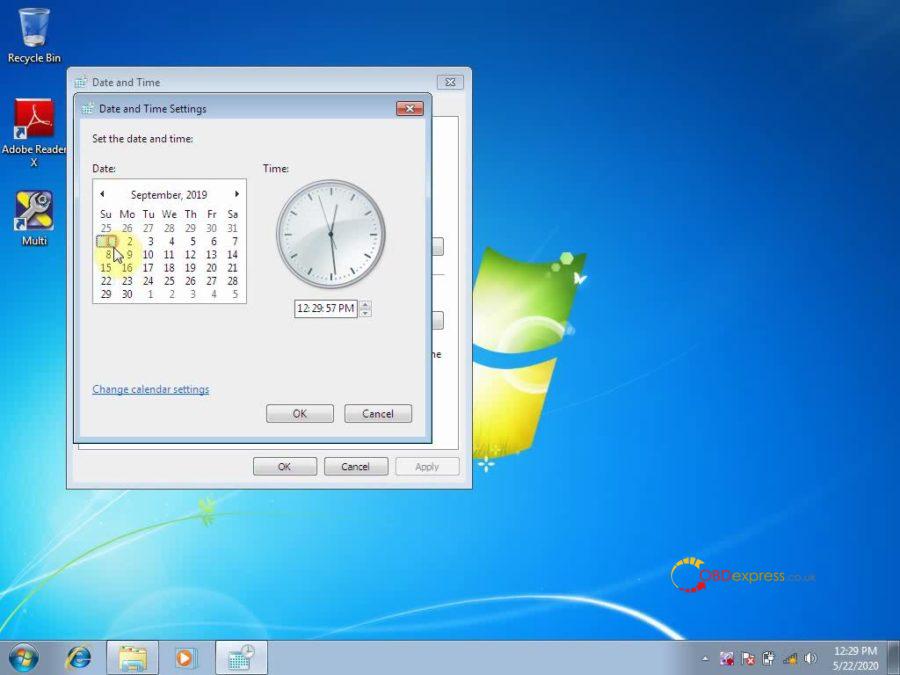
Again, openMulti, then reset the language you need.
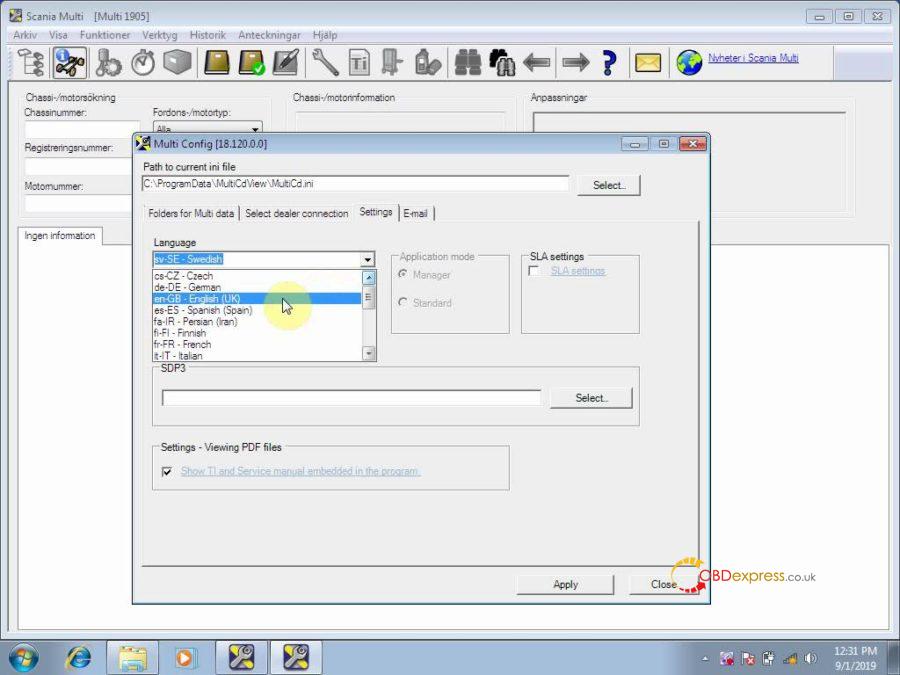
Then close Multi and open it again.
Now you are ready to choose the Vehicle/ engine type and check the technical information.
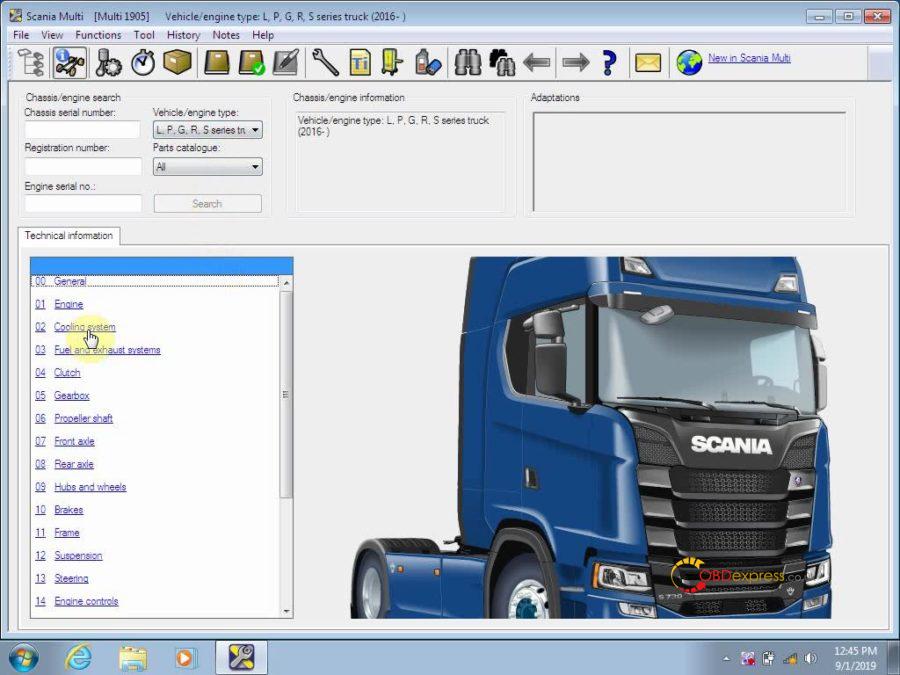
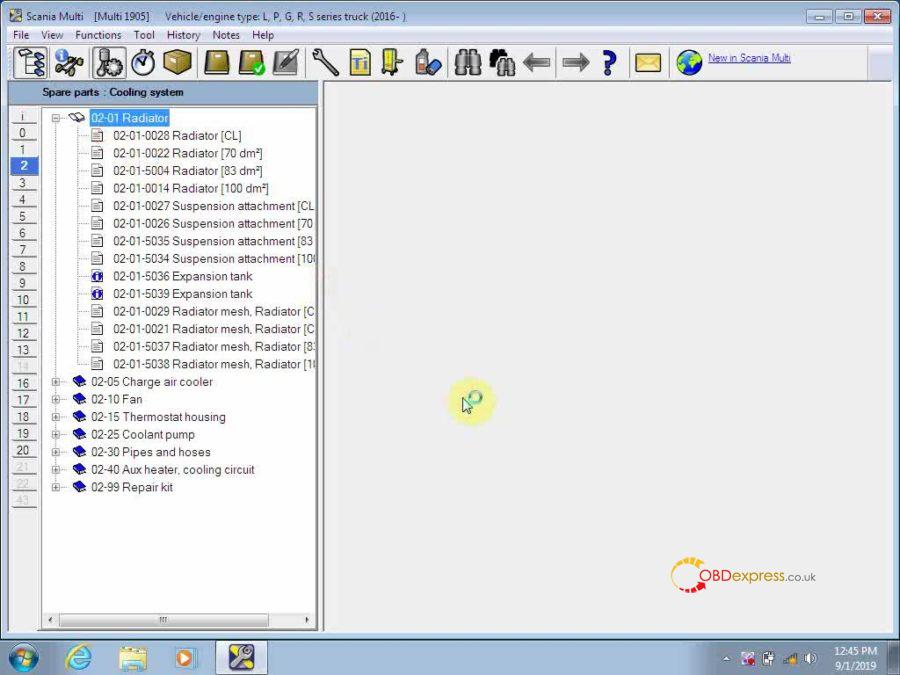
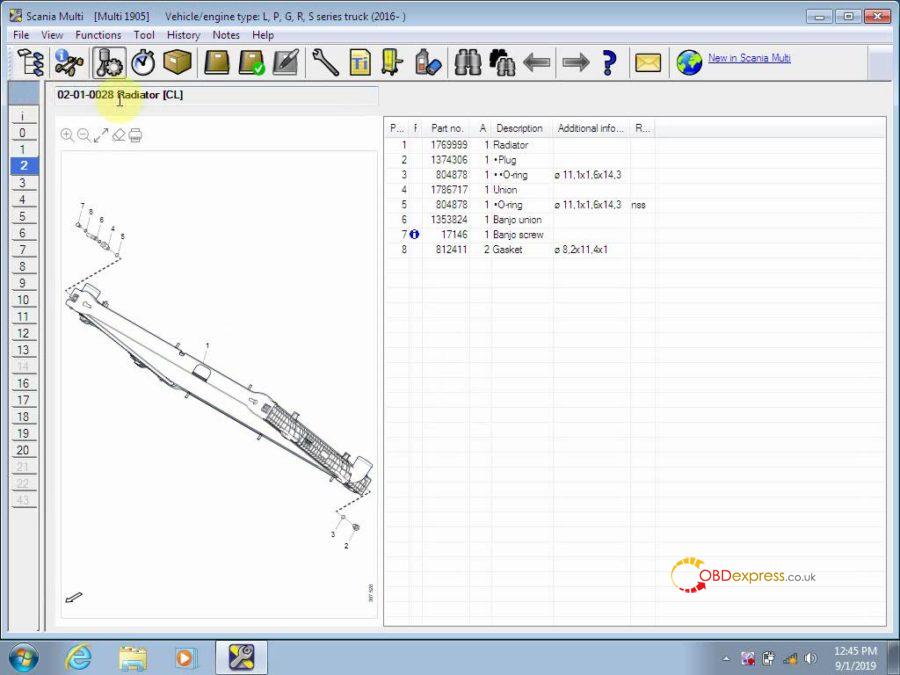
Done!
Multi 2019.05 Spare Parts Catalog & Service Information for Scania send by CD Best Price here:
http://www.obdexpress.co.uk/wholesale/scania-multi-spare-parts-catalog-service-information.html
Posted by: OBDexpress.co.uk at
10:03 AM
| No Comments
| Add Comment
Post contains 337 words, total size 62 kb.
May 18, 2020
Free download 05.2020 BMW ICOM / NEXT software ISTA+ 4.22.31 ISTA-P 3.67.1.006:
https://mega.nz/file/hdojgSjT#SZUgEkoTNZj7PQXFpJPbpBSosXKoDu8bsIuimzvpGrI
(Source not from our here, Try on your own risk )
Any good review:
It’s compressed and only 72GB
But, I am at 86% and now it slowed down for some reason after about 5 days. I have tried tweaking the settings in uTorrent 3.5.5.
ISTA+ 4.22.31 ISTA-P 3.67.1.006 reliable source:
SS219-5B: 500G HDD (with preinstalled software)
http://www.obdexpress.co.uk/wholesale/2020-05-bmw-icom-ista-500g-hdd.html
SS219-A5B: 500G SSD (with preinstalled software)
http://www.obdexpress.co.uk/wholesale/2020-05-bmw-icom-ista-ssd.html
Security: 100% yes
Download time: no need to download, plug and play
Images mean a lot:
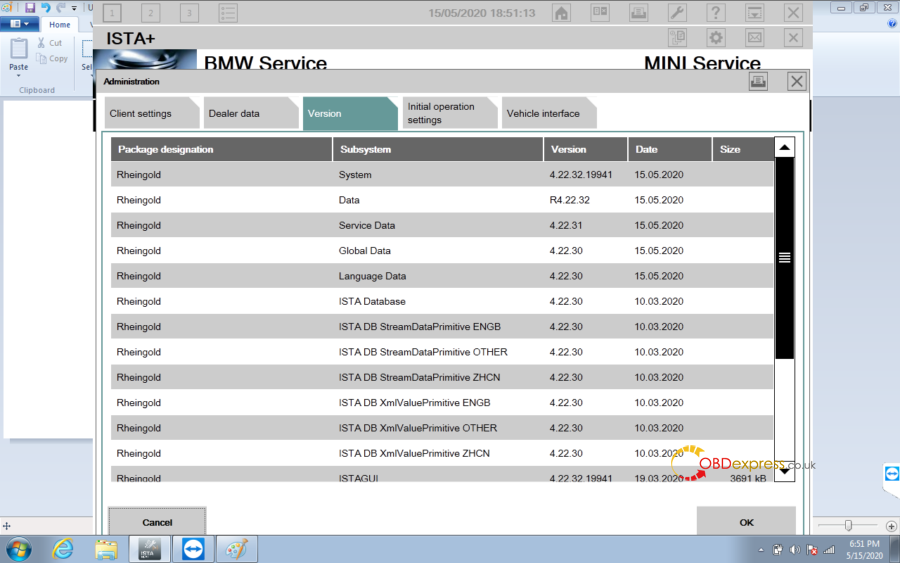
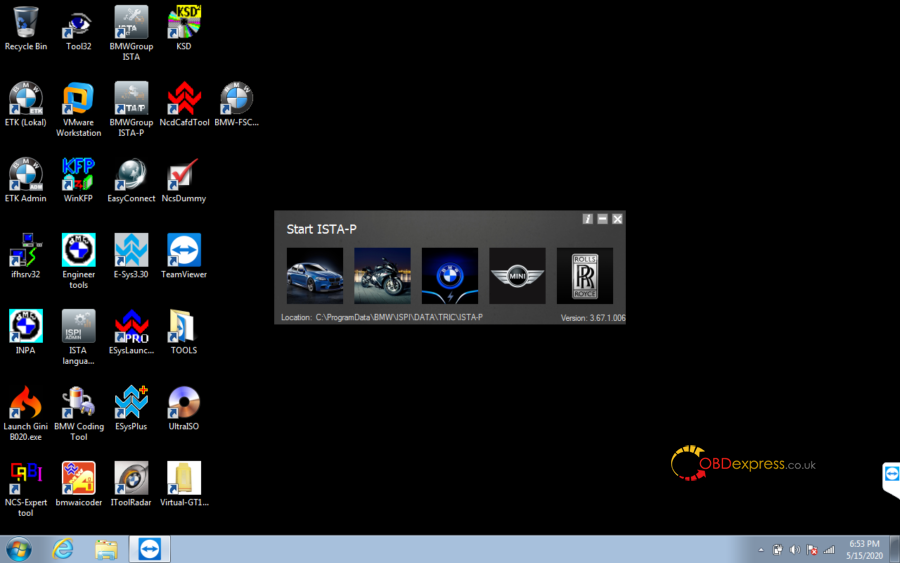
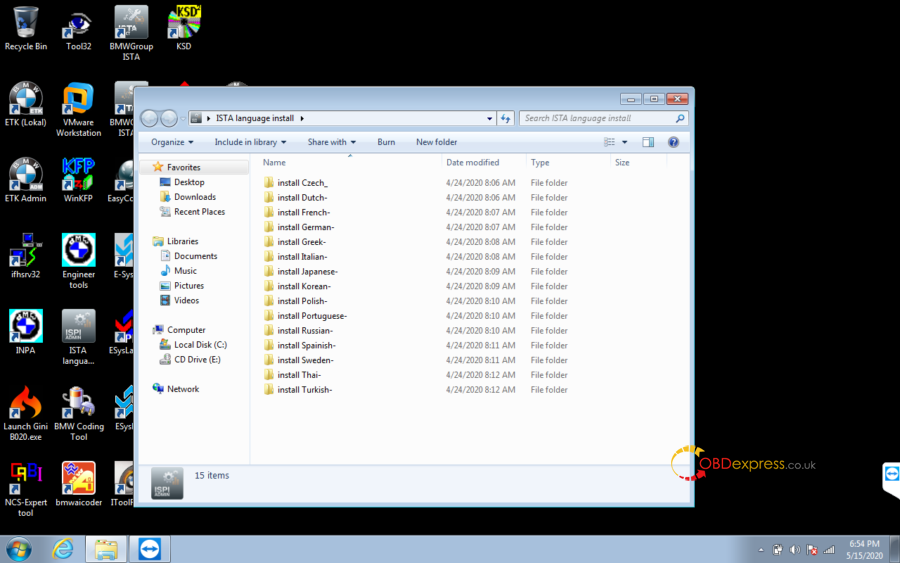
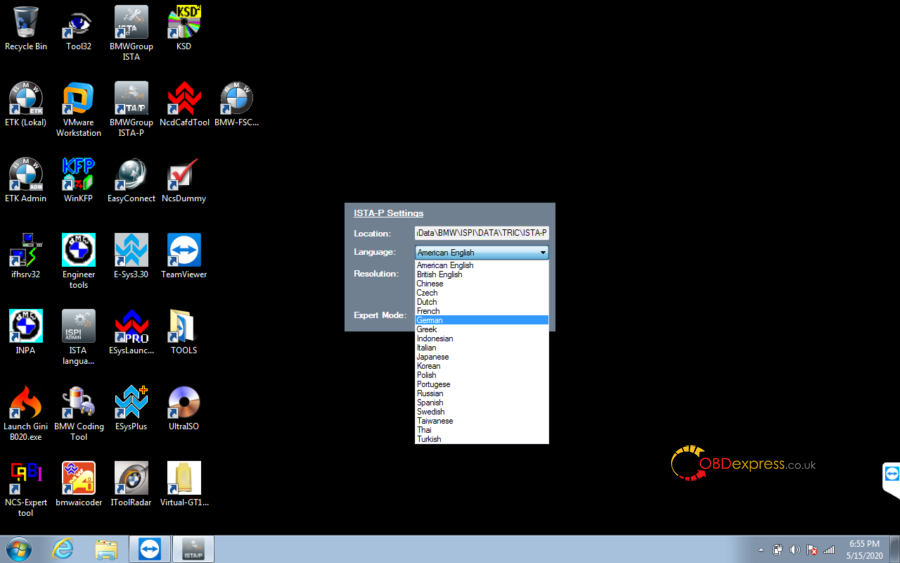
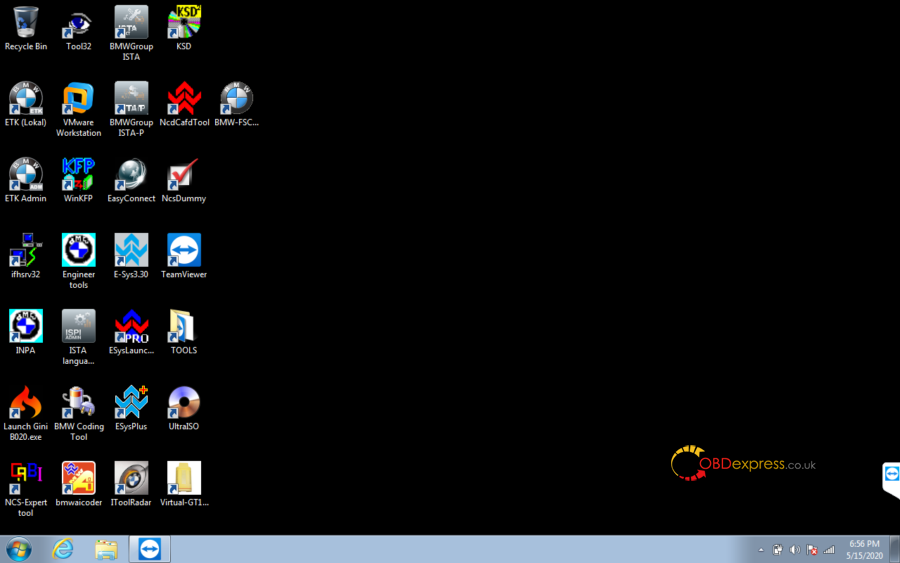
ISTA+ 4.22.31 ISTA-P 3.67.1.006 what’s new?
BMW Software Upgrade: May 2020
Diagnostic programming system ISTA 4.22.31, SDP programming database 4.22.32, multilingual, VIN data date March 10, 2020
Programming system ISTA-P 3.67.1.006, support BMW motorcycle and electric vehicle
BMW ETK: December 2019
BMW KSD: November 2019
INPA 5.00, winkfp 5.2.3, NCS 3.5.1
BMWAi 4.6: for enabling the hidden features
E-SYS version 3.27.1 and 3.30, database V67.0, add Chinese version software
DR.GINI B020
The latest FSC navigation code software and IBAC code calculator
Add the BMW virtual machine old car DIS software, DISV57 and DISV44, diagnosis and programming.
Source:http://blog.obdexpress.co.uk/2020/05/18/free-download-bmw-ista-4-22-31-ista-p-3-67-1-006/
Posted by: OBDexpress.co.uk at
03:24 AM
| No Comments
| Add Comment
Post contains 201 words, total size 26 kb.
May 15, 2020
Have Corolla (2019+) KeylessGo ID4A (Prox) to program successfully with Xhorse Keytool Max.
Procedure:
- Toyota

- Corolla (2019+) KeylessGo ID4A (Prox)

ID: 0543 123
Frequency: 433.92 FSK
Remote: Smart key
Tap: Generate remote.

- Remote program.
Detecting...
Generating remote
Burn success.


Source:http://blog.obdexpress.co.uk/2020/05/14/remote-program-toyota-prox-key-with-xhorse-keytool-max/
Posted by: OBDexpress.co.uk at
05:47 AM
| No Comments
| Add Comment
Post contains 49 words, total size 4 kb.
May 12, 2020
Out of job due to covid19 issues and trying to find your way in to millage correction etc is a good idea. Then which mileage correction tool to start with?
Please read these reviews:
- Buy from start Upa and Fvdi. It's cheap and cover a lot of cars.
- Buy Obdstar X300M , OBDSTAR ODO master and Digiprog3 and you will cover a lot of cars
- Dashcoder is one of the best options but you should specify your budget. What cars do you expect to be working on? Upa is also very useful.
- You can do mqb dash vw and audi with X300M or OBDSTAR ODOMASTER .
- For good beginning u need digiprog 3.
- Best tool to start with is Obdstar X300 Dp Pad 2 package C and Iprog+. Those two will cover 50-60% of the cars on the market.
- You will need an eeprom programmer, pdf manuals, mileage calculator software and Brain.exe.
I do a better job with 300 usd.
- I have over $30,000 invested and can do most US/Japanese euro is another story as is yearly updates expect to pay $5000-$10,000 a year updates.
Main tools are Smelecom DSP3, Diag Prog 4, Jprog, Enigma all of which with an up to date full OBD & EEprom package will run $6500-$13,000 each.
Don't forget a good scanner Autel 906 or better will do and a laptop with windows 7.
To be upgrading...
Source:http://www.mileageprogrammer.com/which-millage-correction-tool-to-invest-during-covid19/
Posted by: OBDexpress.co.uk at
01:04 AM
| No Comments
| Add Comment
Post contains 249 words, total size 3 kb.
May 07, 2020
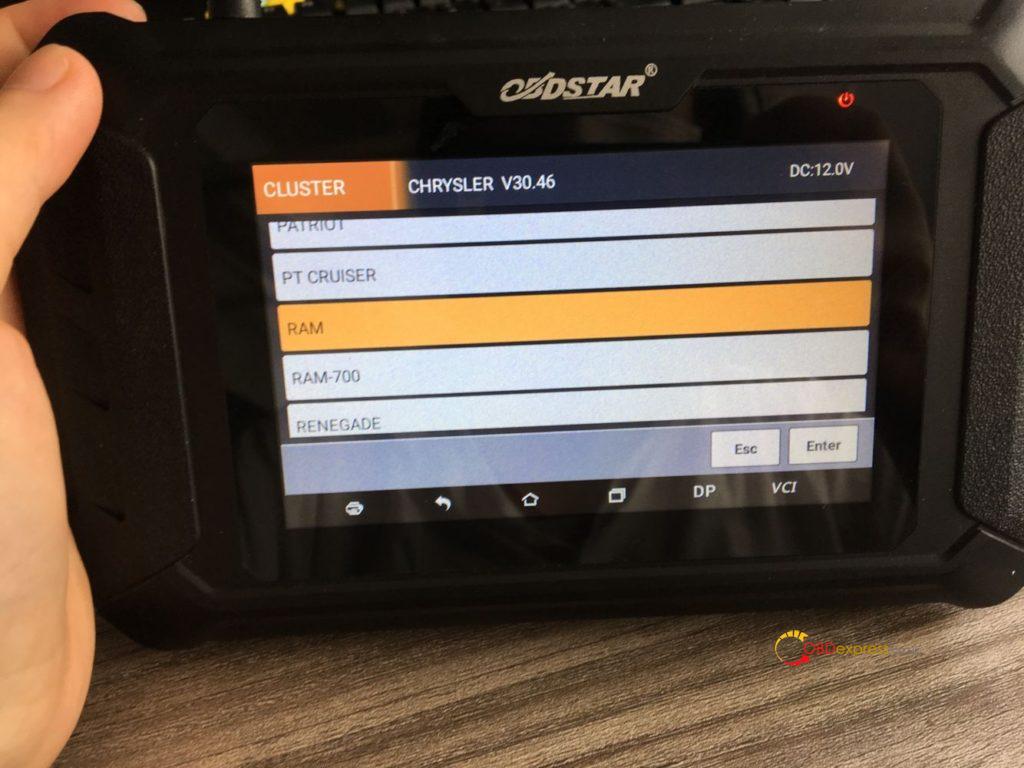
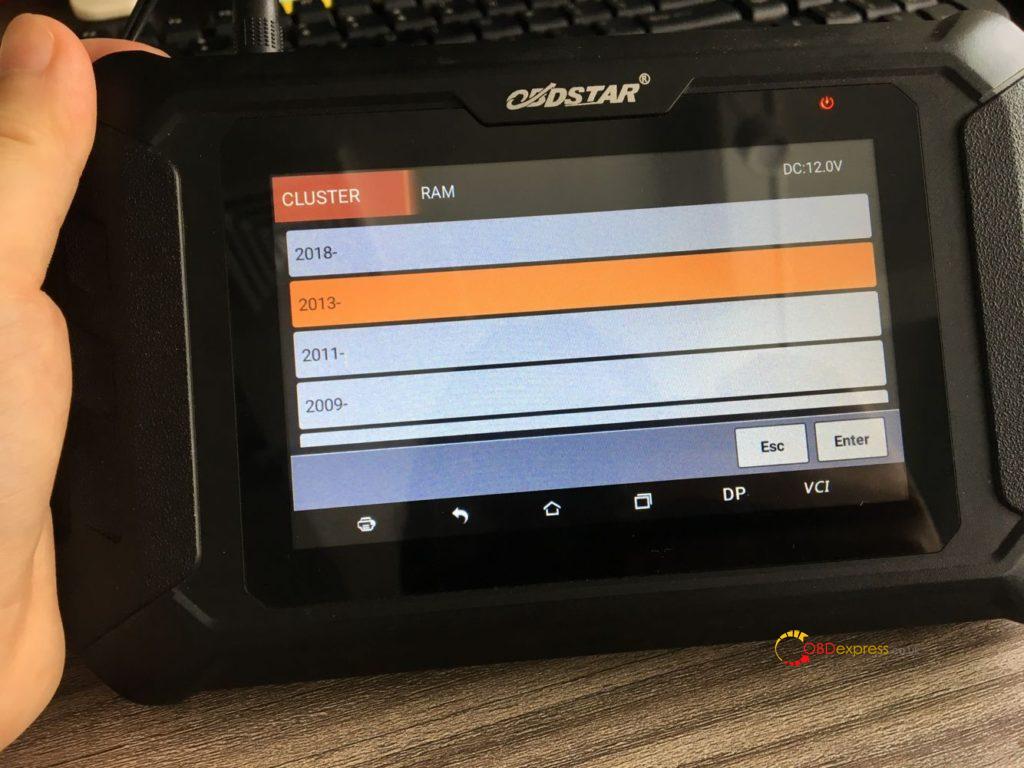
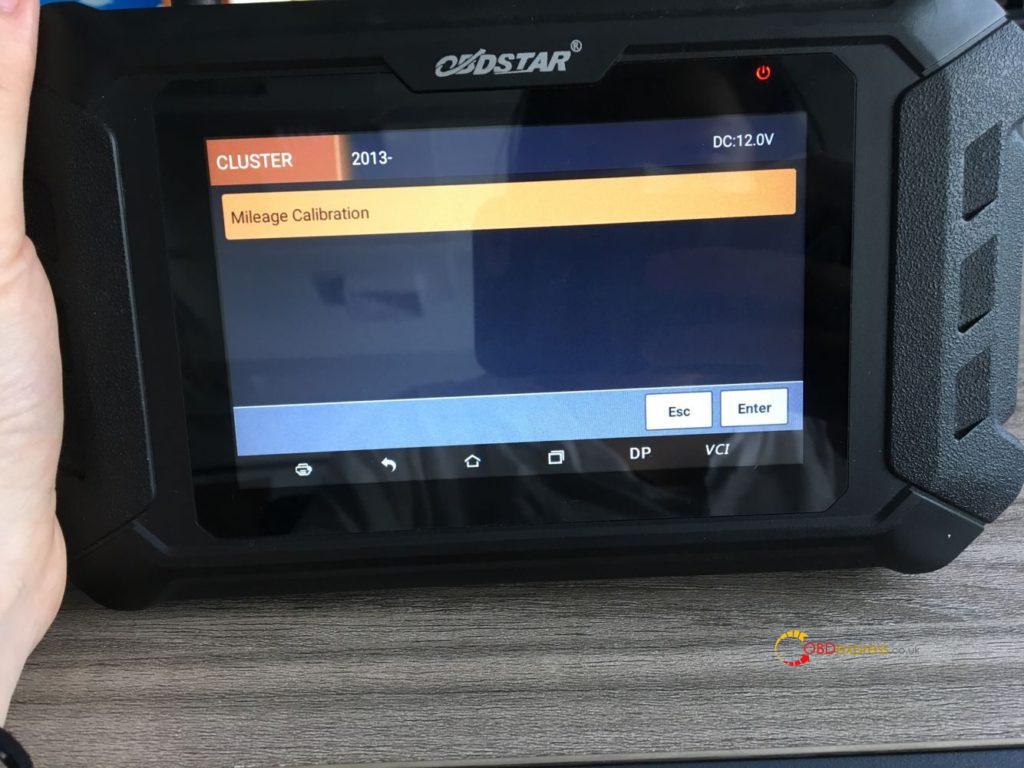
Confirmed: obdstar odomaster can program mileage via OBD for 2013 Dodge Ram
Look at the function list:
RAM
2018-
2013-
2011-
2009-
2006-2008
RAM-700
2015
Look at the 2013 Dodge Ram option on obdstar odomaster:
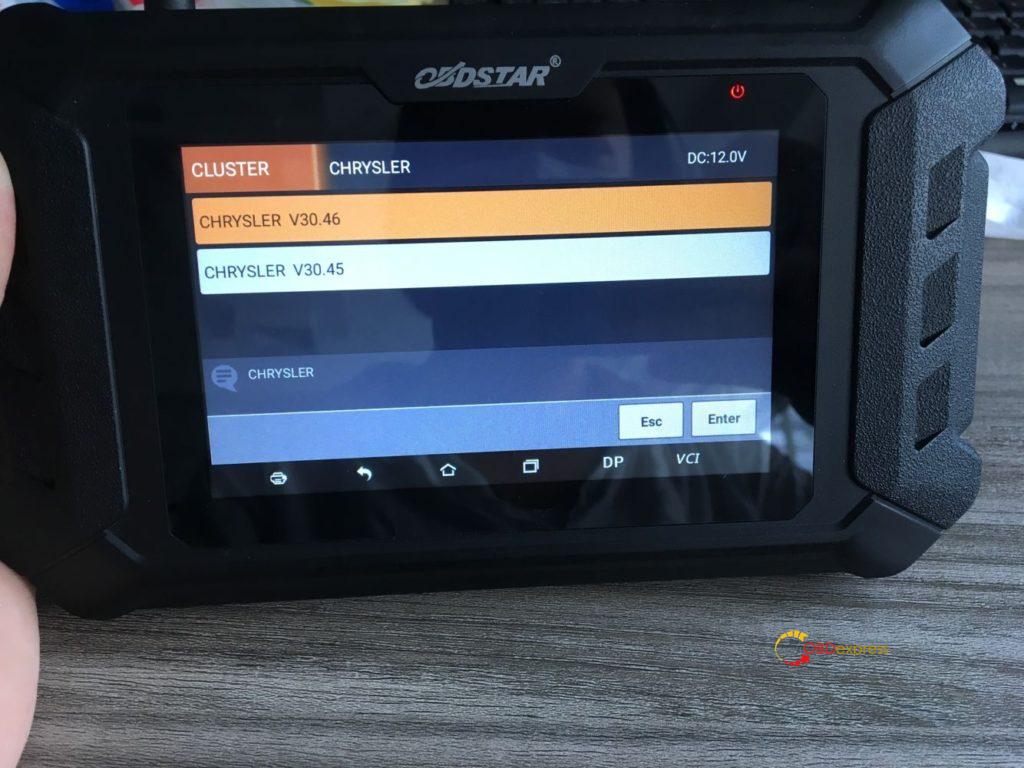
For Ram 2018- mileage programming, please use one extra FCA 12+8 universal adapter:
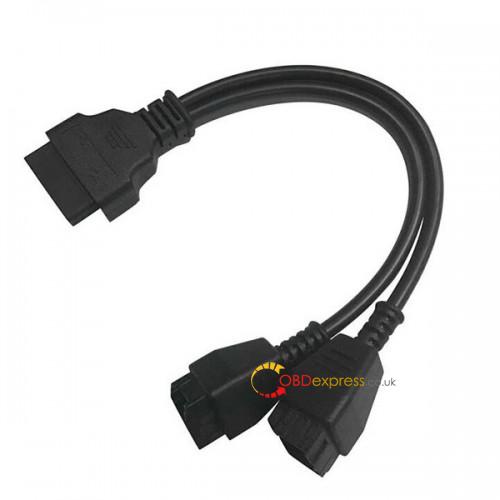
And FCA 12+8 universal adapter can cover more cars after 2018 incl. Fiat, Maserati, Jeep etc.

Enjoy!
Posted by: OBDexpress.co.uk at
08:35 AM
| No Comments
| Add Comment
Post contains 75 words, total size 3 kb.
32 queries taking 0.0444 seconds, 123 records returned.
Powered by Minx 1.1.6c-pink.

