October 27, 2016
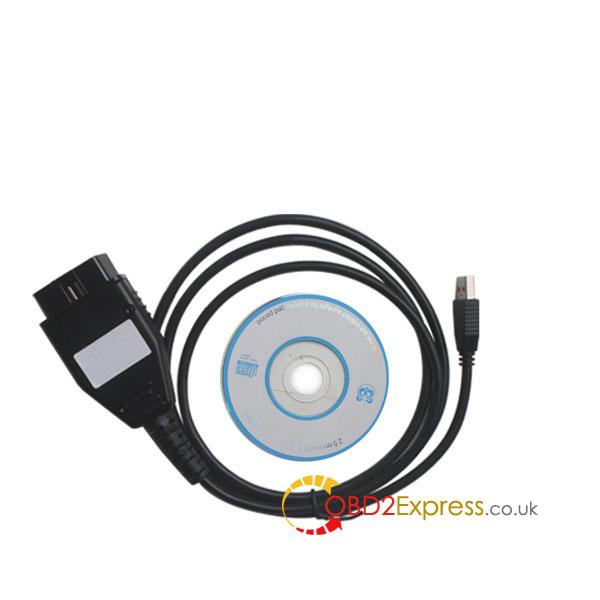
Here is the buying guide with comparison of VXDIAG VCX NANO for Jaguar & Land Rover OEM diagnostic tool, JLR Mongoose cable, VCM2 scanner and DA-VINA J2534 interface.
1)
price:
vxdiag vcx nano JLR: €108 (best choice for diagnosis and ecu & key programming)
Mongoose cable clone: €48 (best solution of diagnosis)
JLR VCM2 chinese: €189
DA-VINA J2534: €100
1)
workable with the genuine:
Mongoose & DA-VINDA interfaces work with the original JLR SDD IDS software.
2)
Functions:
Wi-Fi: vxdiag vcx nano, vcm 2
Basic diagnosis: all ok
Key making: vcm2, vxdiag nano, DA-VINA
Ecu programming: vcm2, vxdiag nano, DA-VINA
Offline programming: JLR SDD V141 (advised to use with VXDIAG VCX NANO diagnostic tool.)
3)
New cars solution:
If you need to new Jaguar and Land Rover model up to 2014 year, DA dongle 2534 or Mongoose pro which version 139.14 up are recommended. Now the SDD version 145 is the one tested without any issues by thousands of people.
4)
Vehicle coverage:
JLR Mangoose cable:
Work on JLR models before 2014, including
Land Rover: L316, L319, L320, L322, L359, L538
Jaguar: X100, X150, X202, X250, X350, X351, X400
VXDIAG VCX NANO for Jaguar and Land Rover:
Work on Jaguar and Land Rover (2005 - 2014), including
Land Rover: L316, L319, L320, L322, L359, L405,L494, L550, L538
Jaguar: X100, X150, X152, X202, X250, X350, X351, X400
JLR VCM2 diagnostic scanner:
Defender, Discovery /LR3/LR4, Range Rover Sport & New Range Rover Sport, New Range Rover, Freelander /LR2, Evoque, XJ – X351, XK – X150, XF
* Range Rover (fully supported apart from viewing Data logger signals from both ECM and TCM
modules simultaneously on 2006MY variants)
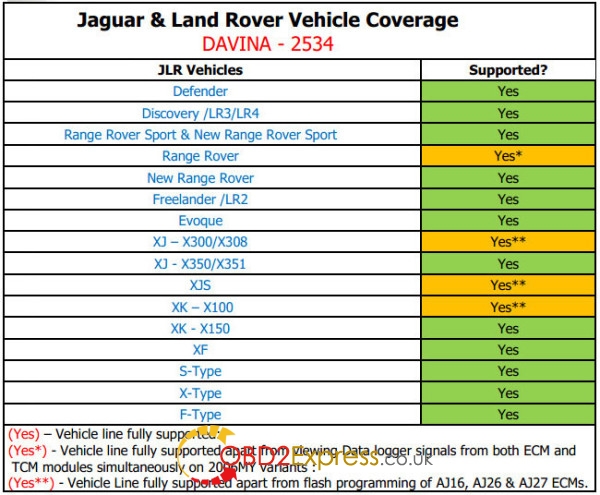
DA-VINA SAE J2534 interface:
Work on JLR models after 2005, including
Defender, Discovery /LR3/LR4, Range Rover Sport & New Range Rover Sport, Range Rover, New Range Rover, Freelander /LR2, Evoque, XJ – X351, XK – X150, XF, Xtpye, Stpye and Ftype
5)
Conclusion:
vxdiag vcx nano JLR: €108 (best choice for diagnosis and ecu & key programming)
JLR Mongoose cable clone: €48 (best solution of diagnosis)
source:http://obd2expresscouk.over-blog.com/2016/10/how-to-choose-jaguar-land-rover-jlr-diagnostic-tool.html
Posted by: OBDexpress.co.uk at
07:10 AM
| No Comments
| Add Comment
Post contains 351 words, total size 5 kb.
October 26, 2016
Here are some solutions ofTCS CDP(cdp pro) running on BMW and Mercedes-Benz cars.
The reason that some CDP PRO cannot work with BMW or Mercedes-Benz:
The OKI chip is only for cars that support the PWM/VPWM protocol like Ford. BMW didn't use the PWM/VPWM protocol.The info that the TCS CDP does not work with BMW and Mercedes is bullshit.
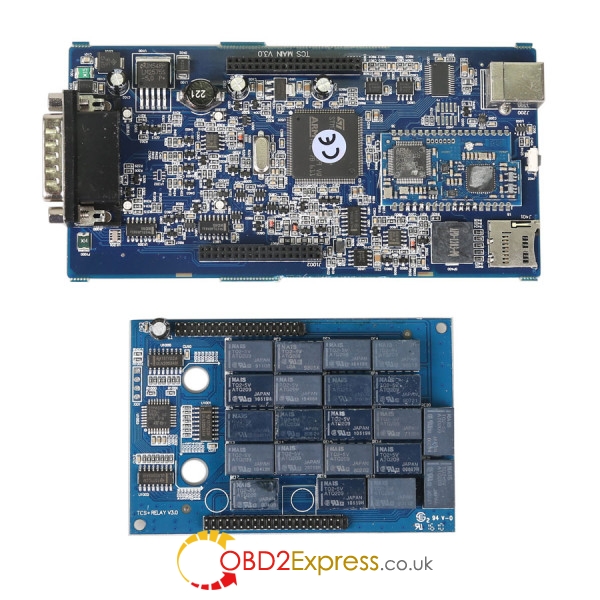
The essential reason is located in problem with the m6636:
The problem with the m6636 is in the CDP pro not in cdp+. replace the 2 diodes and check if it works. the 2 diodes is for bmw and maybe mercedes, honda and others.
Solution of CDP PRO with BMW cars:

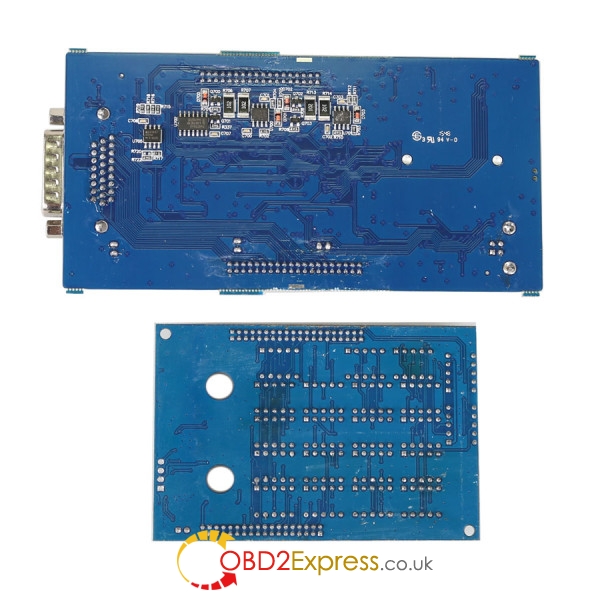
the 2 diodes areD701 and D703. back the pcb. And replace it with 1n4148.I have replaced these two diodes and gained the communication with BMW cars which users could not communicate with before. So, well DONE
Solution of TCS CDP with BMW cars:
You have to know that the components for TCS CDP interface, removed from old devices like tv´s, radio´s etc. check all solder Joints of all components (especially relays), so I have fixed the problem. I use the same interface for all BMW cars and it works without problems.
If solutions above doesn’t work also, spend a little money to buy a new
ThisCDP PROwith 2015r3 software works without issues on BMW 3 series e90:
Posted by: OBDexpress.co.uk at
06:15 AM
| No Comments
| Add Comment
Post contains 242 words, total size 3 kb.
October 24, 2016
A:I want to change the engine, can i use this opel km tool to transfer all the miles data from my old engine to the new?
Q:This Opel KM tool can read and write the miles, not transfer. You can use this Opel KM tool to read the mile of your old engine and rewrite it to the new one. Mainly for the miles stored in the dashboard.
Other questions :
A:hello, can i use your opel km tool to work on ECD16 models?
Q:Yes. But make sure your system is CAN BUS.
A:Hi. do you have program for WIN7
Q:This one is more stable on XP.
Opel Km Tool details :
KM TOOL for OPELsoftware is enriched in the possibility of changing dashboard in selected models. Set contains interface in professional plug OBD which is at the same time the key for activating the program, original CD with program and controllers.The software together with interface is designed for changing the state of kilometers in engine controllers EDC16 in OPEL cars. Everything takes place through diagnostic plug.
Support list:
1.EDC16 1.7 CDTi
2.EDC16 1.9 CDTi
3.EDC16 2.0 CDTi
4.Agilla read/write KM
5.Corsa C read/write KM
6.Astra ....2000 read/write KM
7.Astra 2000.... read/write KM
8.Vectra ....98 read/write KM
9.Vectra 98.... read/write KM
10.Opel Bosch ME7.6.2 ECU's : read/write KM
11.TIGRA BZ14XEP 2005 - 2009
12.ASTRA HZ14XEP 2004 - 2009
Z12XEP 2006 - 2009
Z14XEL 2004 - 2009
Z20LER 2005 - 2009
Z20LEL 2004 - 2009
Z20LEH 2005 - 2009
Z16LET 2007 - 2009
13.CORSA DZ14XEP 2007 - 2009
Z12XEP 2007 - 2009
Z10XEP 2007 - 2009
Z16LER 2007 - 2009
14.ZAFIRA B Z20LER 2005 - 2008
Z20LEH 2006 - 2009
Download:Opel Km Tool software
Please take easy to download our available attachments, these downloading link don’t contains attacking virus,they are safe to your cumputer. If the anti-virus software test any of our attachment (especially .exe .zip .rar) containing virus,take easy, please uninstall or exit anti-virus software before download files, otherwise these .exe .zip files may be attacked/broken before you run them.
Notes:
1. Be sure to disable/uninstall anti-virus software
Please note,anti-virus software can flag up this item software as having a virus. This is a false positive and is due to the software containing the application file. So Before setup the device software, please disable/uninstall anti-virus software or install a more reliable free virus scanner! Our this item software is completely safe and virus free and all other virus scanners confirm this.
If the software data is destroyed or lost because you forget to disable/uninstall anti-virus software, please contact our customer service, we arrange to resend you CD or send you the software via internet.
2. Required windows operation system is windows XP
Be sure to setup and run the device software under windows XP. Otherwise the device software and program can be broken or it will fail to work.
Posted by: OBDexpress.co.uk at
07:27 AM
| No Comments
| Add Comment
Post contains 492 words, total size 5 kb.
October 21, 2016
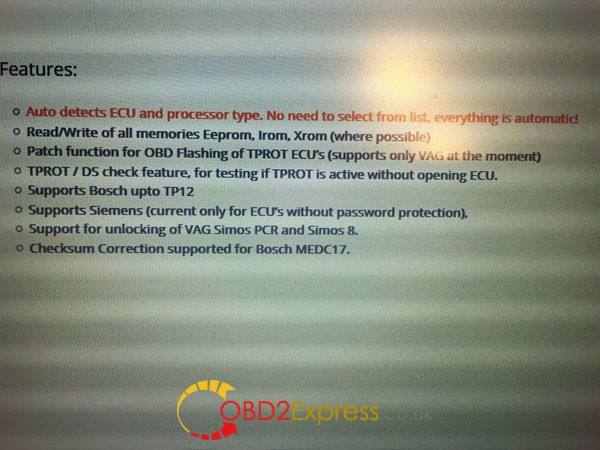
Part 1- review onMPPS V18cable:
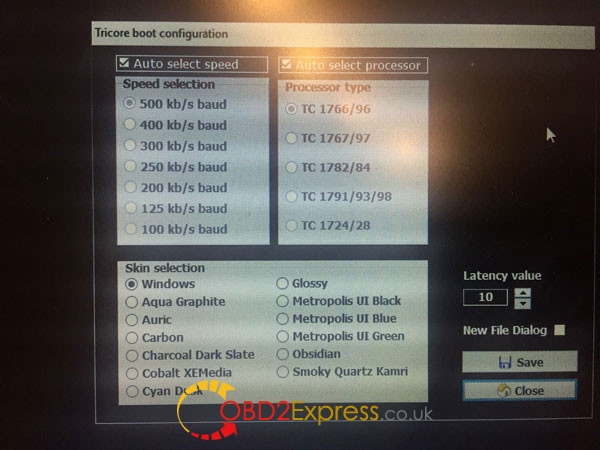
The cable is a nice quality OBD male cable, it looks like many ones, but it's a true EU Clone MPPS V18 fully open (Tricore, MultiBoot, OBD). Tricore cable adaptor looks like many ones too, but very well made!
The tool is clone, but med17 edc17 are no problem, the tools are a 1:1 of original, original software no cracks or loaders etc
Part 2- review on MPPS software
MPPS V18 success:
Med17.x.x works no problem
med17 edc17 are no problem
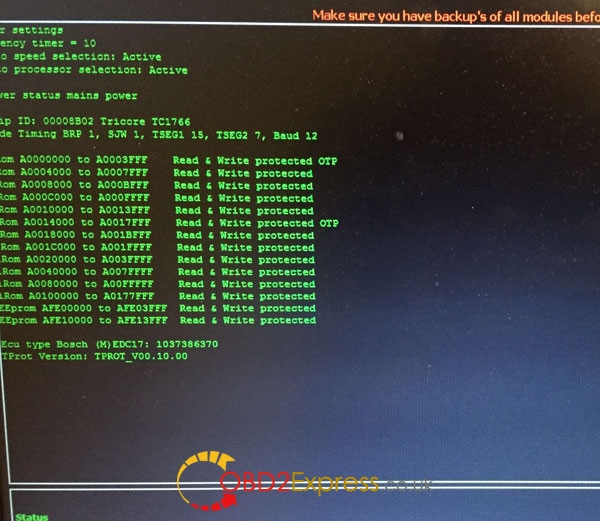
its working perfectly. All modules are open including tri-core
For all TC, 1797 included its auto read/write
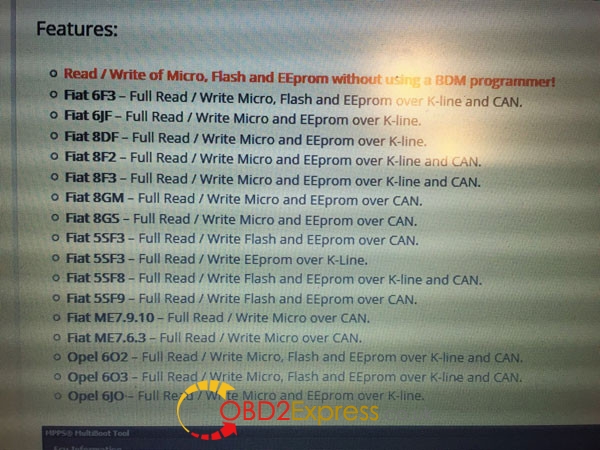
I have tested on 6F3.
Read/Write all Micro, flash and eeprom via OBD.
Very fast and stable tool.
If can not extract password it is useless.
buy few time ago that MPPS V18 to work on Tricore ECU.
BDM/Tricore frame is soo nice. High grade aluminum, good weight, nice top plate, tight shafts and good probes!
have just manage to read via obd with multiboot function a Bosch ME7.9.10 from Fiat Punto T-JET 1.4 turbo... This tool is the only one that can read from obd this ecu .....
MPPS V18 softwarefailed:
it cannot do c64
V18 doesn't support EDC17C64
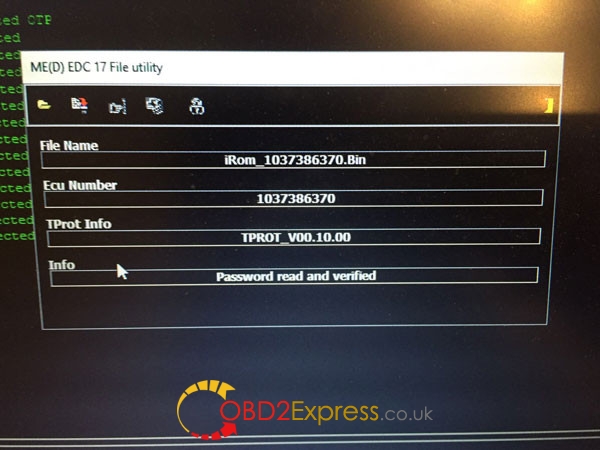
EDC17C64 TC1797 can be read with MPPS v18, BUT!!! you need password before. MPPS cannot read password from EDC17C64...
Reference:
MPPS v18 CAR LIST download:
https://mega.nz/#!840nybSY!feEzxiZBAswuda8F-9tcwnnZxmZeJcRTE2NSTfYevVI
MPPS v18 window 7:
http://www.obdexpress.co.uk/wholesale/mpps-v18-main-tricore-multiboot-breakout-tricore-cable.html
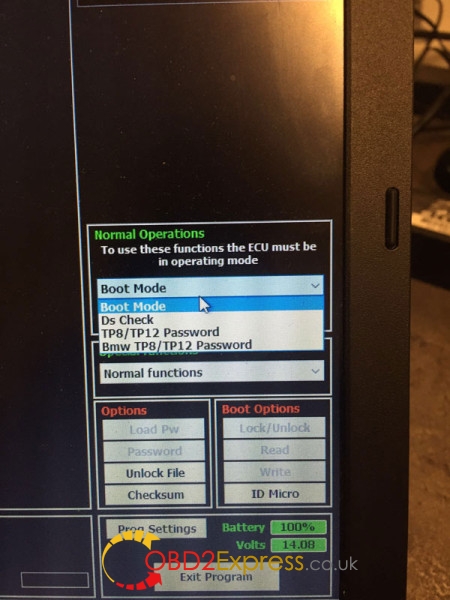
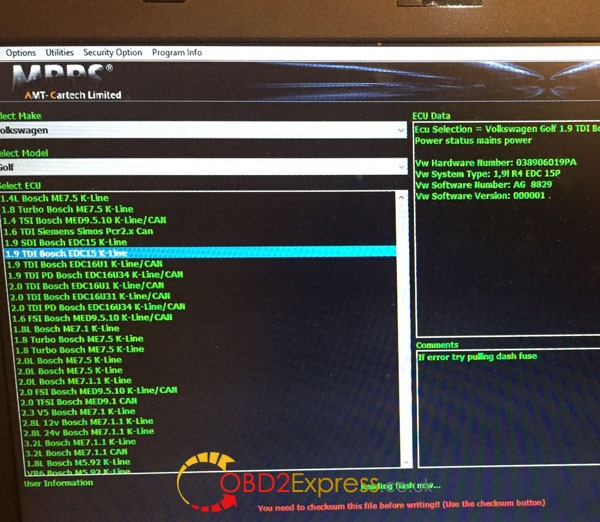
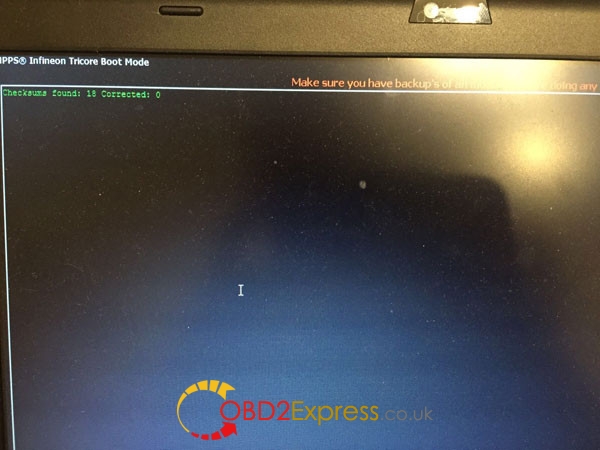
MPPS software:
Posted by: OBDexpress.co.uk at
02:11 AM
| No Comments
| Add Comment
Post contains 241 words, total size 5 kb.
October 18, 2016
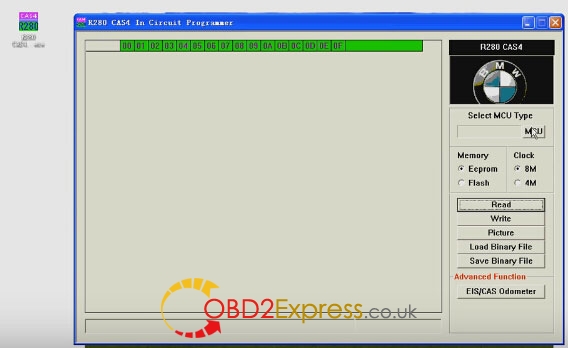
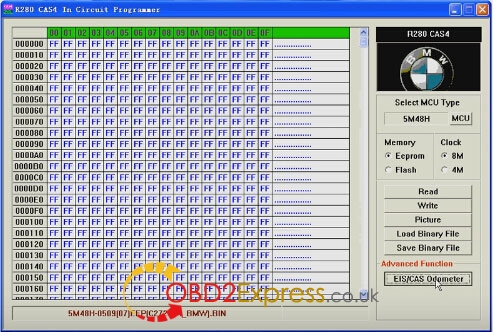
TheR270 BDM programmerupdated version - R280 PLUS BMW CAS4+ BDM programmer, was rolled out now at obdexpress.co.uk. This R280 plus can read and write all BMW CAS4, read and write the latestBMW Motorola MC9S12XEP100 chip (5M48H/1N35H).
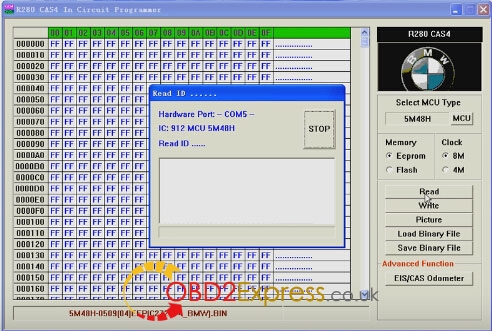
Here, we go to read & write BMW MCU 5M48H.
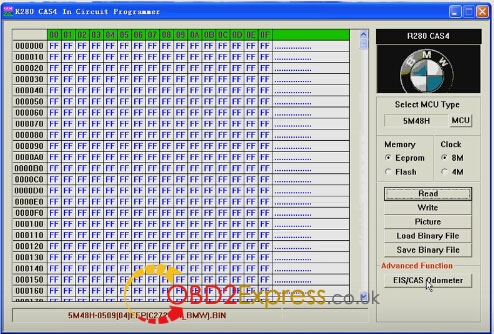
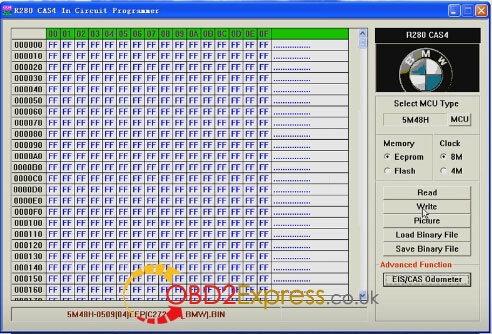
R280 CAS+ IN CIRCUIT Programmer read 5M48H eeprom
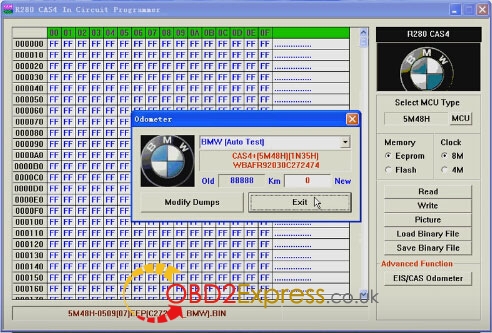
R280 BDM programmer correct EIS/CAS odometer
R280 plus cas4 programmer write dumps to MCU
Cas4 programmerread MCU 5M48H
R280 programmercheck EIS/CAS odometer
Posted by: OBDexpress.co.uk at
08:43 AM
| No Comments
| Add Comment
Post contains 89 words, total size 11 kb.
October 15, 2016
It’s a OBDSTAR product update manual of OBDSTAR F102 F108 F109 pin code reader, X100 pro key programmer, obdstar key master X300 pro3, and obdstar X300M odometer correction tool at
Step 1: Remove the TF card from the OBDSTAR device.
Insert your TF card into computer
Format your TF card and ensure it is empty.
Step 2: Login the OBDSTAR official website:http://www.obdstar.com/
and click "One Key upgradeâ€
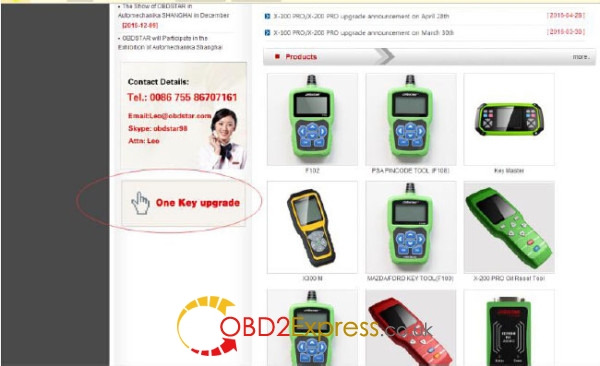
Step3: Download and install the "One Key upgradeâ€. You will see this software.
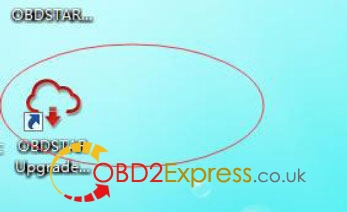
Step4: Open the "one key upgradeâ€.
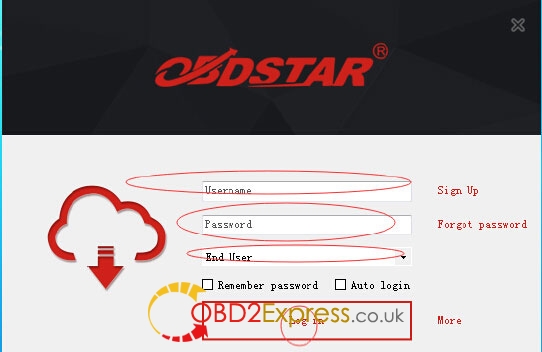
Input your username and password.
Then select "End User†and click "Log inâ€.
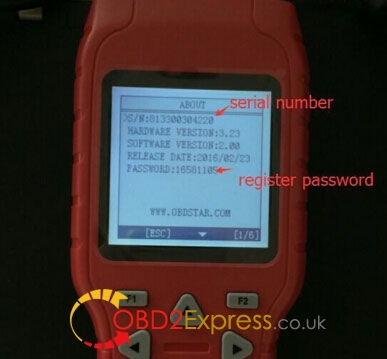
Step5: Input your S/N in obdstar update tool
S/N can be found in About in the main menu
Step6: Select all and click "Upgradeâ€.
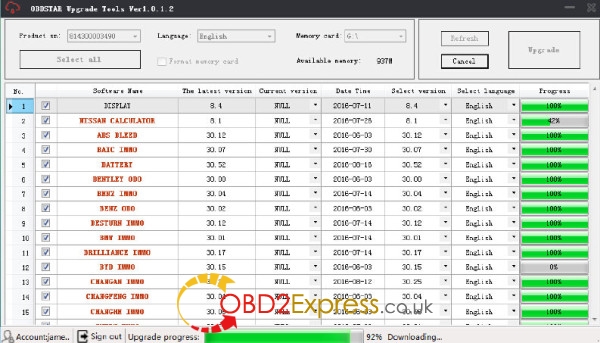
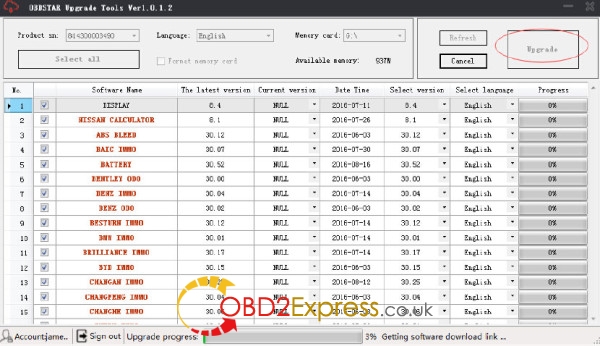
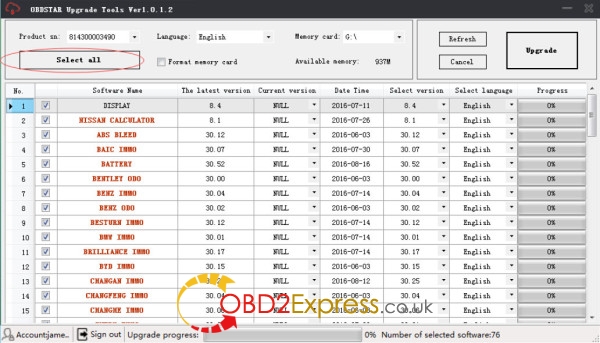
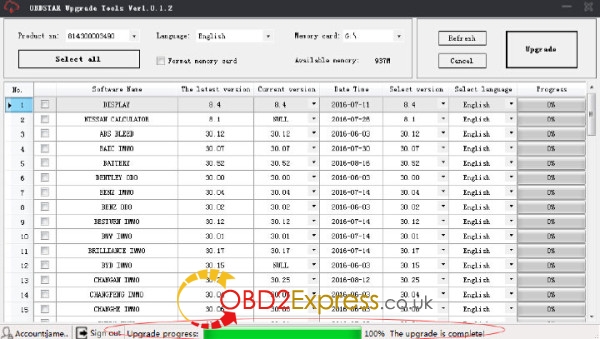
Step7: Upgrade is completed.
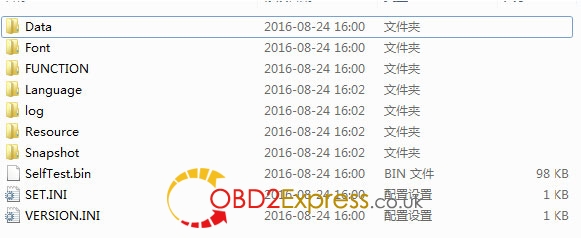
Step8: Open your TF card. You will see these files.
Step9: Remove the TF card from the computer.
Insert your TF card into the obdstar key programmer.
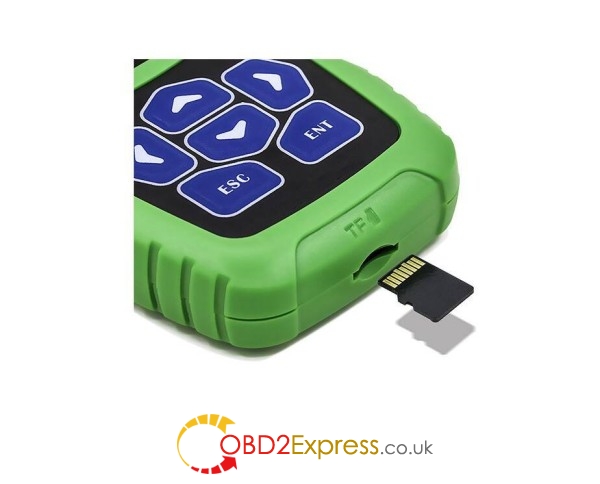
Update success!
Posted by: OBDexpress.co.uk at
09:02 AM
| No Comments
| Add Comment
Post contains 169 words, total size 5 kb.
October 13, 2016
Free download 2016Actia Multi diagaccess J2534 software here. This Windows-based muti diag software offers truly multi-brand delivers in-depth information on a wide range of vehicles
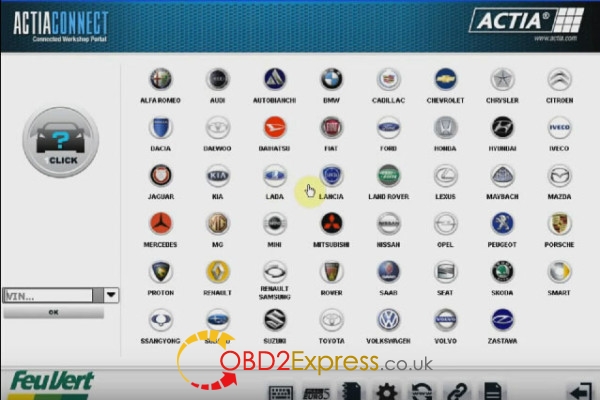
2016multi diag access j2534 torrent download:
https://mega.nz/#!R98CxISC!xmRFKzPjFqKx_miJ0EVVdkqdMvcYNPkChiQFBi6xVRg
orsoftware multi diagdownload:
http://nitroflare.com/view/46D12893C42DB2E/ACTIA.Multi-Diag.I-2016.SP4.Plus.Activator.part1.rar
http://nitroflare.com/view/2C7FDF6DFFFFC76/ACTIA.Multi-Diag.I-2016.SP4.Plus.Activator.part2.rar
http://nitroflare.com/view/58C927777CBBA42/ACTIA.Multi-Diag.I-2016.SP4.Plus.Activator.part3.rar
http://nitroflare.com/view/4EC7785D3074910/ACTIA.Multi-Diag.I-2016.SP4.Plus.Activator.part4.rar
http://nitroflare.com/view/6B71D0E71E2248E/ACTIA.Multi-Diag.I-2016.SP4.Plus.Activator.part5.rar
http://nitroflare.com/view/2969E13480D7C5F/ACTIA.Multi-Diag.I-2016.SP4.Plus.Activator.part6.rar
Note: Multi-diag access 2016 files above are not tested yet and with unknown security. For Muti diag software tested without issues, you are advised to use Multi diag 2014 and 2015:
I-2014 Actia Multi diag:
http://www.obdexpress.co.uk/wholesale/multi-diag-access-j2534-pass-thru-obd2-device-obd2express.html
I-2015 Multi diag access:
http://www.obdexpress.co.uk/wholesale/i-2015-multi-diag-access-j2534-pass-thru-obd2-device.html
multi diag 2016basic info:
Year / Release Date: 2016
Version: 1.2016
System Requirements:
Microsoft Windows XP 32-bit SP3 and above
1 GHz processor
1 GB RAM (2 GB recommended)
Language:
English, Spanish, German, French, Italian, Portuguese, Bulgarian, Croatian, Czech, Danish, Dutch, Finnish, Hebrew, Hungarian, Polish, Romanian, Russian, Serbian, Slovenian, Swedish, Turkish
Description: The program for the diagnosis of passenger cars, only works with your adapter.
Extras. Information: Everyone who I have updated to the latest version simply put on top of the installed program. When selecting the type of installation - choose the standard installation. Remember about the Internet !!!!
Multi diag review:
Q: Is that necessary to use that COM cable forActia multi-diag?
A: It is not necessary to use that COM cable; you can directly use USB cable to connect.
Q: When I connect themulti-diag access interface to computer, the computer can not find the VCI, what shall I do?
A: You need to connect the device to your car as well that you can find the VCI.
Q: What computer system is it compatible?
A: OBD2RepairMulti diag accessonly run it on clean XP system or WIN7 OS.
Q: What is the multi-diag vci serial number?
A: Communication interface to USB and set VCI serial number to A070026 (uniquement)
Q: Do i need password when using thisMulti diag actia?
A: Yes. When you install the software, it will give you a code. please send this code to
More details at Multi-Diag Access J2534Manual:
http://blog.obdexpress.co.uk/2016/10/13/2016-actia-multi-diag-download/
Posted by: OBDexpress.co.uk at
06:33 AM
| No Comments
| Add Comment
Post contains 346 words, total size 6 kb.
October 12, 2016
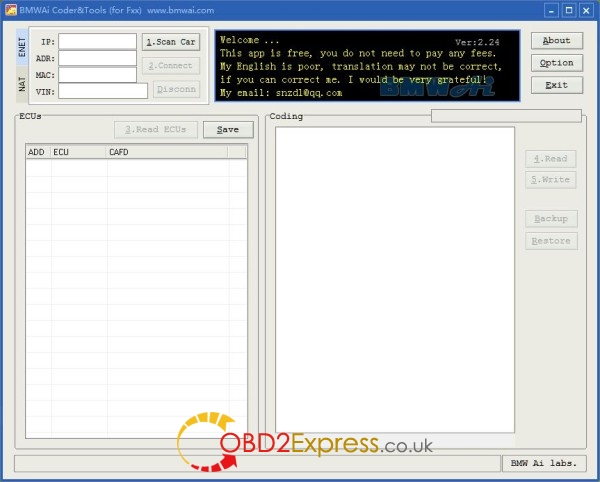
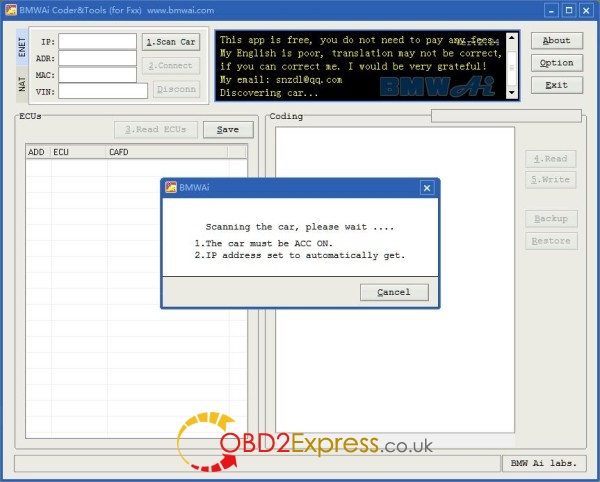
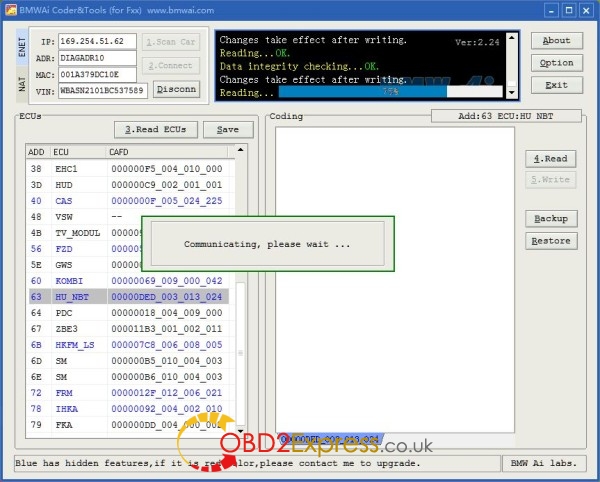
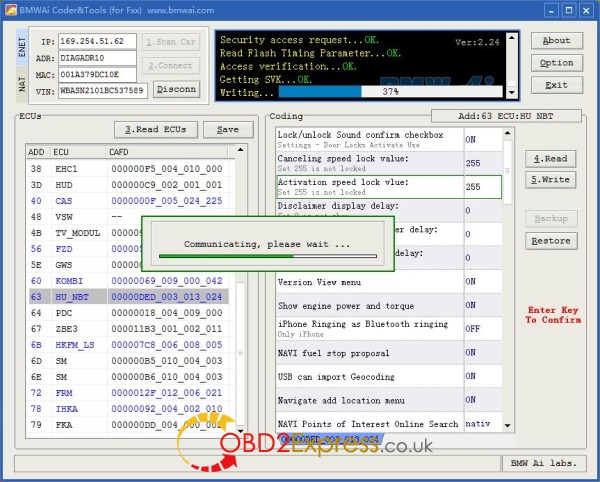
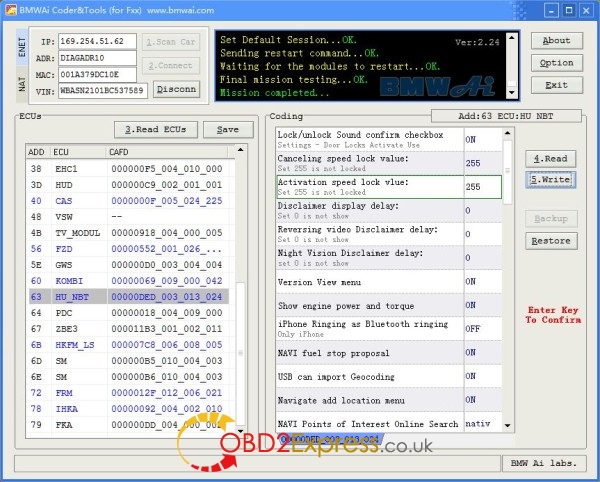
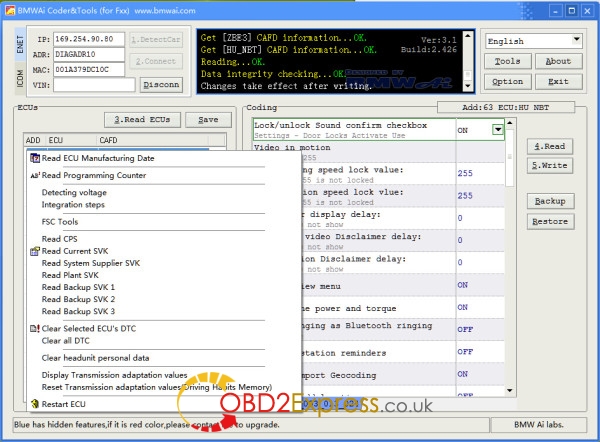
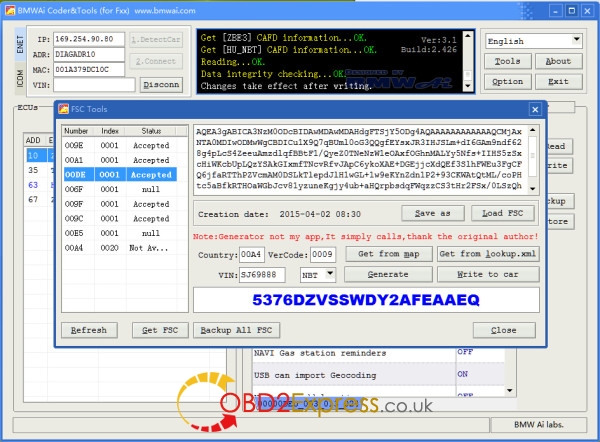
It is said that v2016.09BMW icom softwarewill add BMWAI Coder&Tools. Here is something interesting i did today. Wish this helps.
Share theBMWAI linkhere:
Direct link to DL is:
bmwaicoder4.4.zip
Alternate hoster:
http://www53.zippyshare.com/v/mbwj46Jz/file.html
No viruses !!
Today I used BMWAI withICOM A2mux to successfully code the mirrors to fold in from key fob locking, and added 2 extra blinks on the turn signals (when pressed momentarily...like when changing lanes).
I also changed settings for sensitivity of auto headlights, I think. I thought it was too sensitive, headlights are on all morning...but I've seen other F30s at that time that don't have headlights on (just halo DRLs). I'll know tomorrow morning if it worked.
Some screenshots here:
bmwai-coder&tools-for-icom-a2 (1).JPG
Posted by: OBDexpress.co.uk at
09:13 AM
| No Comments
| Add Comment
Post contains 127 words, total size 5 kb.
October 10, 2016
Here are someObdstar X300Msolutions of unsuccessful odometer correction on some models. Enjoy!
Error message may be like that:

If you find that some models cannot change mileages, please follow the steps below:
1 Power On X300M unit -> Start -> System Settings -> Data Log -> On -> ESC Return to Main Menu;
2 when matching vehicles in the list, but
3 unplug the TF card, which the root directory LOG folder
4 send folders in the document tohttp://www.obdexpress.co.uk/, engineers there would help analyze the problem
Note! Every time you unplug the x300m machine, the data record will automatically be turned off. So, if you want to save the data the next time , you need to follow the above steps to re-open the data record
Posted by: OBDexpress.co.uk at
06:10 AM
| No Comments
| Add Comment
Post contains 149 words, total size 2 kb.
32 queries taking 0.1701 seconds, 127 records returned.
Powered by Minx 1.1.6c-pink.