



March 31, 2018
Auro OtoSys IM600is a IMMO, programming, diagnostics, service 4-in-1 powerful tool on more than 80 vehicle brands.. It shares the same functions and features as Autel MX808IM. OtoSys IM600 is absolutely worth every garage to own.
OtoSys IM600 hardware:
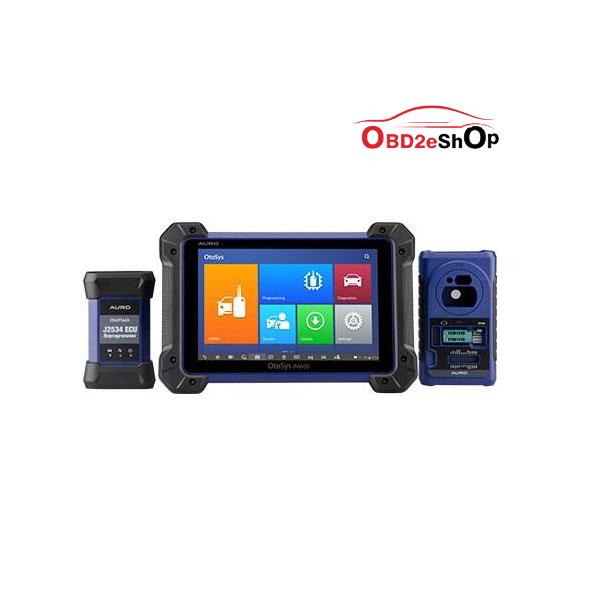
Source:http://www.obd2eshop.com/wholesale/uro-otosys-im600-diagnostic-key-programming-tool.html
Before owing one OtoSys IM600, you are expected to know how to use it, how to update, how to do setting and more. Just sit down please and read this post first:
I suggest you read the quick guide firstly and the user manual which tell you everything what you need to know.
AuroOtoSysIM600 update:
On the official site for one-year free
AuroOtoSysIM600 language:
English/Chinese/Spanish/French/Dutch/Russian/Italian/Japanese
AuroOtoSysIM600 coverage:
After entering "IMMO" option, you have more than 60 worldwide makes and models to choose.
Extensive vehicle coverage for more than 80 US, Asian and European vehicle makes.
Click on the official site:http://www.aurodiag.comfor full and newest car list.
Then according to your needs, choose any of the following guide to refer to.
Examples:
2011 Nissan key learning with Auro OtoSys IM600
BMW key learning with Auro OtoSys IM600
2004-2007 Chrysler key learning with Auro OtoSys IM600
Program Audi A3 when all keys lost with Auro OtoSys IM600
2014 Audi A5 key learning with Auro OtoSys IM600
BMW ECU renew with Auro OtoSys IM600
Program Volvo all semi smart keys lost with Auro OtoSys IM600
VW key learning with Auro OtoSys IM600
For more, you can click on the official site http://www.aurodiag.com, search out OtoSys IM600 page and click on "Download".
You can watch the Youtube video to have a genera impression on Auro OtoSys IM600, if your country is available with Youtube:
The videos will add more and more......
See how powerful AuroOtoSysIM600 when comparing it with AuroOtoSysIM100:
|
|
Auro OtoSys IM100 |
Auro OtoSys IM600 |
|
Image |
|
|
|
IMMO |
||
|
Smart Mode (Guided and Automated Key Learning Function) |
√ |
√ |
|
Auto Detect Make/Model/Year/System |
√ |
√ |
|
Read PIN/CS |
√ |
√ |
|
Read PIN/CS (All Keys Lost) |
√ |
√ |
|
Key Learning |
√ |
√ |
|
IMMO ECU Reset/Adaption |
√ |
√ |
|
IMMO ECU Refresh/Coding |
√ |
√ |
|
Remote Learning |
√ |
√ |
|
AUDI Q5/A4/A5 2015-2017 Read PIN/CS |
× |
√ |
|
BMW FEM/BDC Key Learning and Adaption |
√ |
√ |
|
Mercedes Key Learning |
× |
√ |
|
Programming |
||
|
EEPROM Read/Write |
√ |
√ |
|
MCU Read/Write |
Basic |
Advanced |
|
Key Programming |
√ |
√ |
|
IC Card Read/Write |
× |
√ |
|
Mercedes Infrared Key Read/Write |
× |
√ |
|
Remote Frequency Detect |
× |
√ |
|
OE-Level Diagnostics |
||
|
All Systems for Over 80 Makes and Models |
√ |
√ |
|
OtoFlash (J2534 ECU Reprogrammer) |
× |
√ |
|
Advanced Service Functions |
||
|
Oil Serive Reset |
√ |
√ |
|
Parking Brake Pad Relearn After Replacement |
√ |
√ |
|
Steering Angle Sensor Relearn |
√ |
√ |
|
Battery Registration and Reset |
√ |
√ |
|
Diesel Particulate Filter Regeneration |
√ |
√ |
|
Tire Pressure Monitoring System |
√ |
√ |
|
ECU Coding |
× |
√ |
|
VW/Audi Component Protection |
× |
√ |
|
Complete Service Functions |
× |
√ |
|
Tool Features |
||
|
Built-in Rechargeable Li-ion Battery |
5000 mAh |
15000 mAh |
|
Internet Updatable |
Wi-Fi |
Wi-Fi |
|
Multilingual Support |
√ |
√ |
|
Limited One Year Warranty |
√ |
√ |
|
Touchscreen |
7-inch |
10.1-inch |
|
Memory |
32 GB |
64 GB |
|
Processor |
Quad-core processor |
Hexa-core processor |
|
Camera |
× |
8.0 Megapixel |
|
Resolution |
1024x600 |
1920x1200 |
Auro OtoSys IM600 for sale
http://www.obd2eshop.com/wholesale/uro-otosys-im600-diagnostic-key-programming-tool.html
Posted by: OBDexpress.co.uk at
01:16 AM
| No Comments
| Add Comment
Post contains 529 words, total size 13 kb.
Auro OtoSys IM600is
Source:http://www.obd2eshop.com/wholesale/uro-
Before owing one OtoSys IM600, you are expected to know how to use it, how to update, how to do setting and more. Just sit down please and read this post first:
I suggest you read the quick guide firstly and the user manual which
AuroOtoSysIM600 update:
On the official site for one-year free
AuroOtoSysIM600 language:
English/Chinese/Spanish/French/Dutch/Russian/Italian/Japanese
AuroOtoSysIM600 coverage:
After entering "IMMO" option, you have more than 60 worldwide makes and models to choose.
Extensive vehicle coverage for more than 80 US, Asian and European vehicle makes.
Click on the official site:http://www.aurodiag.comfor full and newest car list.
Then according to your needs, choose any of the following
Examples:
2011 Nissan key learning with Auro OtoSys IM600
BMW key learning with Auro OtoSys IM600
2004-2007 Chrysler key learning with Auro OtoSys IM600
Program Audi A3 when all keys lost with Auro OtoSys IM600
2014 Audi A5 key learning with Auro OtoSys IM600
BMW ECU renew with Auro OtoSys IM600
Program Volvo all
VW key learning with Auro OtoSys IM600
For more, you can click on the official site http://www.aurodiag.com, search out OtoSys IM600 page and click on "Download".
You can watch the Youtube video to have a
The videos will add more and more......
See how powerful AuroOtoSysIM600 when comparing it with AuroOtoSysIM100:
|
|
Auro OtoSys IM100 |
Auro OtoSys IM600 |
|
Image |
|
|
|
IMMO |
||
|
Smart Mode (Guided and Automated Key Learning Function) |
√ |
√ |
|
Auto Detect Make/Model/Year/System |
√ |
√ |
|
Read PIN/CS |
√ |
√ |
|
Read PIN/CS (All Keys Lost) |
√ |
√ |
|
Key Learning |
√ |
√ |
|
IMMO ECU Reset/Adaption |
√ |
√ |
|
IMMO ECU Refresh/Coding |
√ |
√ |
|
Remote Learning |
√ |
√ |
|
AUDI Q5/A4/A5 2015-2017 Read PIN/CS |
× |
√ |
|
BMW FEM/BDC Key Learning and Adaption |
√ |
√ |
|
Mercedes Key Learning |
× |
√ |
|
Programming |
||
|
EEPROM Read/Write |
√ |
√ |
|
MCU Read/Write |
Basic |
Advanced |
|
Key Programming |
√ |
√ |
|
IC Card Read/Write |
× |
√ |
|
Mercedes Infrared Key Read/Write |
× |
√ |
|
Remote Frequency Detect |
× |
√ |
|
OE-Level Diagnostics |
||
|
All Systems for Over 80 Makes and Models |
√ |
√ |
|
|
× |
√ |
|
Advanced Service Functions |
||
|
Oil
|
√ |
√ |
|
Parking Brake Pad Relearn After Replacement |
√ |
√ |
|
Steering Angle Sensor Relearn |
√ |
√ |
|
Battery Registration and Reset |
√ |
√ |
|
Diesel Particulate Filter Regeneration |
√ |
√ |
|
Tire Pressure Monitoring System |
√ |
√ |
|
ECU Coding |
× |
√ |
|
VW/Audi Component Protection |
× |
√ |
|
Complete Service Functions |
× |
√ |
|
Tool Features |
||
|
Built-in Rechargeable Li-ion Battery |
5000 mAh |
15000 mAh |
|
Internet Updatable |
Wi-Fi |
Wi-Fi |
|
Multilingual Support |
√ |
√ |
|
Limited One Year Warranty |
√ |
√ |
|
Touchscreen |
7-inch |
10.1-inch |
|
Memory |
32 GB |
64 GB |
|
Processor |
Quad-core processor |
Hexa-core processor |
|
Camera |
× |
8.0 Megapixel |
|
Resolution |
1024x600 |
1920x1200 |
Auro OtoSys IM600 for sale
http://www.obd2eshop.com/wholesale/uro-
Posted by: OBDexpress.co.uk at
01:16 AM
| No Comments
| Add Comment
Post contains 532 words, total size 15 kb.
March 29, 2018
This tutorial is how to How to
Here we go :
First, I plug this XTUNER E3 into Seat Cordoba OBD2 port to connect it

Next, turn on car ignition.

I download XTUNER E3 software on a tablet. This is the first look when I open the software.

Press "Diagnosis Service System†icon on main menu.

Go to "Europe†section to find "Seatâ€.

Open XTUNER software "Seat V12.0â€. It says Seat vehicle coverage up to 2013.

I firstly want to do a quick full systems scanning. So click "Scan Testâ€. If you don’t need it, you skip this step.


After that I back to choose "Experts Function†and "Read PIN†function. For Seat, this XTUNER E3 has other options SRS Reset and Brake Pad Reset.

Then choose "Read PIN from Engineâ€, the first option.

Wait a while
I successfully use this XTUNER E3 to read 2008 Seat Cordoba pin code! It’s 07537!


http://blog.obdexpress.co.uk/2018/03/29/xtuner-e3-to-read-seat-cordoba-2008-pin-code/
Posted by: OBDexpress.co.uk at
06:05 AM
| No Comments
| Add Comment
Post contains 190 words, total size 11 kb.
This tutorial is how to How to useXTUNER E3 WIFI OBD2 Diagnostic Toolto read 5-digit pin code for Seat Cordoba 2008
Here we go :
First, I plug this XTUNER E3 into Seat Cordoba OBD2 port to connect it withcar. The read indicator blink whenconnectOK.
Next, turn on car ignition.
I download XTUNER E3 software on a tablet. This is the first look when I open the software.
Press "Diagnosis Service System†icon on main menu.
Go to "Europe†section to find "Seatâ€.
Open XTUNER software "Seat V12.0â€. It says Seat vehicle coverage up to 2013.
I firstly want to do a quick full systems scanning. So click "Scan Testâ€. If you don’t need it, you skip this step.
After that I back to choose "Experts Function†and "Read PIN†function. For Seat, this XTUNER E3 has other options SRS Reset and Brake Pad Reset.
Then choose "Read PIN from Engineâ€, the first option.
Wait a while itshowcommunicating.
I successfully use this XTUNER E3 to read 2008 Seat Cordoba pin code! It’s 07537!
http://blog.obdexpress.co.uk/2018/03/29/xtuner-e3-to-read-seat-cordoba-2008-pin-code/
Posted by: OBDexpress.co.uk at
06:05 AM
| No Comments
| Add Comment
Post contains 188 words, total size 10 kb.
March 28, 2018
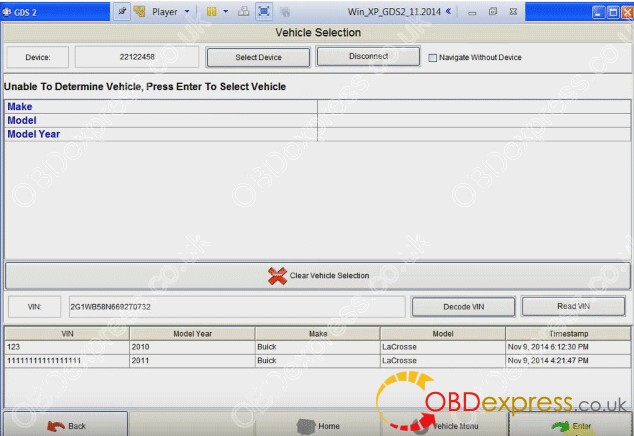
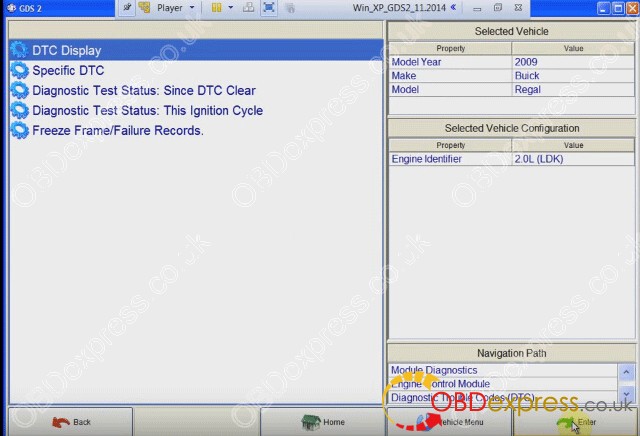
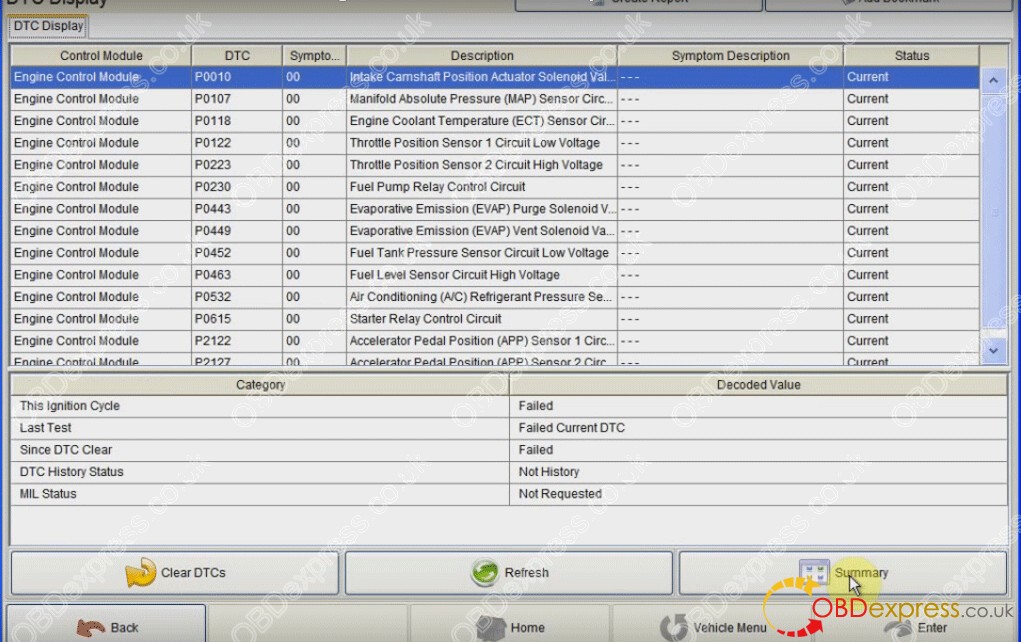
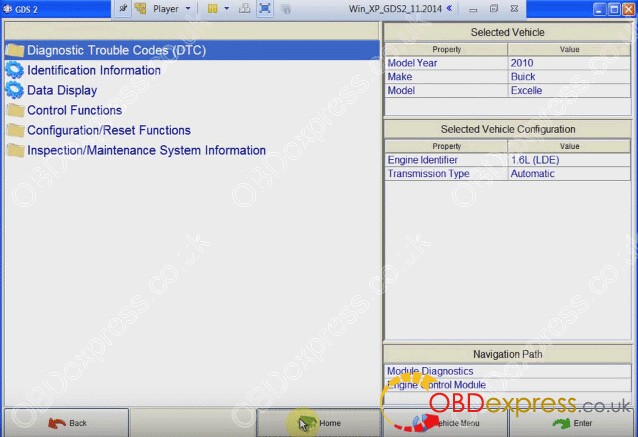
Found a way to keepGM GDS2for longer than 30 days after downloading it.
So I found a way to keep GDS2 indefinitely…or as long as you own your com
P.S. Don’t let this leak to GM so they don’t close this loophole. Also, ignore the 30 days countdown in GDS2 once you set it up, it’ll count all the way down to 0 days but still work beyond that!
Easy way fromobdexpress.co.uk:
You can change the time of your GDS2 installation and it will continue to work
Look here: GDS2 worksperfect






www.mbstartool.com
Posted by: OBDexpress.co.uk at
06:39 AM
| No Comments
| Add Comment
Post contains 176 words, total size 15 kb.
March 27, 2018
KtagKsuitescreen resolution setup manual:
- Click on the Options button in the main window of the K-Suite software. 2. In the Size of the vehicle selection windows pane, select the window size that best suits your computer screen.

When possible, we recommend using 1024×768 resolution, to see better the pictures of connection instruction in the Operating Manuals
It is possible to change the window size of theK-Suite softwareat any time, even if the programming tool is not connected to your computerand / orthe computer does have an active Internet connection.
.
Posted by: OBDexpress.co.uk at
03:37 AM
| No Comments
| Add Comment
Post contains 98 words, total size 8 kb.
KtagKsuitescreen resolution setup manual:
- Click on the Options button in the main window of the K-Suite software. 2. In the Size of the vehicle selection windows pane, select the window size that best suits your computer screen.
When possible, we recommend using 1024×768 resolution, to see better the pictures of connection instruction in the Operating Manuals
It is possible to change the window size of
.
Posted by: OBDexpress.co.uk at
03:37 AM
| No Comments
| Add Comment
Post contains 100 words, total size 8 kb.
March 26, 2018
I’d like to chip in with some words ofVXDIAG VCX NANO GM model- the good, the bad and the ugly.
First off, its the 2014 vets and later that will use theGDS 2 software.
On the 2013 and older vets, they use the Tech II, and TIS2000 software instead.
So being that this the C6 forum, lets just focus on the C6corvetteand theGM VXDIAG VCX NANO.
Out thegatethe VXDIAG VCX NANO is a cloned copy of the MDI to a degree (not the much faster MDI 2). This means that as it using Tech2 win emulator software to work with the MDI software since the MDI software does not pick the NANO up natively instead.
Now the bad,
As for the only thing that you can't do with theTech2winemulator software, is can not do any perimeter changes to ECM (it can still be read, but no changes made to the ECM programming). The BCM and the rest of the othermodules, not a problem getting access and changes to them.
So let really get down to the meat of it, and since you can get BCM and the othermodulechange access, getting deep into the BCM to deactivate F55 is not a problem as well as changing out the RPO codes on the BCM as well. also, all the special features needed likeABSpumpcycle , relearn forradio, fob programming and such for the other not ECMmodule, just like a tech II and clone as well.
Now the ugly, since again, you need to use TIS2000 to flash such items like firmware, and some cases, ECM programming as well, here is the glitch, since not only does the NANO not come with a working copy of TIS2000, not sure it will work with as well.
Here is the reason why I think this. When you first start the tech2win emulator software, you will get a pop up screen first select if you are using a MDI or MDI2 , then a second screw will pop up to select the NANO device. Once the NANO has been selected, the tech2win emulator sofware sees and uses the the NANO as aMDIdevice. When I tried to use my copy of TIS2000 to drive threw the NANO, did not get the pop up screens to select the NANO device and was unable to connect the NANO to Tis2000.
Note, have Tis2000 on my win 10 64 bit machine, and was not able to get Tech2win emulator software to work with that machine (will not give me the device pop up screen to select the NANO after Tech2win starts). Instead, I have to install the Tech2win software on a win 7 32 bit machine to get it to work and do testing and not a VM copy of TiS200 on it isntead.
So the fact that the NANOGMdevice does not come withGmTIS2000, Not really sure if it going to work with Tis2000 to start with.
Again, maybe its my win 10 64 bit machine, but when opened TIS2000, it looking for an actual Tech II, and which does not giving me the option of selecting the the NANO device as well. Hence the two screens that pop up to select the device arepartof Tech2win emulator software, so when you open up Tis2000, it not opening up that software to being with. Hence the reason that I beleive is the NANO is going to work with TIS200, then someone is going to have to crack that software as well to work with the NANO device.
So, for someone that willwrenchon the C6 ,and needs a Tech II for anything else than changing ecm peramiters or flashing in firmware, the NANO with it Tech2win emulateur software is very goodtoolfor that (if you have a machine that it will load on, since again, will not work on my win 10 64 bit machine). But, and here is the huge one, unless Vxdiag has a way for Tis2000 to select the NANO to work withTis2000(again, was not getting the pop up screens to select the device to work with the NANO), then don't see if working with TIS2000 instead.
So, do I think the NANO and the software you get with it as good as than the Tech II clone, No. The tech II clone come with level access to do ECM peramiter changes, and also a working cracked copy of TIS2000 as well. Hence with saved firmware files for your car, you can reflashmodulesat will.
So the niche for the NANOGMis really for someone that the dealer may gouge for say aradiorelearn, adding in a XM channel to aradio, having to delete F55module, and the other items that a Tech II comes in handy for, as well the needed information to pull up codes in say the BCM. It also a goodtoolto pullmodulesinformation and testing when you are wrenching on the car as well
If you need to do the extra step and get into the ECM parameter changes or even have to reflash firmware, then you really need a hand held Tech II or clone and its TIS2000 software that comes with it instead.
Now to touch on Gds2 software since it does come with it, and will be handy for otherGMcars that you may have as well. Hence whatGMcar models/years that you use a tech2 win/ Tech 2 with Tis2000 as the pass through or gds2 software instead, the below link has a good chart.
Posted by: OBDexpress.co.uk at
08:40 AM
| No Comments
| Add Comment
Post contains 914 words, total size 6 kb.
March 23, 2018
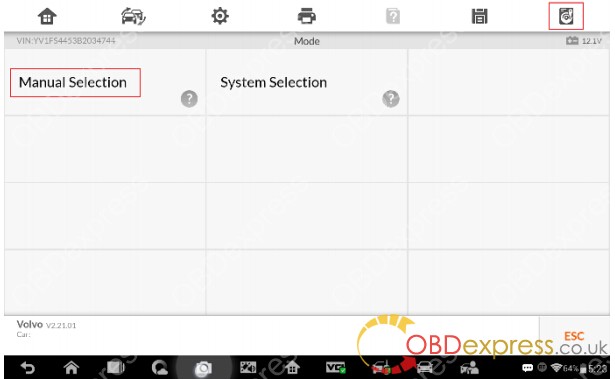
How-to:Volvo All Semi-smart Keys Lost onAuro OtoSys
Two options are available when accessing the IMMO function:
ï¬ Manual Selection - the user can select the model, year and key type of the
vehicle to identify the IMMO system and type.
ï¬ System Selection - the user can select the IMMO system to identify the IMMO
type.
 Proceduresbeforegetting started:
1. Connect the OtoFlash to the vehicle’s DLC via the included main cable for both
communication and power source.
2. Connect the OtoFlash to the IM600 tablet via BT pairing or USB connection.
3. Make sure the user has access to WiFi service.
NOTE
Illustrations used in this manual are samples, and the actual testing screens may vary by
vehicle. Observe the menu titles and on-screen instructions to make correct selections
and operations.
All Semi-smart Keys Lost via Manual Selection
1. Turn on theIM600tablet and tapOtoSys > IMMO. A vehicle menu displays and a
disclaimer prompts up. TapAcceptto continue.


2. TapVolvoon the vehicle menu.

3. TapManual Selectionon the mode menu.
NOTE
You can click the icon near the top-right corner to record the operation data. If you
encounter any difficulties, click the icon again to send us the data and the problem, so
that our engineers could help. The network should be connected when uploading the
data.
4. Select the model, year,keytype of the vehicle to identify the IMMO system.


5. For better communication, please make sure the IM600 tablet and the OtoFlash are
connected via USB cable. Then tapOKto continue.
NOTE
Please turn off Bluetooth before connecting the USB cable
 " border="0" data-blogger-escaped-data-original-height="371" data-blogger-escaped-data-original-width="603" src="https://2.bp.blogspot.com/-ZLiaJ4622jg/WrRQ7xJ4wlI/AAAAAAAAD4w/s6WFCUzA2JYFUhlF0ZsUP_nrnOkksEutgCEwYBhgL/s1600/Auro-OtoSys-IM600-for-Volvo-All-Semi-smart-Keys-Lost-8%25282%2529.jpg" title="" />
6. TapAll Semi-smart Keys Lostonthe function menu.

7. Follow the onscreen instruction to pressSTARTbutton and tapOKto continue.

8. To perform the All Semi-smart Keys Lost function, there must be at least one key. If
an original key is cleared, it needs to be learned again. Verify the type of the key and
tapYesto continue.

9. Follow the onscreen instruction to turn the ignition off, and tapOKto continue.

10. Read the informationofkeys and tapOKto continue.

11. Read the information about the decryption of the immobilizer unit, tapOKto start
the decryption and wait until the process is completed.
NOTE
The decryption may last 0-8 hours. Tap ESC if you want to stop this operation, and you
can continue the process from the interrupted point next time.


12. Then the IM600 tablet starts to read the security data. When the security data is
copied successfully, tapOKto continue.
NOTE
Do not disconnect the OBD connection during the process.

 " border="0" data-blogger-escaped-data-original-height="376" data-blogger-escaped-data-original-width="603" src="https://3.bp.blogspot.com/-T5j7hT9X7bQ/WrRQyct4faI/AAAAAAAAD4c/9jmRW4TKhb8izSc3fFDi_qFAzQ60PVjTgCEwYBhgL/s1600/Auro-OtoSys-IM600-for-Volvo-All-Semi-smart-Keys-Lost-18%25282%2529.jpg" title="" />
13. Then all keys are cleared and a message prompts up. TapOKto continue.

14. When Key Learning starts, insert the key to be learned into the key slot and tap
Learningto continue.
NOTE
If the key pops out, tap Learning first and then insert the key promptly.

15. When the key is learned successfully, tapYesto repeat step 14 and learn the next
key or tapNoto complete Key Learning.
NOTE
Please turn the ignition off and remove the learned key from the key slot before you start
to learn the next key. TapOKto continue.


16. Check the information of the learned keys and tapESCto exit.

All Semi-smart Keys Lost via System Selection
1. Turn on the IM600 tablet and tapOtoSys > IMMO. A vehicle menu displays and a
disclaimer prompts up. TapAcceptto continue.


2. TapVolvoon the vehicle menu.

3. TapSystem Selectionon the mode menu.
NOTE
You can click the icon near the top-right corner to record the operation data. If you
encounter any difficulties, click the icon again to send us the data and the problem, so
that our engineers could help. The network should be connected when uploading the
data.

4. TapSemi-smart Key System (CAN)on the system menu.
 " border="0" data-blogger-escaped-data-original-height="380" data-blogger-escaped-data-original-width="615" src="https://1.bp.blogspot.com/-ns_UqoIOLLw/WrRQ3HcyBzI/AAAAAAAAD4g/l5Ki9kSoEzYgS7mzSrZL8xwnAYd2N7IJQCEwYBhgL/s1600/Auro-OtoSys-IM600-for-Volvo-All-Semi-smart-Keys-Lost-28%25282%2529.jpg" title="" />
5. For better communication, please make sure the IM600 tablet and the OtoFlash are
connected via USB cable. Then tap OK to continue.
NOTE
Please turn off Bluetooth before connecting the USB cable.
 " border="0" data-blogger-escaped-data-original-height="379" data-blogger-escaped-data-original-width="611" src="https://3.bp.blogspot.com/-vNkIrAWFG-o/WrRQ3XEWqBI/AAAAAAAAD4s/l7v6rO3oeRQo3Lel952FjQVlgOgldFfSQCEwYBhgL/s1600/Auro-OtoSys-IM600-for-Volvo-All-Semi-smart-Keys-Lost-29%25282%2529.jpg" title="" />
6. TapAll Semi-smart Keys Lostonthe function menu.

7. Follow the onscreen instruction to pressSTARTbutton and tapOKto continue.

8. To perform the All Semi-smart Keys Lost function, there must be at least one key. If
an original key is cleared, it needs to be learned again. Verify the type of the key and
tapYesto continue.

9. Follow the onscreen instruction to turn the ignition off, and tapOKto continue.

10. Read the informationofkeys and tapOKto continue

11. Read the information about the decryption of the immobilizer unit, tapOKto start
the decryption and wait until the process is completed.
NOTE
The decryption may last 0-8 hours. Tap ESC if you want to stop this operation, and you
can continue the process from the interrupted point next time


 " border="0" data-blogger-escaped-data-original-height="380" data-blogger-escaped-data-original-width="611" src="https://2.bp.blogspot.com/-p03fij82EOI/WrRQ5RBiEOI/AAAAAAAAD4Y/prSWK0I3NwEJ9p6RlcavcYa1EtQAMvCoQCEwYBhgL/s1600/Auro-OtoSys-IM600-for-Volvo-All-Semi-smart-Keys-Lost-37%25282%2529.jpg" title="" />
12. Then the IM600 tablet starts to read the security data. When the security data is
copied successfully, tapOKto continue.
NOTE
Do not disconnect the OBD connection during the process.
 " border="0" data-blogger-escaped-data-original-height="379" data-blogger-escaped-data-original-width="611" src="https://2.bp.blogspot.com/-otf29egpqZ0/WrRQ5pBrxuI/AAAAAAAAD4s/azEMxVE1EnAmuj-xbl23Nj6fuyCIp4LbwCEwYBhgL/s1600/Auro-OtoSys-IM600-for-Volvo-All-Semi-smart-Keys-Lost-38%25282%2529.jpg" title="" />

13. Then all keys are cleared and a message prompts up. TapOKto continue.

14. When Key Learning starts, insert the key to be learned into the key slot and tap
Learningto continue.
NOTE
If the key pops out, tap Learning first and then insert the key promptly.

15. When the key is learned successfully, tapYesto repeat step 14 and learn the next
key or tapNoto complete Key Learning.
NOTE
Please turn the ignition off and remove the learned key from the key slot before you start
to learn the next key. TapOKto continue.


16. Check the information of the learned keys and tapESCto exit.

http://blog.obdexpress.co.uk/2018/03/22/auro-otosys-im600-for-volvo-all-semi-smart-keys-lost/
Posted by: OBDexpress.co.uk at
01:47 AM
| No Comments
| Add Comment
Post contains 915 words, total size 41 kb.
March 20, 2018
Xtool EZ400haserror: When all the details have been entered and I press ‘Activate’, the app keeps on saying ‘Please wait…’ for about an hour while nothing happens.
Here is the photo.

Solution:
Firstensure the internet is working fine.
Then update Xtool EZ400 Pro to the newest version
Please download this APP and try again
(If not, please contact emailat:Sales@OBD2eShop.com)
Finally, All good and working!
Thanks for the engineer ofhttp://www.obd2eshop.com
Purchase new Xtool EZ400 at a competitive price compare Xtool EZ400 Amazon /
Attach the full package of tool EZ400.

Thanks.
Posted by: OBDexpress.co.uk at
07:56 AM
| No Comments
| Add Comment
Post contains 103 words, total size 10 kb.
March 19, 2018
Which tool for VW MQB Odometer Correction?
ObdstarH110. It’s designed for VAG group vehicles only.
Used for mileage correction and key programming.
Note that MQB is included.
Odometer Correction Tool Recommendation:
ObdstarH110 VAG Odometer Correction Tool
Highlight: New MQB Models Support
Audi MQB 35XX 2014.06-
Audi A3 2014.06-
Audi Q2 2014.06-
(
VW MQB 35XX 2014.06-
GOLFSPORTSVAN2014.06-
GOLF7 2014.06-
GOLF PASSAT B80 2014.06-
GOLF POLO 2014.06-
Tiguan 2014.06-
Touran 2014.06-
(
Skoda MQB 35XX 2014.06-
Skoda Fabia 2014.06-
Skoda Rapid 2014.06-
Skoda Octavia 2014.06-
Skoda Superb 201.06-
(
Seat MQB 35XX 2014.06-
Seat IBIZA 2014.06-
Seat TOLEDO 2014.06-
Seat LEON 2014.06-
(
VW MQB Odometer Correction Car List:
Type:NEC+24C642014.06-
(01)VWT52014.06-
(02)VWT62014.06-
(03)VWSharan2014.06-
(04)VWPassat2014.06-
(05)VWCaddy2014.06-
(06)VWSagitar2014.06-
(07)VWScirocco2014.06-
(0 VWTiguan2014.06-
(09)VWTouran2014.06-
(10)VWEOS2014.06-
(11)VWCC2014.06-
(12)VWGolf2014.06-
(13)VWAmarok2014.06-
(16)VWMagotan2014.06-
(17)VWJetta2014.06-
(14)SkodaYeti2014.06-
(15)SeatAlhambra2014.06-
(1
AudiA12013,2014.06-
(19)AudiQ32013Models,2014.06-
Type:NEC35XX(MQB)
(01)VWGOLFSPROTSVAN2014.06-
(02)VWGOLF72014.06-
(03)VWPASSATB82014.06-
(04)VWPOLO2014.06-
(05)VWTIGUAN2014.06-
(06)VWTOURAN2014.06-
(07)SkodaFABIA2014.06-
(0
SkodaOCTAVIA2014.06-
(09)SkodaRAPID2014.06-
(10)SkodaSUPERB2014.06-
(11)SeatIBIZA2014.06-
(12)SeatLEON2014.06-
(13)SeatTOLEDO2014.06-
(16)AudiA32014.06-
(17)AudiQ22014.06-
VW:
(1)AmarokNEC+24C642014.06-
(2)Bora
JC2013
NEC+24C32VDO2009-
NEC35XX2013-2015
VDOKline
(3)Beetle
NEC+95320MM
(4)Caddy
CADDY
NEC+24C64
ColorMeter
Type1(2013)
Type2
WhiteMeter(2013-)
2014.06-
2008-CDC
VDOKline
(5)CC
NEC+24C32
NEC+24C64
ColorMeter
Type1(2013)
Type2
WhiteMeter(2013-)
VDO-12
2014.06-
2014.06-
(6)CDC2007-
(7)CrossLavida
NEC35XX2013-2015
(
EOS
2006-2007
2008CDC
2008-(NEC+24C32)
NEC+24C64VDO-12
VDOKline
(9)GranLavida
NEC35XX2013-2015
VDOKline
(10)Lavida
NEC+24C08
NEC+24C32
NEC+24C64VDO-12
NEC+95320MM
NEC35XX2013-2015
(11)Magotan
2007-2010CDC
NEC+24C64
ColorMeter
Type1(2013)
Type2
WhiteMeter(2013-)
VDO-12
2014.06-
(12)Golf
GOLFSPROTSVANNEC35XX(MQB)2014.06-
GOLF5-2006
GOLF52007-CDC
GOLF7
NEC35XX(FourGeneration)
NEC35XX(MQB)2014.06-
9S12XHZ512
NEC+24C32
NEC+24C64
ColorMeter
Type1(2013)
Type2
WhiteMeter(2013-)
VDO-12
2014.06-
VDOKline
(13)GTI
NEC+24C64
ColorMeter
Type1(2013)
Type2
WhiteMeter(2013-)
VDO-12
VDOKline
(14)Jetta
JC2013
9S12XHZ512
KLine-09
NEC35XX2013-2015
NEC+24C642014.06-
(15)Passat
NEC+24C32
NEC+24C64
ColorMeter
Type1(2013)
Type2
WhiteMeter(2013-)
VDO-12
2014.06-
B8NEC35XX(MQB)2014.06-
VDOKline
(16)Phaeton
2003-2007
2008-
(17)Polo
2010(NEC+24C32)
NEC+24C64VDO-12
NEC+95320MM
NEC35XX(2012-2015)
NEC35XX(MQB)2014.06-
VDOKline
(1
Sagitar
2006
2007-2010CDC
NEC+24C64
ColorMeter
Type1(2013)
Type2
WhiteMeter(2013-)
VDO-12
2014.06-
(19)SantanaNEC35XX2013-2015
(20)Scirocco
2008-CDC
2008-(NEC+24C32)
NEC+24C64
ColorMeter
Type1(2013)
Type2
WhiteMeter(2013-)
VDO-12
2014.06-
(21)Sharan
NEC+24C64
ColorMeter
Type1(2013)
Type2
WhiteMeter(2013-)
2014.06-
VDOKLine
(22)T5
NEC+24C64
ColorMeter
Type1(2013)
Type2
WhiteMeter(2013-)
2014.06-
VDOKLine
(23)T6
NEC+24C642014.06-
(24)Tiguan
9S12XHZ512
2008-CDC
NEC+24C32
NEC+24C64
ColorMeter
Type1(2013)
Type2
WhiteMeter(2013-)
VDO-12
2014.06-
NEC+95320MM
NEC35XX(MQB)2014.06-
(25)Touareg
2003-2007
2008-
(26)Touran
2006-CDC
NEC+24C64
ColorMeter
Type1(2013)
Type2
WhiteMeter(2013-)
VDO-12
2014.06-
NEC35XX(MQB)2014.06-
VDOKLine
(27)Transporter
NEC+24C32
NEC+24C64
ColorMeter
Type1(2013)
Type2
WhiteMeter(2013-)
VDO-12
VDOKline
Audi:
(1)A1
NEC+24C64
2013
2014.6-
(2)A3
2003-2006
2007-2010
NEC35XX(MQB)2014.06-
(3)A4
RB42002-2005
RB82006-2007
(4)A4L
2008-2012
2013-
(5)A5
2008-2012
2013-
(6)A61998-2004
(7)A6L
2004-2008
2009-
(
A8L
2003-2006
2007-2011
(9)Q2
NEC35XX(MQB)2014.06-
(10)Q3
NEC+24C64
2013Models
2014.6-
(11)Q5
2008-2012
2013-
(12)Q7
2006-2008
2009-
(13)R8
R82007-
(14)S5
2008-2012
2013-
(15)S82007-2011
(16)TT2007-2010
SKODA:
(1)Fabia
VDOKline
2007-(NEC+24C32)VDO
NEC+24C64VDO-12
NEC35XX(2013-2015)
NEC35XX(MQB)2014.06-
VDOKline
(2)Octavia
-2006
2007-CDC
2009-2010(NEC+24C32)VDO
NEC+24C64VDO-12
NEC35XX(MQB)2014.06-
VDOKline
(3)Rapid
NEC35XX(2013-2015)
NEC35XX(MQB)2014.06-
VDOKline
(4)RapidSpaceback
2014-2015NEC35XX
VDOKline
(5)Superb
NEC+24C32VDO
NEC+24C64VDO-12
NEC35XX(MQB)2014.06-
VDOKline
(6)Yeti
NEC+24C642014.06-
SEAT:
(1)Alhambra
NEC+24C642014.06-
(2)Altea
NEC+24C64VDO-12
VDOKline
(3)Ibiza
2009(NEC+24C32)VDO
NEC+24C64VDO-12
NEC35XX(MQB)2014.06-
VDOKline
(4)Leon
2009-2010(NEC+24C32)VDO
NEC+24C64VDO-12
NEC35XX(MQB)2014.06-
VDOKline
(5)Toledo
NEC35XX(MQB)2014.06-


http://www.mileageprogrammer.com/vw-mqb-odometer-correction-which/
Posted by: OBDexpress.co.uk at
03:08 AM
| No Comments
| Add Comment
Post contains 482 words, total size 30 kb.
March 14, 2018
Topic:Nissan Consult 3 Plusreprogramming option was disabled (Gray)
Trouble:I tried to reprogram the ABS module for a 2009 Nissan Murano but reprogramming option was disabled (Gray).any bodyknows how to activate it? I’m using Nissan Consult 3 plus from the sitehttp://www.obdexpress.co.uk/wholesale/nissan-consult-3-plus-nissan-consult-3.htmliconfirm this tool can be used for reprogramming, but not know how to
Reply:you need to edit the file DiagnoticTool.ini to enable reprogramming and alsoIMMO. Or if you have money to waste buy the reprogramming card and the NATS card. Add the following line to the DiagnosticTool.ini file
[mode]
debug_mode=TRUE
debug_mode_vehicle-battery=TRUE
[vehicles]
tab_index=0
alsomake sure system management access_mode is set to 1. That should give you full access. That's not to say that it will work if you do not have the correct calibration file in the reprogramming folder on the C drive.
good luck
Feedback:Thanks it worked
Posted by: OBDexpress.co.uk at
06:02 AM
| No Comments
| Add Comment
Post contains 143 words, total size 2 kb.
March 13, 2018
Does anyone know if my cloneGM MDI interfacewill work withFord IDS softwarewithout limitations?
Also is thereanywayto convert my MDI to a VCM II by flashing it? They seem to be very similar.
Possible but not easy…Requires editing of the Dynamic linklibaryfiles and more.
ihave had MDI Working with it for a long time for personal use
Since version 97.xxx it is easier than say 96.01becuasewhen they changed things to block clones in this version, they basically changed the filestuctureto that of an MDI.
but whats the point with tools likevxdiagvcxnanoflying about for around the £50.00 mark using the same process asitalk about ….they are good working tools for little money that can be thrown away when blocked or damaged and repurchased…..you would need to buy a lot of these buy the time you bought an original VCMII
let me give you an example…with licensed ford ids andcloneVCM-II,You are still blocked from server….with genuine VCM-II and goodkeygenedsoftware thing still work 100%…YOU CAN CHECK THIS NOT IN IDS But in ETIS.
the main thing dealer sites look for is genuine hardware but sometimes genuine serial in clone tool is not enough, exampleJLR SDD
after many years of messing about with this sort ofstuffican honestly say the way to go is…Genuine tools with Genuine software, which is out of most people like you and me’s reach so 2nd to that is genuine tools with GOOD modified software that works in the real world….Some clones work well and are reliable likeVas5054a,Lexia interface...renaultcan clip….icom a2‘s….sdconnect….interface of good quality…..but whenispend a lot of money on tools i want them to work , softwareican always sort myself soitry to buy genuinehwfor personaluse ,waylessproblems this way…..long winded postiknow butithoughtiwould share my thoughts in general …..Kind Regards
Credits to the contributor fromhttps://cartechnology.co.uk/
http://blog.obdexpress.co.uk/2018/03/13/gm-mdi-clone-works-with-ford-ids/
Posted by: OBDexpress.co.uk at
07:13 AM
| No Comments
| Add Comment
Post contains 302 words, total size 11 kb.
March 12, 2018
GM GDS2 & Tech2
This might have been answered before. I’ve searched the forum with no luck. Has anyone been able to make this work? Thank you
mattydr67:
Good luck
Vagvag:
With Tech2win it will work 40-50% and with Gds 2 it will work 20-30%……..
Because missing Gm protocol (chip) from the Vcm II vs. with Gm Mdi…….
Go and
Then go with one Astra-h then with one Vectra-c and look the same!!!!!!!!!!!
Regards………
hello !! friends
I commented that if it works 100% as I have the 2 teams VCM2 and MDI !!!
works Tech 2 win, SPS, recalibration 100% ….
I just tested
Good luck
Obdexpress.co.uk:
It should be not.
Better runGDS2 and Tech2WinwithGM MDI
Good luck!
Posted by: OBDexpress.co.uk at
06:44 AM
| No Comments
| Add Comment
Post contains 175 words, total size 17 kb.
Sourcefrom some forum:
GM GDS2 & Tech2 Winaccess withFord VCM2
This might have been answered before. I’ve searched the forum with no luck. Has anyone been able to make this work? Thank you
mattydr67:
Noit cannot works
Good luck
Vagvag:
With Tech2win it will work 40-50% and with Gds 2 it will work 20-30%……..
Because missing Gm protocol (chip) from the Vcm II vs. with Gm Mdi…….
Go and makescanwith your Vcm II with Tech2win with one Corsa-d and lookwithhow many Ecu’s it will not communicate!!!!!!!!!1
Then go with one Astra-h then with one Vectra-c and look the same!!!!!!!!!!!
Regards………
Freduegut:
hello !! friends..
I commented that if it works 100% as I have the 2 teams VCM2 and MDI !!!
works Tech 2 win, SPS, recalibration 100% ….
I just tested ittoAmerican ..not sure things in Europe..maybe not works because of Full different protocols
Good luck
Obdexpress.co.uk:
It should be not.
Better runGDS2 and Tech2WinwithGM MDI interfaceand useFord/Mazda IDSwithVCM2unit
Good luck!
Posted by: OBDexpress.co.uk at
06:37 AM
| No Comments
| Add Comment
Post contains 171 words, total size 15 kb.
Sourcefrom some forum:
GM GDS2 & Tech2 Winaccess withFord VCM2
This might have been answered before. I’ve searched the forum with no luck. Has anyone been able to make this work? Thank you
mattydr67:
Noit cannot works
Good luck
Vagvag:
With Tech2win it will work 40-50% and with Gds 2 it will work 20-30%……..
Because missing Gm protocol (chip) from the Vcm II vs. with Gm Mdi…….
Go and makescanwith your Vcm II with Tech2win with one Corsa-d and lookwithhow many Ecu’s it will not communicate!!!!!!!!!1
Then go with one Astra-h then with one Vectra-c and look the same!!!!!!!!!!!
Regards………
Freduegut:
hello !! friends..
I commented that if it works 100% as I have the 2 teams VCM2 and MDI !!!
works Tech 2 win, SPS, recalibration 100% ….
I just tested ittoAmerican ..not sure things in Europe..maybe not works because of Full different protocols
Good luck
Obdexpress.co.uk:
It should be not.
Better runGDS2 and Tech2WinwithGM MDI interfaceand useFord/Mazda IDSwithVCM2unit
Good luck!
Posted by: OBDexpress.co.uk at
06:37 AM
| No Comments
| Add Comment
Post contains 171 words, total size 15 kb.
March 09, 2018
We can useeasydiagforLaunch X431 HDheavy duty scanning. what we need is voltage converter. we need to convert 30v to 12v
this post from another site:-
A converter with 30 to 12 volts or a battery. I disassembled the cargo ECU. There a bunch of converters from 24 to 12 volts and the standard CAN and KL chips are powered by 12 volts. And for KL you need to select a capacitor (taking into account the passenger cars 4700 pF) for freight you need somewhere 6800- 8000 pF. Ie additional 2000-2500 pf (between the K-line and ground) is a simple KL-adapter, but that’s what the JV700 needs to look at. Concerning the "X431 HD Heavy Duty Box HD Adapter†(this is as an add-on) it can work on this program, but there must be another account for the PRO3 adapter. It’s easier to buy a dolphin or a car.
from someone’s post:-
Can. But you need a table then everything is equal. There is nothing complicated. Apulser, a suppressor of 14-15 volts. Optocoupler 4 pieces or 2 dual pair of resistors per 10k and a pairfor1k and two trunks approximately … It is possible and without optocouplers on 4 trunks and to protect 2 more suppresses
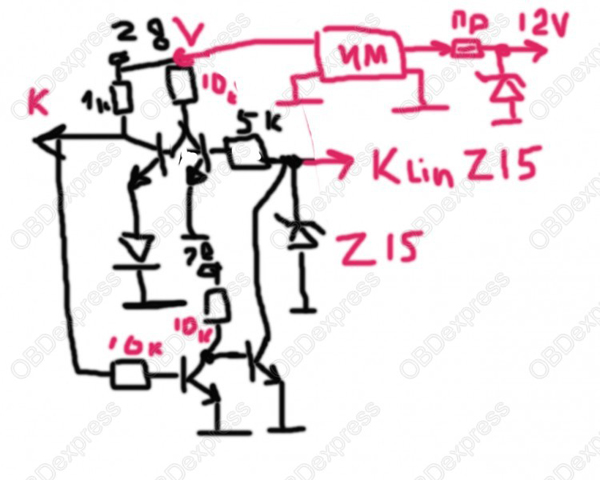

new drawing from post
you can put a mini voltmeter to a heap.

Posted by: OBDexpress.co.uk at
09:47 AM
| No Comments
| Add Comment
Post contains 225 words, total size 8 kb.
Here is the step-by-step guide ofhow to use OBDSTAR H110 VAG to change mileage on2006 VW Polo
Here we go:
Device: OBDSTAR H110 Immo and Odometer programmer
It is a new device designed for VAG dashboard odometer correction (incl. MQB and NEC+24C64 2014-) and key programming (incl. VAG-I+C Immobilizer).
Car: 2006 VW Polo
Video shows :
https://youtu.be/kBc4jRwblGg
Upload photos…
Dashboard status
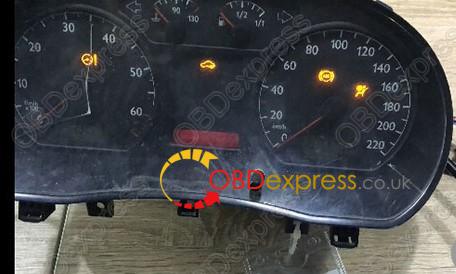
Connected to Obdstar H110 odometer correction tool and power on
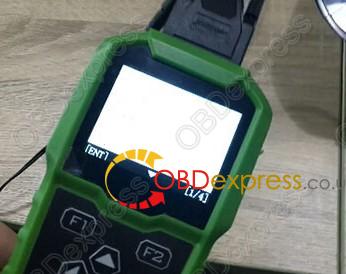
Select a car for odometer correction
VEHICLE
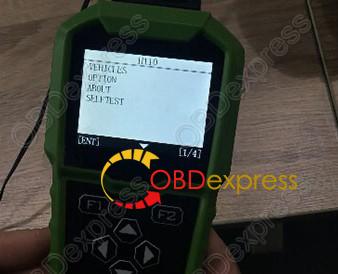
CLUSTER CALIBRATE
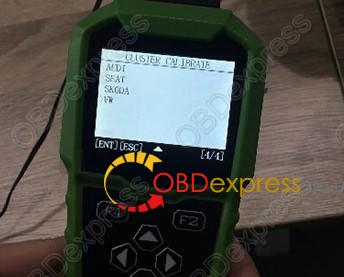
VW
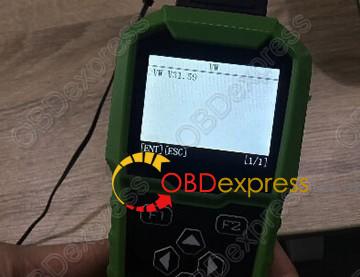
VW V31.59
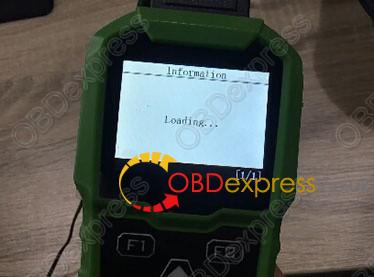
Loading Obdstar H110 VW software…
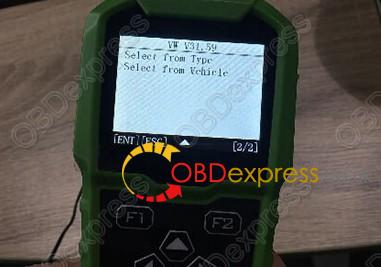
Initializing…
Authorizing…
Select from vehicle
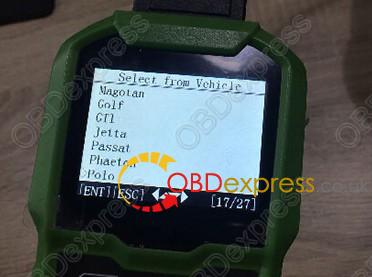
Polo
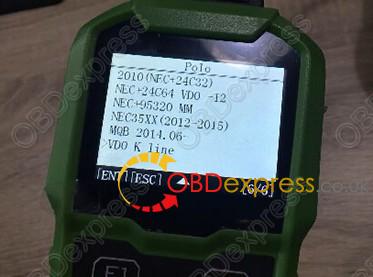
VDO K line
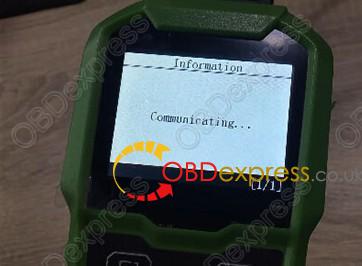
Communicating…
Reading mileage…usually 2-5 minutes
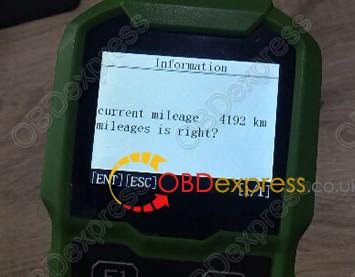
Check and confirm Current mileage: 4192km
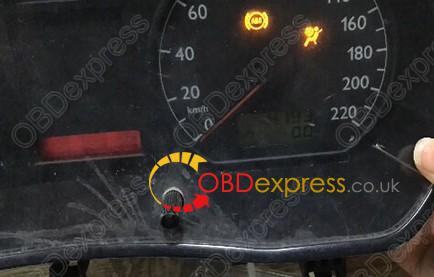
Polo dashboard displays the mileage: 4193
Input the new mileage: 20000
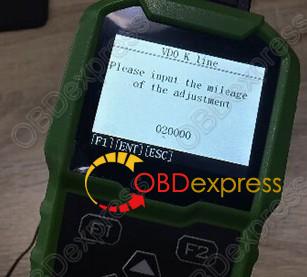
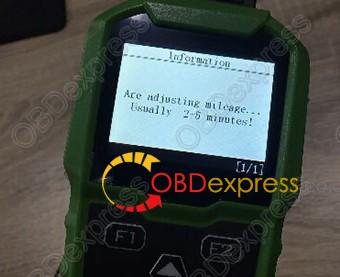
Adjusting mileage…usually 2-5 minutes
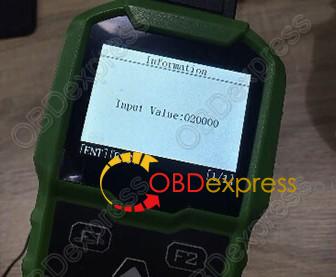
Finish odometer correction
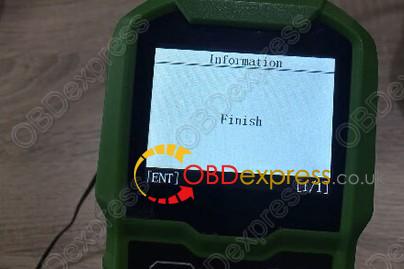
Exiting…
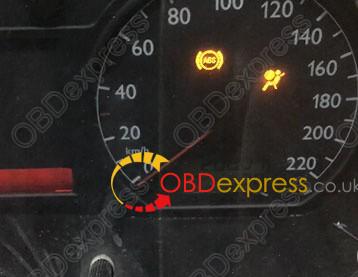
Polo dashboard displays the new mileage: 20001
Complete!
Posted by: OBDexpress.co.uk at
07:06 AM
| No Comments
| Add Comment
Post contains 147 words, total size 6 kb.
March 06, 2018
Hello,

Reply:
Hello, I had the same problem as you, unable to open the Help, even though I have placed the zip that came in the folder in the folder c:/ksuite/help.
The solution to my case was to download the Help folder from another location, which I now do not remember exactly, and open the files manually, because
What I do is use this help that I attached in this post to see the connection schemas. I open Ksuite, I see which family belongs to the desired protocol and then search there in the Help folder.
TheKsuiteversion I use is 2.08, so if you use a different version (site:http://blog.obdexpress.co.uk/2017/08/03/free-download-ktagkess-v2-help-files-sd-card-files/ksuitev2.24 v2.13 help file), you can only succeed by trying to unzip the
Success
Src:
Posted by: OBDexpress.co.uk at
06:29 AM
| No Comments
| Add Comment
Post contains 188 words, total size 9 kb.
Hello,
Reply:
Hello, I had the same problem as you, unable to open the Help, even though I have placed the zip that came in the folder in the folder c:/ksuite/help.
The solution to my case was to download the Help folder from another location, which I now do not remember exactly, and open the files manually, because
What I do is use this help that I attached in this post to see the connection schemas. I open Ksuite, I see which family belongs to the desired protocol and then search there in the Help folder.
TheKsuiteversion I use is 2.08, so if you use a different version (site:http://blog.obdexpress.co.uk/2017/08/03/free-download-ktagkess-v2-help-files-sd-card-files/ksuitev2.24 v2.13 help file), you can only succeed by trying to unzip the
Success
Src:
Posted by: OBDexpress.co.uk at
06:29 AM
| No Comments
| Add Comment
Post contains 188 words, total size 9 kb.
32 queries taking 0.0478 seconds, 149 records returned.
Powered by Minx 1.1.6c-pink.

