



February 26, 2019
Offer the solution toXTUNER E3error "unable to obtain serial number no communicationâ€.

Please try to upgrade the firmware of WIFI module so that the WIFI perform can be improved.
WIFI Software Update – Quick Guide:
- Firstly, please connect the computer toVCI’s WIFI.

- Please open the IE explore and input:10.10.100.254/iweb.html,
input the User name and Password, then click "OKâ€.
User name: admin
Password: admin


- Click "Browse…†to select the file :
NW3313_UPGRADE_LPT120_TONGDUI_VER1.4_20190220.bin


- Click"Upload
†and wait.

Until

- Update finish. The WIFI will restart automatically. Please
connect again before testing.
When XTUNE E1/T1have the same problem,
Who Like This Article Also Viewed:
Posted by: OBDexpress.co.uk at
03:38 AM
| No Comments
| Add Comment
Post contains 176 words, total size 31 kb.
February 25, 2019
Offer the solution to Universal Can Diagnostic system V1.26.008 can’t find the cableFord UCDS Pro+.
Attach 4 images of Universal Can Diagnostic system V1.26.008 error:


Solution:
Check if the driver is installed well. If you have no idea on how to install the driver, please watch this video made bywww.obdexpress.co.ukengineer.
Guess this post is helpful:
How tosetupFord UCDS 1.26.008 software on XP SP3.
http://blog.obdexpress.co.uk/2018/01/19/how-to-setup-ford-ucds-1-26-008-software-on-xp-sp3/
Who Like This Article Also Viewed:
Posted by: OBDexpress.co.uk at
06:13 AM
| No Comments
| Add Comment
Post contains 132 words, total size 17 kb.
February 22, 2019
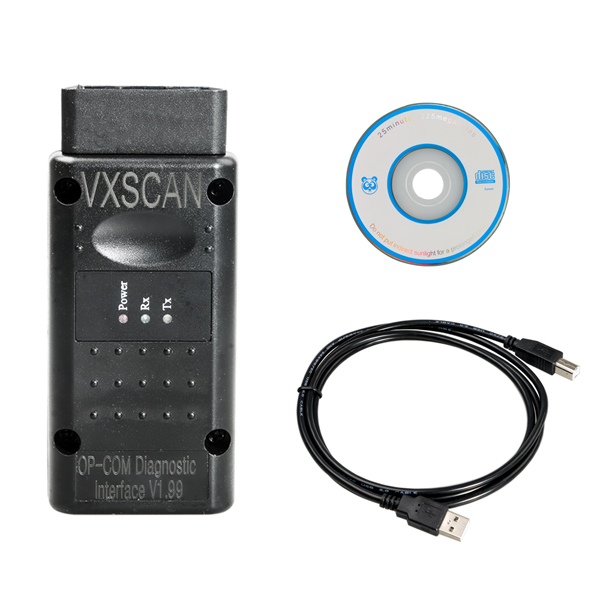
Got oneOpcom clone V1.99running Vaux-com 120309a, first I had no issue, but I tried to test different software versions coming with hardware ending connection error
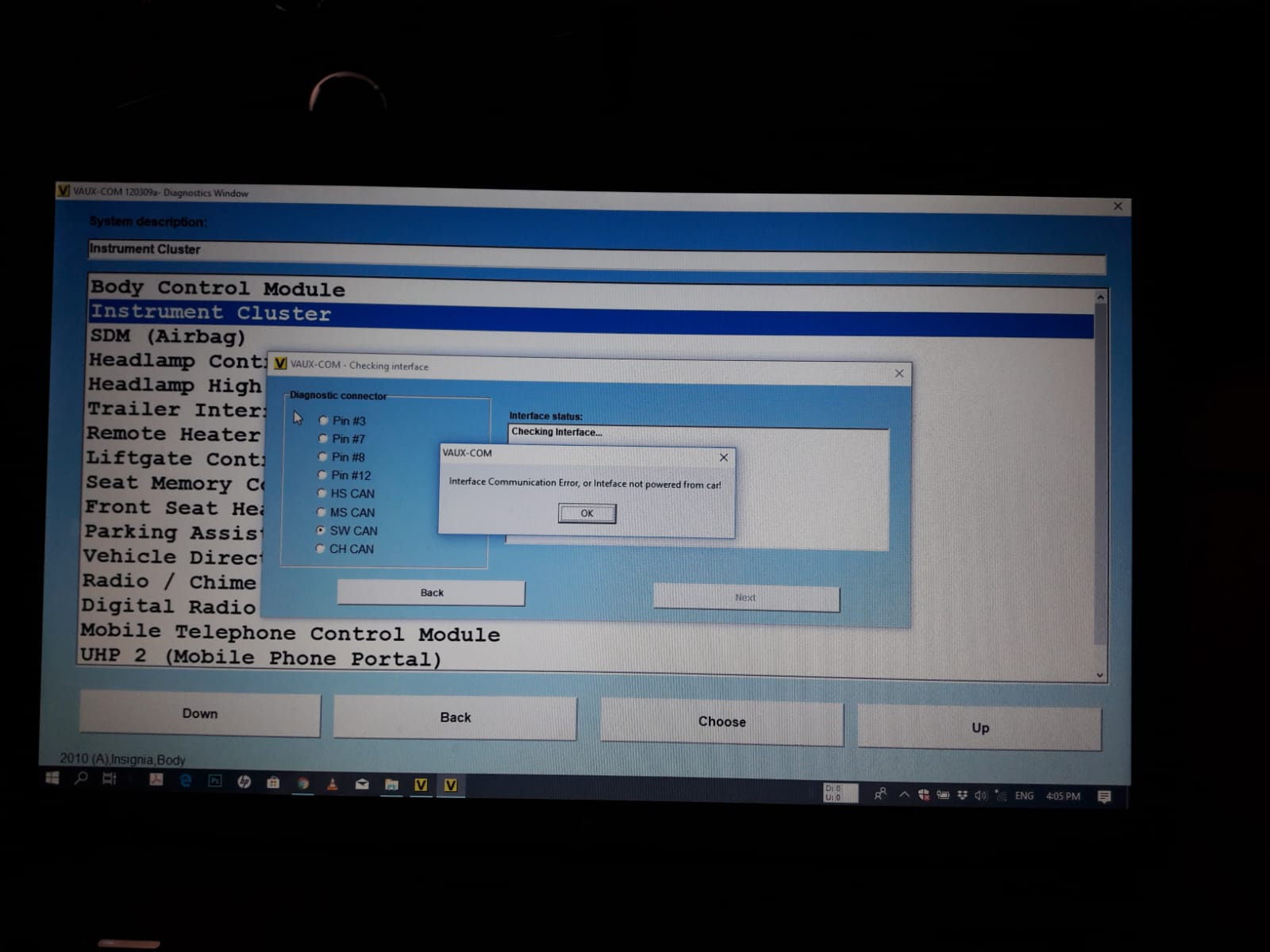
Herearesome more info:
FW: V1.99
Interface: 120309a
Driver date: 7/12/2013
Driver version: 2.8.30.0
VCP inuncheck
USB\VID_0403&PID_6001&REV_0600
USB\VID_0403&PID_6001
I runVaux-com 120309a on Win7.
Share the pictures with
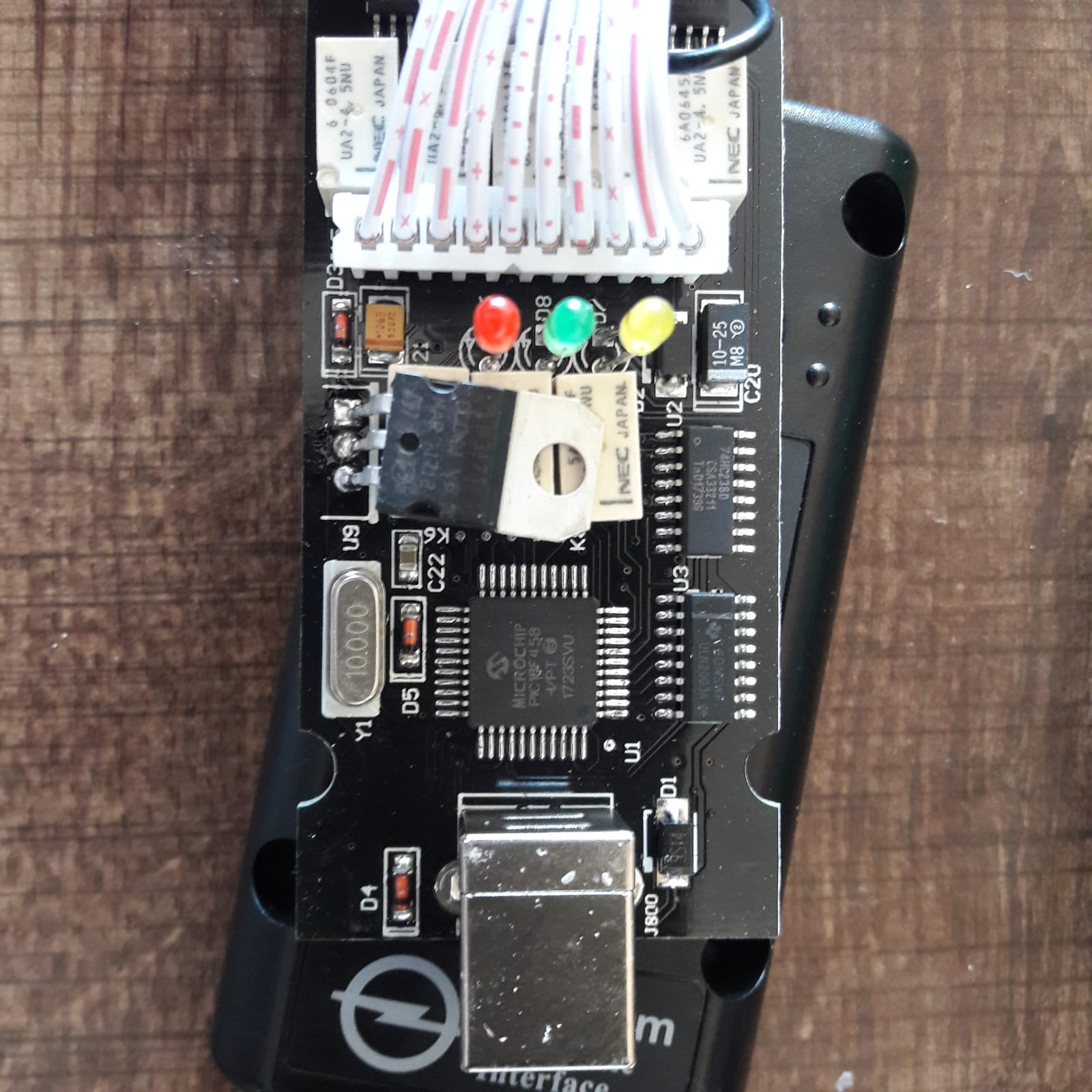
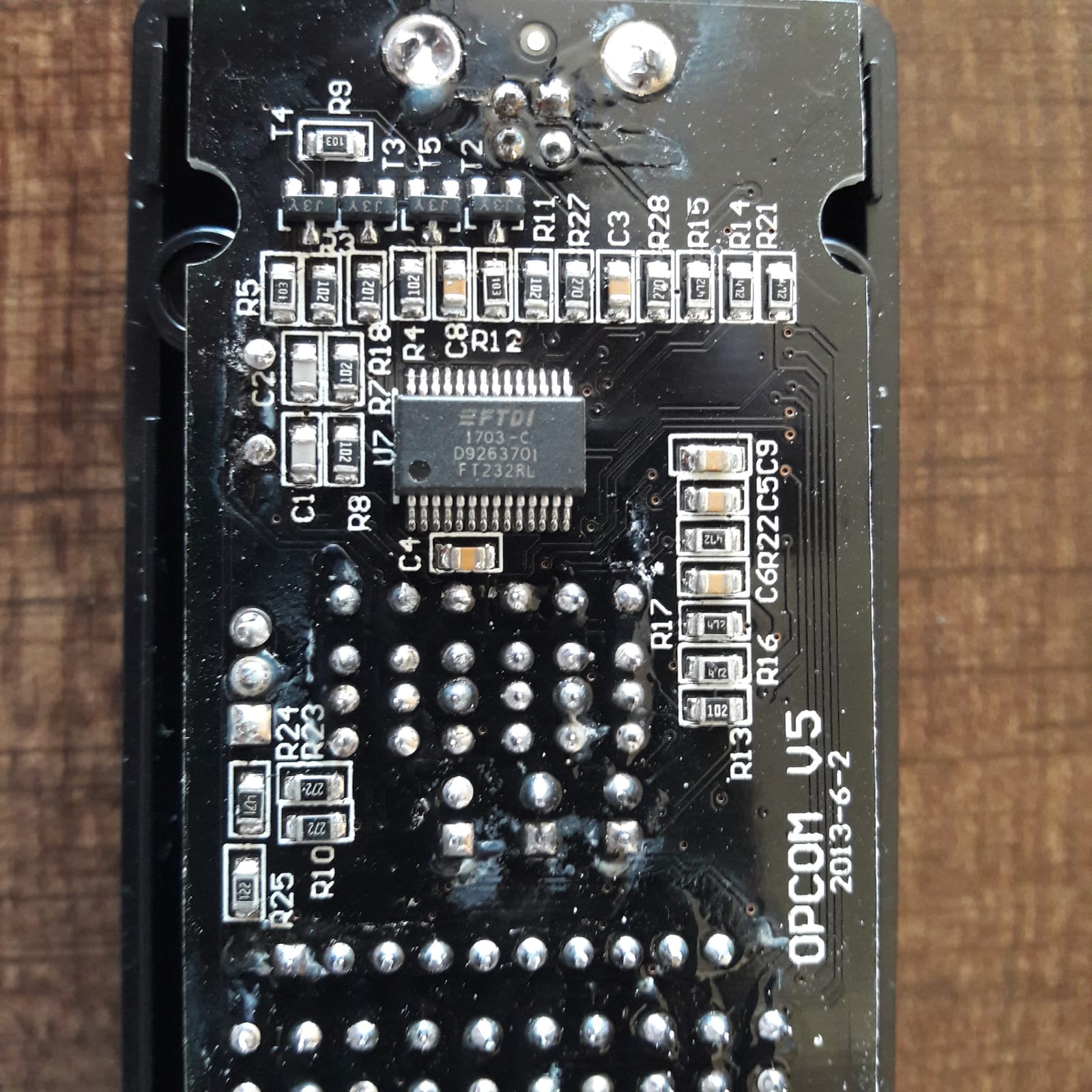

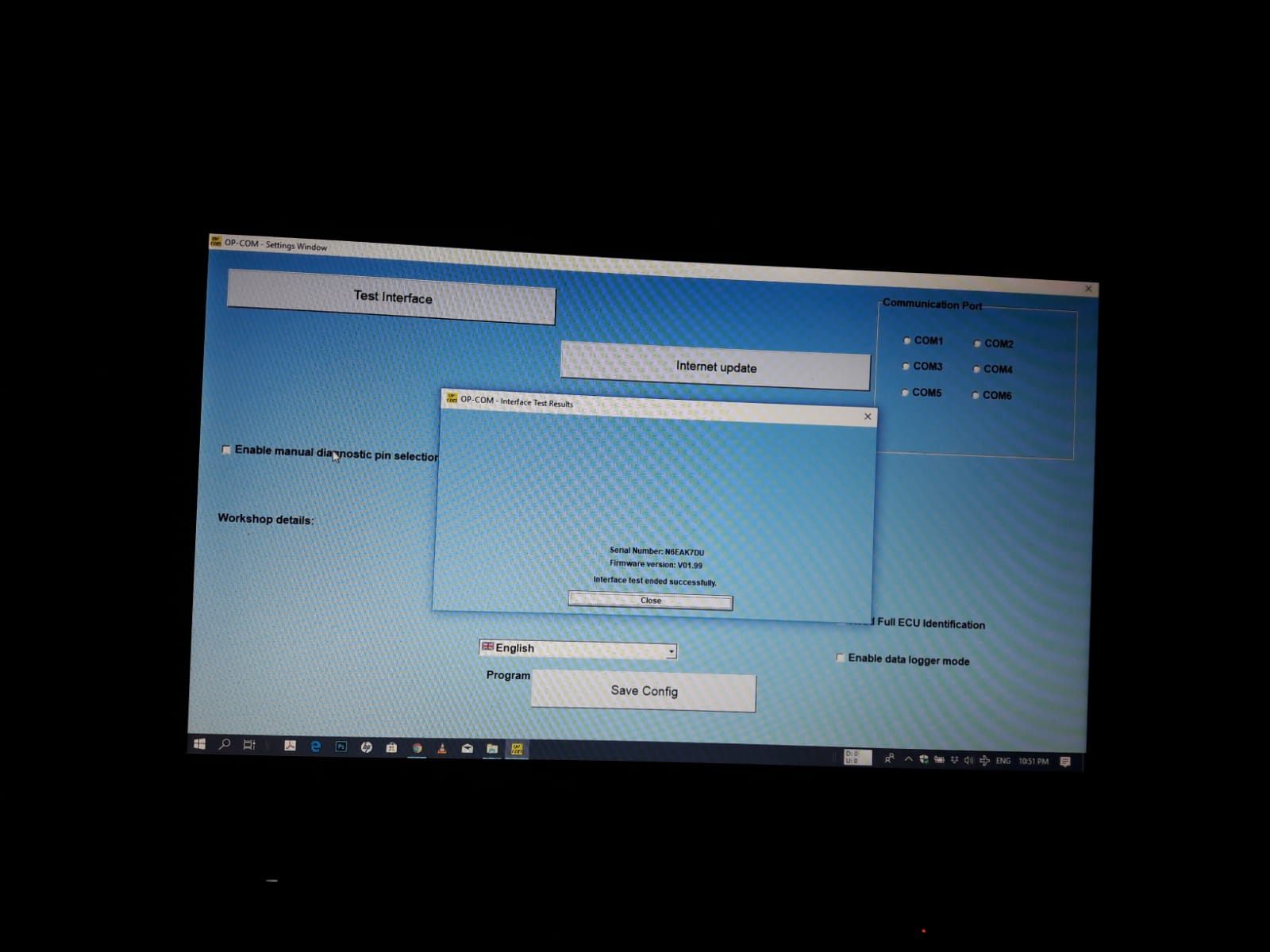
HereOpcom clone V1.99
Finally Solved!!!
Tip for the ones with the same problem:
If no FW update was attempted and your device can pass fw+bootloader test don’t
Opcom or Vauxcom clone software version 2012 and above changes FTDIeeprom. Following that the drivers can be updated
Open 2010 china clone and test your interface.
Source:http://blog.obdexpress.co.uk/2019/02/22/solved-opcom-v1-99-vaux-com-120309a-communication-error/
Who Like This Article Also Viewed:
Posted by: OBDexpress.co.uk at
06:59 AM
| No Comments
| Add Comment
Post contains 351 words, total size 27 kb.
February 18, 2019
Clone Kess 5.017Ksuite2.47 review yes and no list. Kess 5.017Ksuite2.47 read and write ECU via OBD.

Ksuite2.47 is compatible with:
Ksuite2.47 free download:
pass: laura168
No need active
XP, WIN7 32bit, Win8 etc
Multi-language
Ksuite2.47 Yes list:
Opel Astra H 1,7cdti 2008 81kwdensoecu
Read/write ok no problem
Tested also onboschme 7.1 golf 4 2,8 24v AUE engine read/write ok!
Edc16c31 bmw read/write ok!
Edc16u34/31 vag read/write ok!
Bosch me7.1 on 2,23 need to read trough protocol 64 Ithink ,but on 2,47 readregular ,choose on list model year hp engine code hit read work perfect no protocol need
this is the difference between 2,47 vs 2,23.
Delphi (mercedessprinter om651)read / writebyobd
Fordfiesta2008 1.6tdiedc1634read writebyodb
VWpassat1.9tdi PDI read/write byobd
Mercedes w211 om646 read/write byobd
With version 2.11 I already write flash for EDC17CP64 byobd, can’t read it byobd, yes I writevirtualfile, it takes about 13mn to be written.
Edc17C46 writing onobdTESTED ! First I read with KTAG and after write withKsuite2.47.
Renault scenic 1,5dci 2007 delphi ecu ddcr read/wirte ok!
Vag edc15 read/write ok!
Bmw ms42 read/wirteok!
Bmw ms43 read/write ok!
c220 w204..delphiCRD3…read write ok..
VW Crafter Bosch EDC17CP20 Tricore Externalread-writeOK!
w212 220cdi CRD 2.16read writeobdok..
Golf 5 EDC16U1 OK
Sharan EDC16U31 OK
Passat PCR2.1 Write OK (ECU was already unlocked)
Alfa 147 ME7.3.1 OK
Audi A6 4G 2012 EDC17cp44 Obd Write ok!
Mercedes-Benz CLS 350 CDI BlueEFFICIENCY 4Matic 7AT with Bosch EDC17CP46 wasreadedwith Kess 2.34 Tricore and written with Kess 2.47 Tricore
Porsche 997 3.8S Year 2006
Bosch ME7.8.x CARTRONIC
HW: 0261207987
SW: 1037369642
Spare: 99761860101
SW upg.: 0041900007103A08
Installation: ME7.8.1
WRITE PERFECT OK
by k-line
itest in bench
BMW 320 E46 EDC16C31 OK
Ford Focus TDCI 1.6 EDC16C36 OK
Peugeot 307CC 1.6/PETROL ME 7.4.5 OK
Volvo EDC16C31 read-write on K-line…TESTED !
MED17.1 2.0 TFSI Audi A5 tested without problems (VR)
EDC16CP34 3.0 TDI without problem
EDC17C64 Skoda Octavia withoutproblem(VR)
Onlyproblem is on gettingID-> have to switch many times theingnitionon off. Then I get an error, thatIDcan’t be read. And after pressing OK it is showing the whole ID and I can save it.
Mercedes Sprinter 906 2008 edc16c31 Read writeobdOK!
BMW Bosch EDC16+C35 via CAN Read/Write OBD ok
Volvo S40 continental SID803A read/write ok
BMW E92 M3 2008 Continental MSS60 read and write over OBD work without a problem
Audi A4 Engine: CABB 118 kW (160 HP) 1.8 l Bosch MED17.5 read over OBD OK!
Vag dq250read / writeno problem
1-VW Golf 6 GTD edc17c46Tprottricore
Read and write without error CRC OK
2-VWTigounEDC17C64 GPT Tricore
Read and write without error CRC OK
3-SEAT LION EDC17C64 GPTTICORE
Read and write without error CRC OK
Mercedes B180 CDI 2010 EDC16C32 R/W OBD….OK !
Audi RS6 4F 5.0 TFSI V10 MED9.1 BUH
Read Master ECU OK -OBD
Write Master ECU OK – OBD
Write Slave ECU OK – OBD
When you write master ECU, fanarerunning, you need a good battery charger
BMW E70 X5 Bosch EDC17CP09
Bootloader Tricore Protocol 226
Read OK
Write Not OK,problemwith checksum correction
After writing with K-Suite 2.34 no problem with startingengine
– Renault Latitude 1.5 Dci 110Hp Sid 305 – Ok.
– Okaudiq5 2.0tdi 2009 EDC17CP14 with protocol 501 work flawless add a good battery charger
– Tested onmercedesgla220cdi4matic crd3
HW: 6519040800
SW: 6519027201
Ricambio: 6519010902
SW agg.: 6519030050
Impianto: CRD3-651-WMIA4D1
read, write and checksum ok, protocol 350
– Renault SID309 ok (car my 2015)
Fail list:
Onboschme7.1 older software onlyecuid readnonreadfile,ihaveerror"change speed read†something like that butigot that message also on 2,23ksuiteitry all speed read butsameerror all time …
Car: Audi A5
Year: 2008
Body type: Coupe
Engine: CAPA 176 kW (240 HP) 3 l
ECU: EDC17CP04
Read over OBD OK, write I don’t want to try my luck
Problemwhen reading and writing with Kess Tricore, checksum error!
To be continued…
Many thanks to all ofusers: cartechnology.co.uk
Posted by: OBDexpress.co.uk at
09:14 AM
| No Comments
| Add Comment
Post contains 648 words, total size 56 kb.
Calterm cal download goterror"Phase is Not Available if Run Location is Bootâ€.It’s for cm870 I’m using bench harness.

Solution and discussion:
You corrupted header onfileyou tried to flash and now you are stuck in BOOT instead of APPLICATION.
Try flashing using INSITE to recover boot loader and application partitions. Then make sure you are doing any modifications properly if using Calterm. If you are performing a delete, you should be flashing using INSITE, not Calterm.
Question:
I’m curious as to why you do deletes oninsiteand notcalterm? I’ve done a delete throughcaltermand it worked out good, granted I got a weird error about permission at the end of the download but it still worked.
Answer:
Starting with a stock (nulled)INCALfile, then apply overlay using Calterm to it will keep headers from getting corrupted. Flashing with INSITE instead of Calterm will allow ECM to go into Learning Mode. This will allow RAM data to be populated on how the engine runs, what needsadjustedas per how the ECM was programmed in the first place. If you use Calterm to program you will skip the learning step and if deleting a truck it will keep self-diagnostic data from whentruckhad emissions which will offset SOI, fueling, and a few other things.
And as always before doing anything it’s a good idea to create an ECM image and convert totemplatein INSITE, and not a bad idea to "UPLOAD†a copy of the truck using Calterm just in case.
Question:
Someone on here made me a calibration file and I usedcalterm(I didn’t know I had to do it withinsiteuntil they told me). But I had an upload of the originalecmand also madea imageof theecmand template. I used the template after I downloaded the deleted calibration. And like I said I only got an error at the end of the download about security permission. Insite connected fine to upload the template. Could I have messed up some tables by doing this? I had a good long test drive in the truck and everything seemed torunningwell. Did I get lucky or was it just a good calibration or should I expect the truck back soon for some issues? It’s been almost a week and so far I haven’t heard anything bad about it.
IF headers get corrupt does that make theecmstay in boot mode?
Answer:
It probably programmed fine iftruckis running, but that doesn’t mean things are set properly. For example, check final_timing while runningengineand see if values are within the range you were shooting for.It’s always best to start from nulled INCAL file. I’ve seen SOI alone be offset incorrectly by self-diagnostic trace data that was still there due to flashing using Calterm on live filevs INSITE. If headers are corrupt on cal file due to saving changes manually using some versions of Calterm vs only running overlays on them then yes it can cause many problems, but usually truck won’t start and ECM will get stuck in BOOT. This is more common on olderECMslike the 870, but can easily happen on any Cummins ECM.
Src: https://mhhauto.com/Thread-Calterm-cal-download-error
Maybe you are interested inCummins INLINE 6 plus 8.2.0 Cummins INSITE
Source:

Posted by: OBDexpress.co.uk at
02:13 AM
| No Comments
| Add Comment
Post contains 536 words, total size 17 kb.
February 15, 2019
OfferVXDIAG Ford Mazda IDS V112 official free download source and native installation guide
VMware Player version and Native version difference:
- Run
invirtualmachine : to run the original IDS software on VXDIAG Nano interface, you need the correct activation code, therefore, the user is advisedtoactivein the virtual machine and copy to use. However, some usermaycameacrossproblembecause ofthe computer performance etc.
- Native installation
: from IDS 112, it starts runningnatively instead ofvirtualmachine . Native installation features: easy to operate, have lower requirements to the computer configuration, no need to switch the port, as long as the patch is newest, the official newest version can be compatible with the VXDIAG interface (VXDIAG VCX NANOandVXDIAGMulti DiagnosticToolwith Ford Mazda)
V112 native version download link supplied byobdexpress.co.ukengineer:
Ford IDS v112:

Mazda IDS V112

Ford Mazda IDS Patch
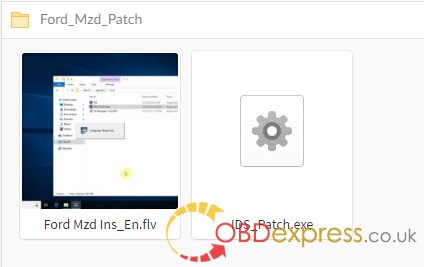
OS
Ford IDS v112 and Mazda IDS V112 native installation:
Installation steps:
- Install the official IDS diagnostic software and restart the computer after completion;
- Install VCX
client VX MANAGER, and install FORD type drive at the time point;
- Connect to the Ford VCX device and click "Ford_IDS_FIx.exeâ€. After installation, you will be prompted to create shortcuts on the desktop.
Note:
- In the future, when using VCX to diagnose Ford, we must click on "Ford_IDS_FIx.exe†to run the diagnostic software. Clicking on the original IDS is not diagnosable;
- The diagnostic software must be installed first, and the device driver must be installed.
Who Like This Article Also Viewed:
Posted by: OBDexpress.co.uk at
09:17 AM
| No Comments
| Add Comment
Post contains 328 words, total size 30 kb.
February 14, 2019
Vxdiag Nano GM OpelGDS2 firmware checksum is incorrect. I will include pictures below. My guess is that VXManager is doing a 64-bit checksum but expects the result to be from a 32-bit checksum.


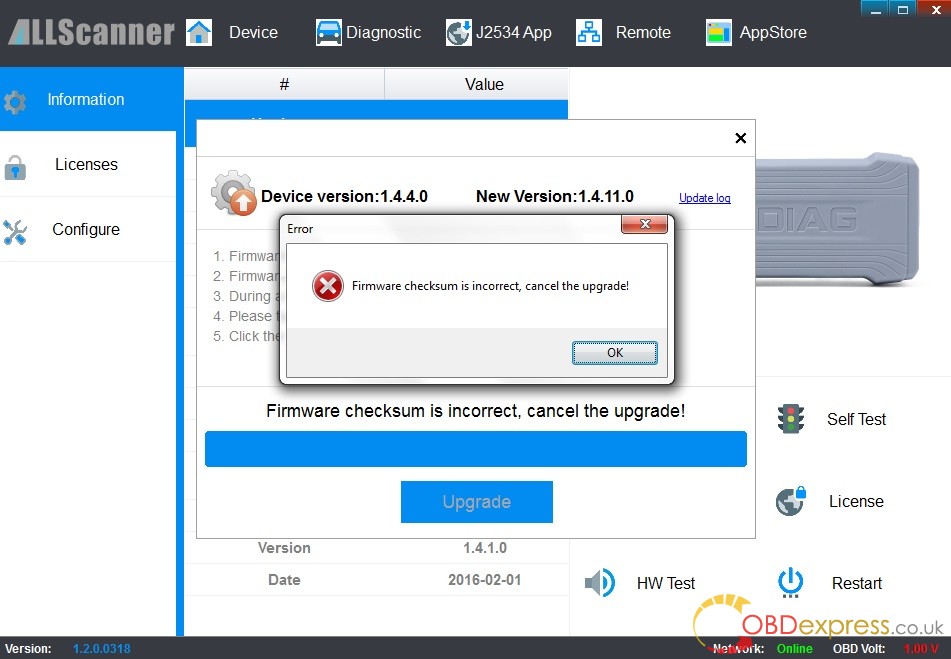
Problem description:
I have one concern remaining. On the Diagnostics screen in VXmanager, I select Passthru as one of MyApps and it shows a screen that says "Please installâ€. When I click the Install button, it says "Failed, Retry!â€. It does the same thing when I try to Install the "GM GDS2/T2Wâ€. I know thatTech2Winis working correctly because I have already used it for important work. I will have no need to use GM SPS for some time (and my belief is that is what "Passthru†is needed for) so I don’t know if it will fail later when I try to use it.
I do know that during the VxManager install it showed that it correctly installed "VCX Passthru Driver (SAE-J2534-2)†so perhaps the "Install†button in VxManager is not expected to work? I am attaching a picture of the failure screen.
Finally solved!!!
Hello.Ifoundawork-aroundfortheproblemsoIwasabletoupgradethefirmware,whichmeansIcannolongerdemonstratetheproblem.Mywork-aroundsupportsmytheorythatthereisconfusionover32-bitvs64-butchecksum.
WhatIdidwastoinstallVxManagerintothevirtualmachineusedforGDS2(whichappearstobe32-bit).Inthatenvironment,therewasnoproblemwithobtainingacorrectchecksumanddoingthefirmwareupdate.
Ihopethismighthelpthedeveloperstomakearealfixforthisproblem.Thankyou.
Posted by: OBDexpress.co.uk at
08:38 AM
| No Comments
| Add Comment
Post contains 191 words, total size 10 kb.
Hello,Iboughtids108fromyourportalandwillbuyIDS V112soonbutigotproblem.
I
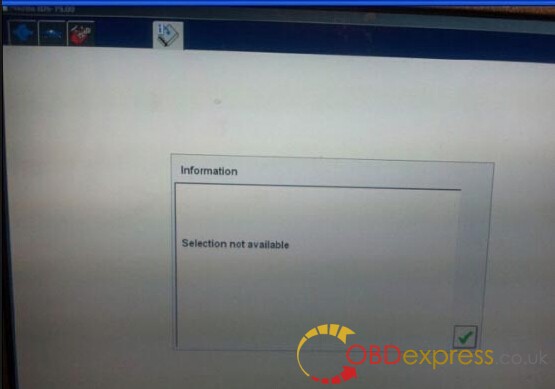
ThenIdownloaded "Ford Extending Programming.rar file
frominternetandIhavethisnow.
And it’s now like in this video:
when I installed ghost image and
Solution fromOBDexpress.co.uk
Reinstall the IDS driver and its working (for windows 7 home premium some people says yes, some people says no, so it depends on your try.) VX Driver VCMii2.2.0.1510 is good also.
A new problem arose:
but I got another problem after entering programming

Tip:
Disable the internet connection, if the internet connection is disabled and you got no database then it means VCM2 doesn’t support your car, your
Who Like This Article Also Viewed:
Posted by: OBDexpress.co.uk at
01:24 AM
| No Comments
| Add Comment
Post contains 221 words, total size 26 kb.
February 12, 2019
just ordered

Aspromiseireceivedktmflash+
checksum ok
will test GPT

Q: So yourtactrixis connected to the rear of the power box?
And then
Just usektagpinout?
I thought edc17c10 was GPT!
A: yestactrixconnected to the rear of the power box and in frontgptandtricorecable,cablegptandtricorektagseemsto be ok
21st
tested onedc17cp14 R/W chk ok
Question: Did you test VAG DSG/CVT with this clone? About software: Can we install on Windows 7
Reply on
tested ondsgand work fine (not tested by obd2) and you can use withwindows7 with no internet connexion (not tested with connexion)
this clone work same

KTMOBD and KTMFLASH china clone review, big thanks
Posted by: OBDexpress.co.uk at
09:44 AM
| No Comments
| Add Comment
Post contains 152 words, total size 17 kb.
32 queries taking 0.1781 seconds, 127 records returned.
Powered by Minx 1.1.6c-pink.

