



September 13, 2018
Here areFGTech GallettoWindows 10 installation tips and guides, including how to solve FGTech error "driver is not digitally signedâ€
It’s possible that the PC cannot recognize
The reason can be: the driver is not installed
If you try to install the driver manually through the peripheral management it will display the following error message: This driver is not digitally signed
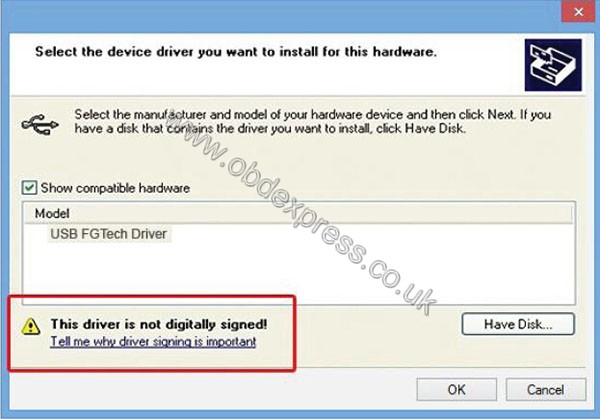
It’s possible to solve the program in Windows 7 operation system
Even if it does not accept the driver manually, you can disable the control if the driver signing
Here you go...
Reboot the PC in an advanced mode
On Desktop, open the Charm Bar to the right can click on Change PC Settings
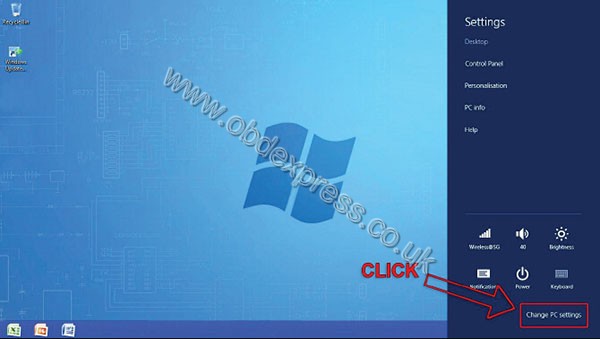
Now. Click on General - Restart now
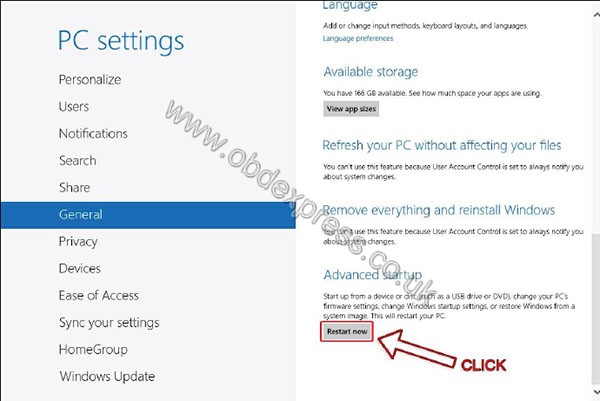
PC will restart in an advanced mode
Onwindows10, it will appear the following interface
Click on Troubleshoot - Advanced options - Startup Settings - Restart
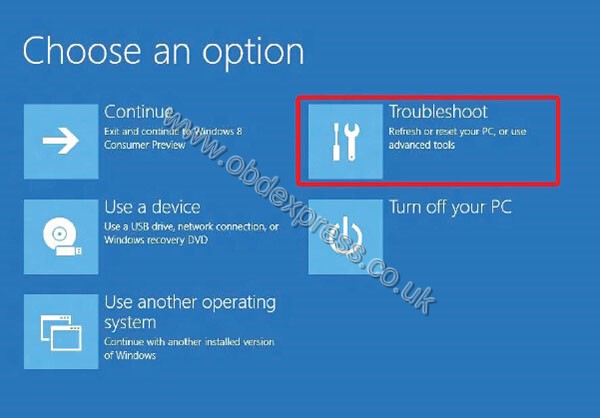
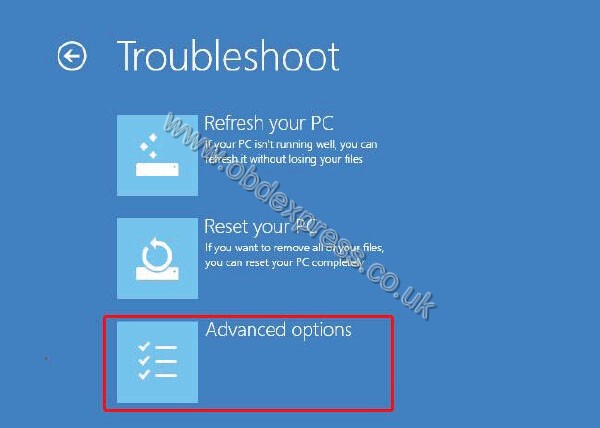
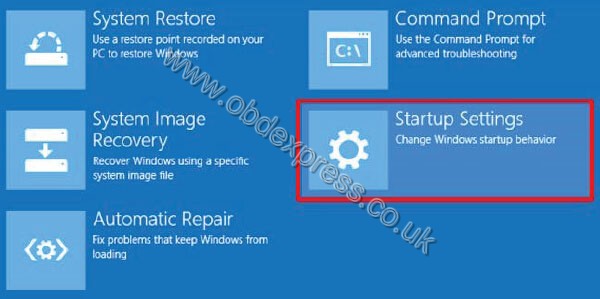
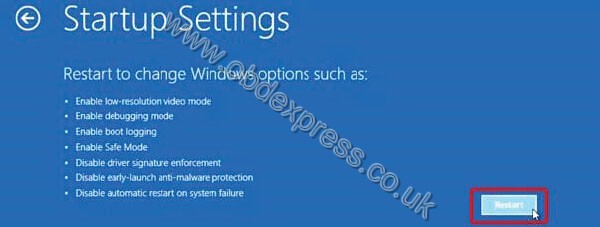
PC restarts, then go to Startup settings
Disable driver signature enforcement
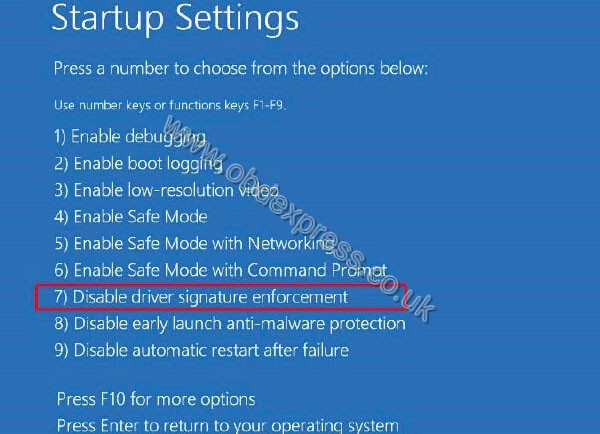
PC will restart
Then you can install the FGTech driver
soft is
mostly problems with software no
trying on
Aceraspire5920ativideo no work
HP Compaq 610nvidiaworkgood
Acer Aspire 6930nvidiaworkgood
readfantomelpost download software install C/
pluggallettousbinstall driver from software C/Program files/Fgth/drivers.
many
Have fun
Source:http://blog.obdexpress.co.uk/2018/09/13/how-to-install-fgtech-galleto-on-windows10/
Posted by: OBDexpress.co.uk at
08:37 AM
| No Comments
| Add Comment
Post contains 264 words, total size 13 kb.
35 queries taking 0.0972 seconds, 115 records returned.
Powered by Minx 1.1.6c-pink.

