



March 15, 2016
Here is the step-by-step instruction on how to setup Firmware 1.59 Opcom OP-Com 2012V software.
Software: V2012
Firmware: V1.59
Language: English. (If you need german, please choose SP12 OPCOM German version.)
How to setup Firmware 1.59 Opcom OP-Com 2012V software:
1.create a folder named [op-com] at the desktop.

2.open [op-com] CD.
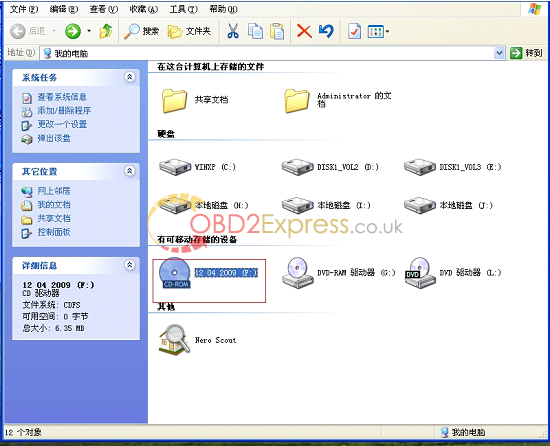
3.set up "op-com EN exeâ€.
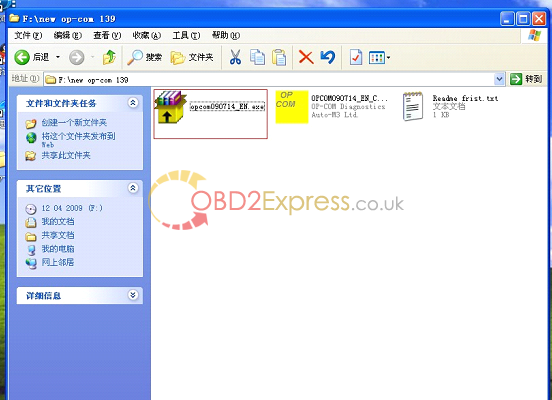
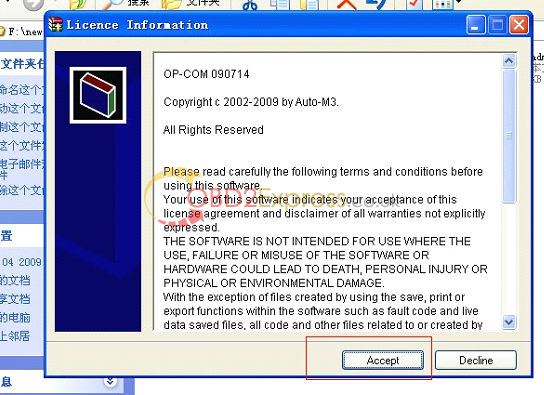
4. Destination folder (Please select the folder, in which OP-COM will be installed), here you select the blank folder "op-com†you just now created in the desktop.
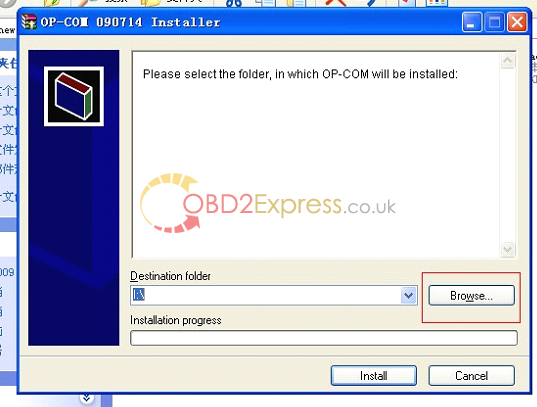
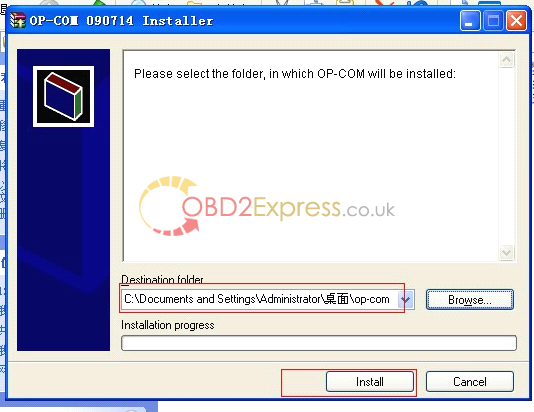
5.open "op-com†folder in your desktop.

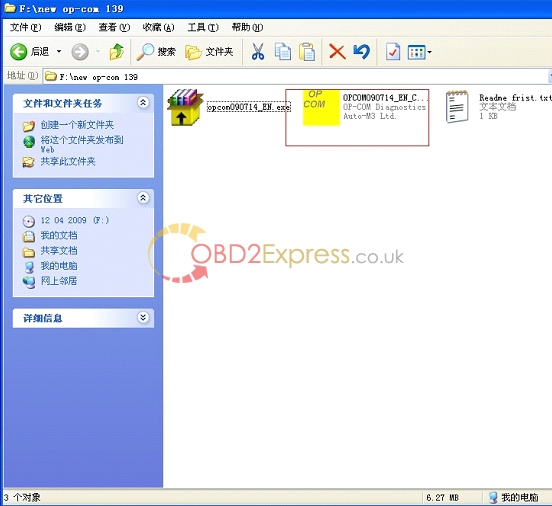
6. Open the CD and copy the "OPCOM090714_EN_Crack.exeâ€, then paste them into the folder of "op-com†in the desktop.
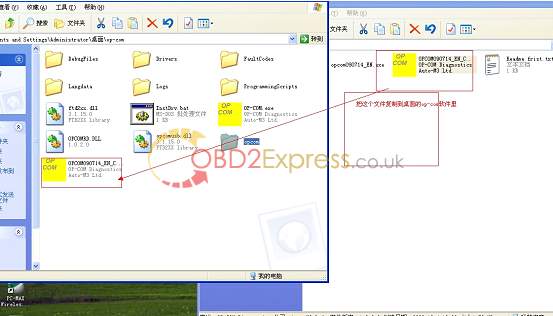
7 .connect op-com interfaces to your PC, then it will tell you to setup op-com driver, please select the second option and click "Nextâ€.
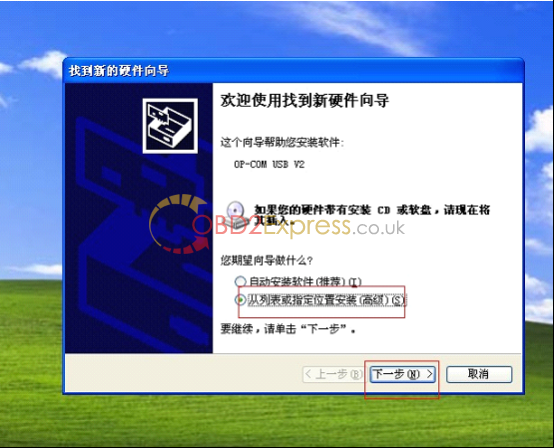
8, select the destination folder for driver setup.
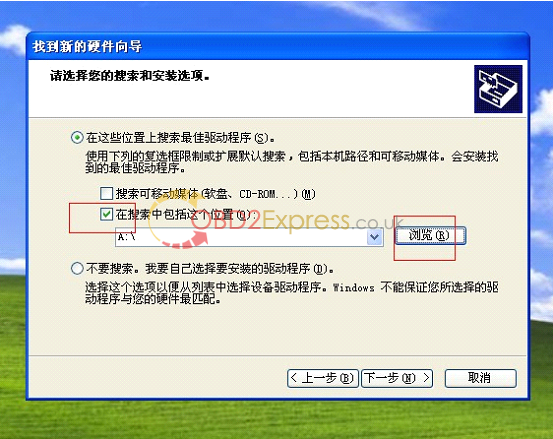
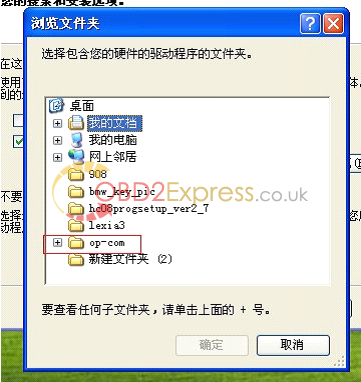
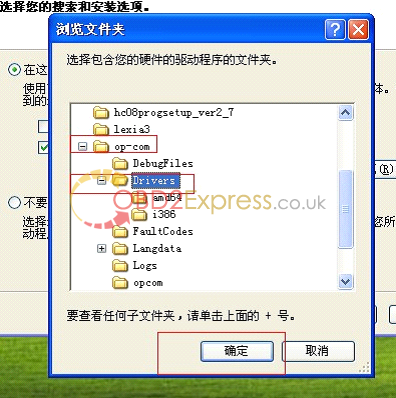
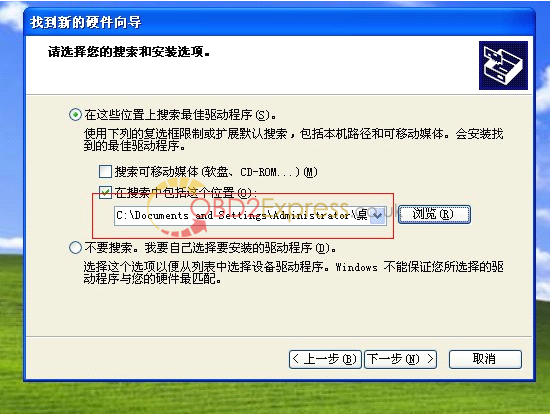
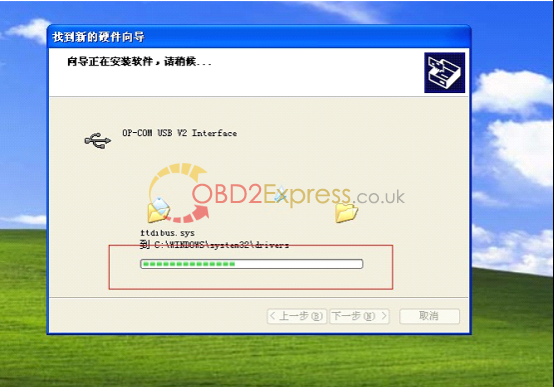
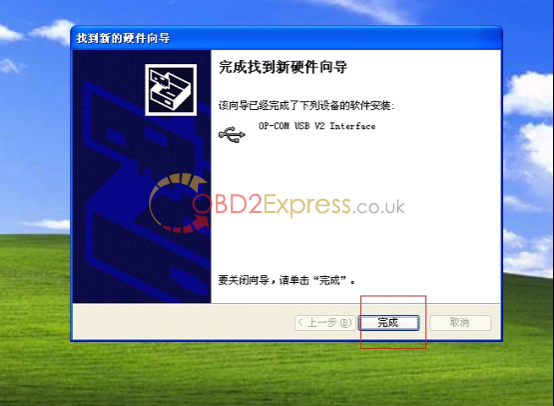
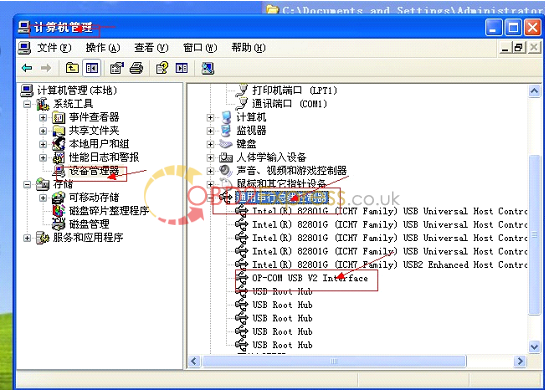
9. finish setup driver, now check op-com driver location "My computer=management= device management=USBâ€, if op-com driver location shows as follows, that means it is ok now.
10. Open "OPCOM090714_EN_Crack.exe†under the folder of "op-com†on the desktop, ready to activate software. Com not found, because the software is not activated.
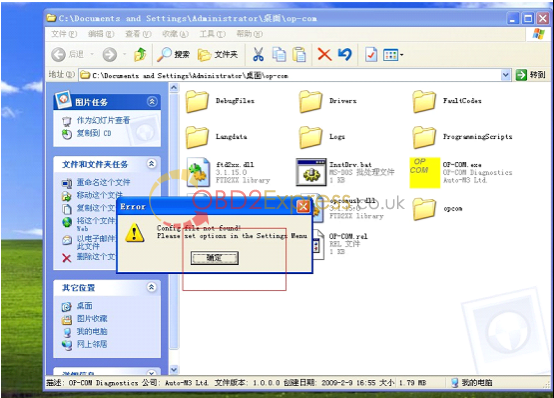
11.Click "Settingsâ€.
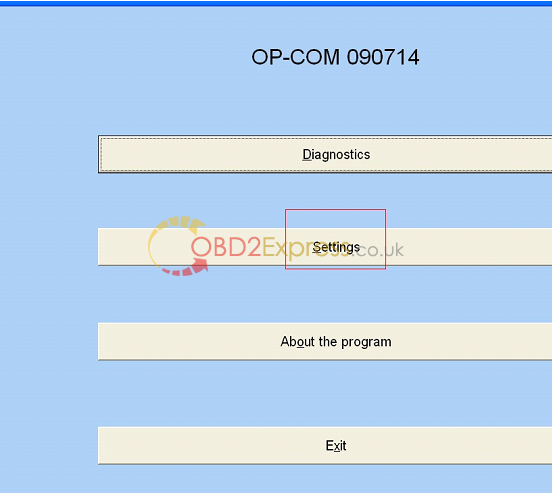
12.Click "test interfaceâ€, run activation program.
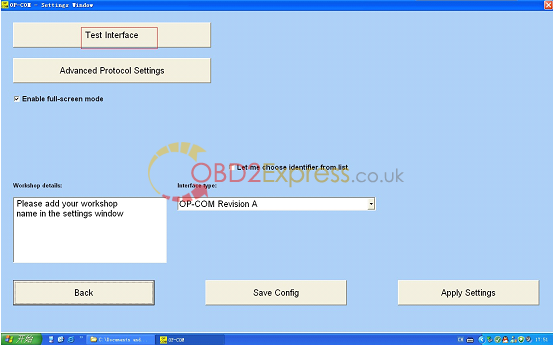
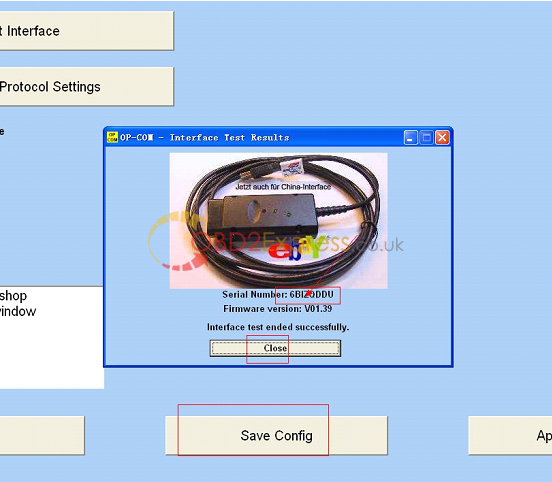
13.activation program runs well and get Serial Number, "Save Configâ€, "close†Serial Number.
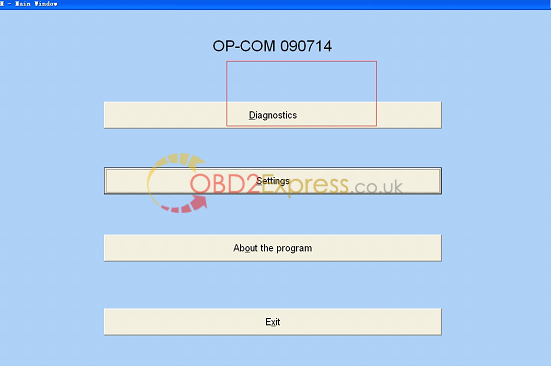
14.Select "diagnosticsâ€.
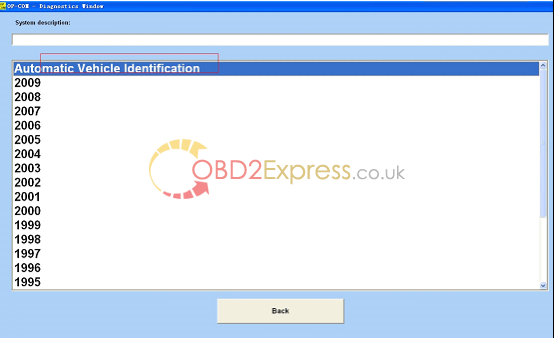
15.select protocol to diagnosis.
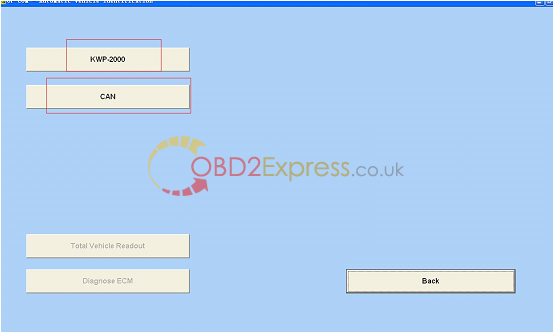
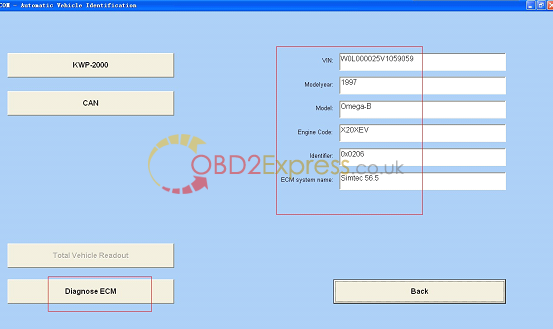
16.pass the protocol, select "diagnose ECMâ€.
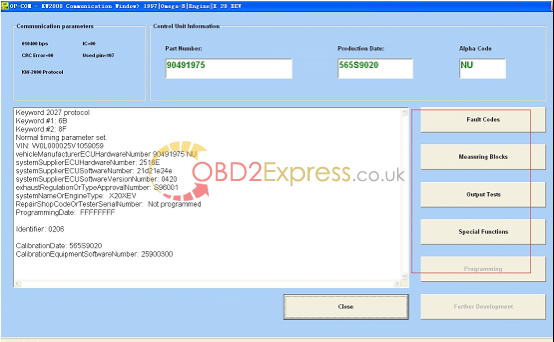
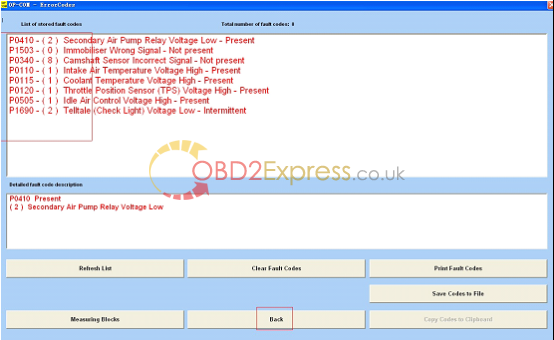
17.Read fault codes.
More information:http://www.obdexpress.co.uk/wholesale/opcom-op-com-2010-v-can-obd2-opel-obd2express.html
Posted by: OBDexpress.co.uk at
03:58 AM
| No Comments
| Add Comment
Post contains 233 words, total size 8 kb.
35 queries taking 0.0529 seconds, 115 records returned.
Powered by Minx 1.1.6c-pink.

