



January 11, 2016
Condor XC-MINI M2 Clamp stop working after software upgrade
Problem:
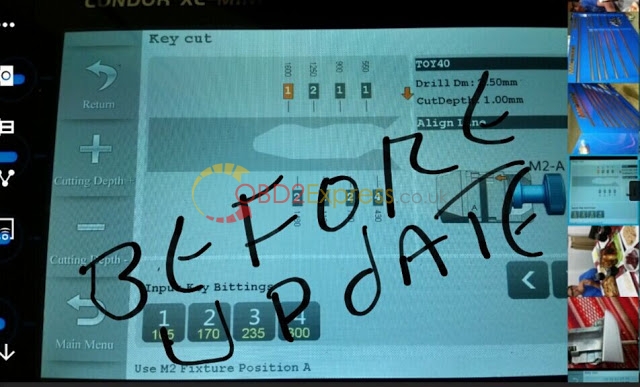
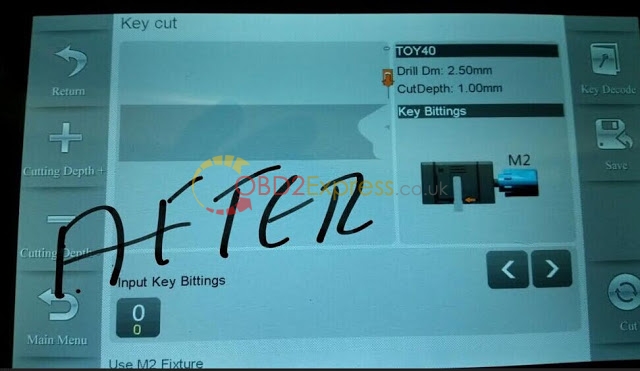
After update the iKeycutter CONDOR XC-MINI Master Series Automatic Key Cutting Machine software, when he calibrate the screen, the M2 clamp can not work.
CONDOR XC-MINI Master before and after software upgrade
This picture is his choice before the upgrade
Possible reason:
He chose the wrong update software version thus cause the problem.
Solution:
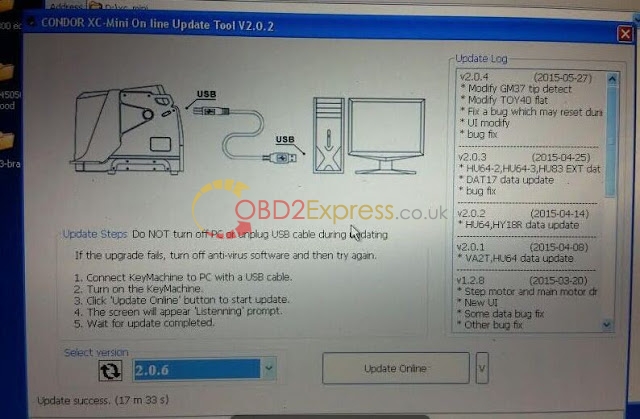
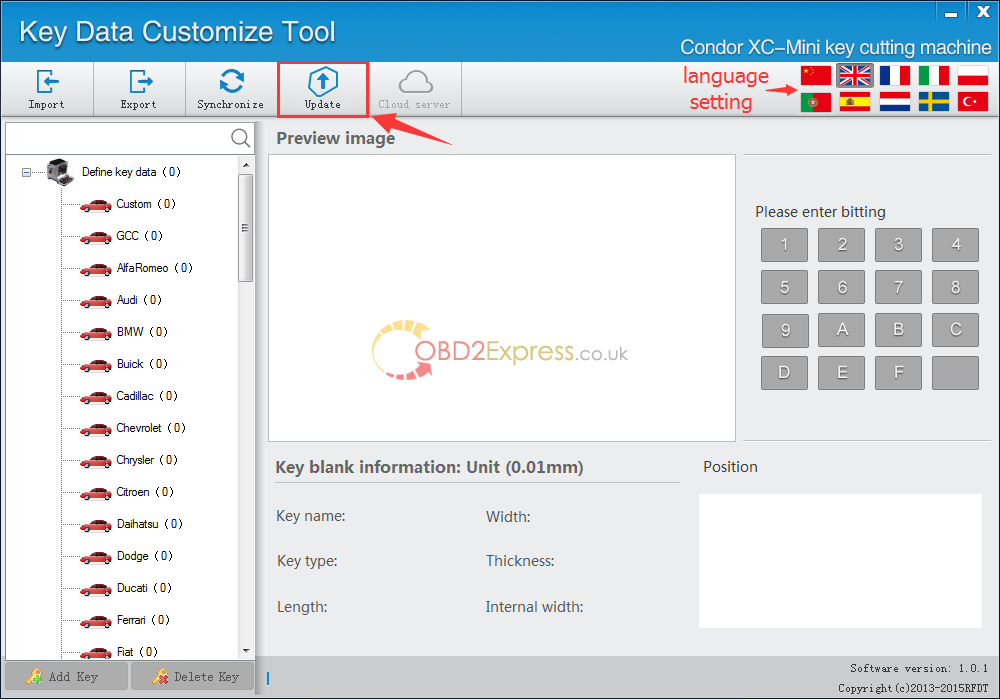
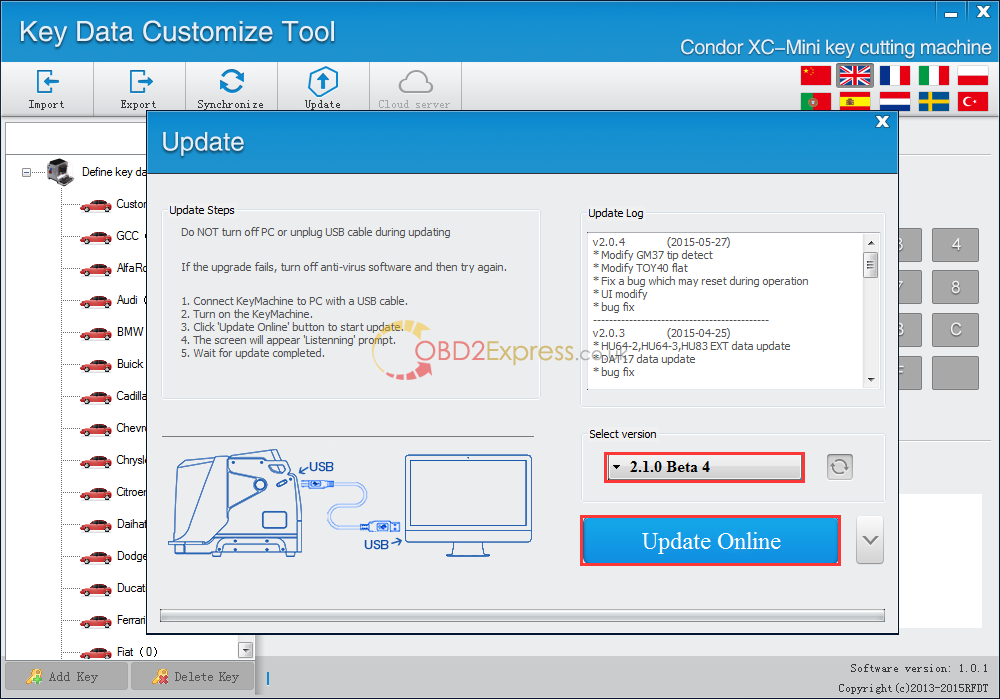
Free download the Condor XC-MINI update tool and follow the correct update instruction to update software.
Update steps:
1.Connect Mini machine to your PC,turn on the machine.
2.After Install "driver fileâ€,open the update software.
3.Select preferred language by yourself,Then click onâ€Updateâ€.
4.Select update version,click onâ€Update Onlineâ€wait until disply Update Success,wait for a while(30seconds),Restart machine.
NOTE: DO NOT turn off PC or unplug USB cable during updating.
Posted by: OBDexpress.co.uk at
08:31 AM
| No Comments
| Add Comment
Post contains 131 words, total size 3 kb.
17kb generated in CPU 0.0131, elapsed 0.0409 seconds.
35 queries taking 0.0288 seconds, 115 records returned.
Powered by Minx 1.1.6c-pink.
35 queries taking 0.0288 seconds, 115 records returned.
Powered by Minx 1.1.6c-pink.

