



July 08, 2020
Only 5 steps to configureBMW icom next WLAN to enable wifi connection, here you go:
1. Open ITool Radar to identify ICOM information
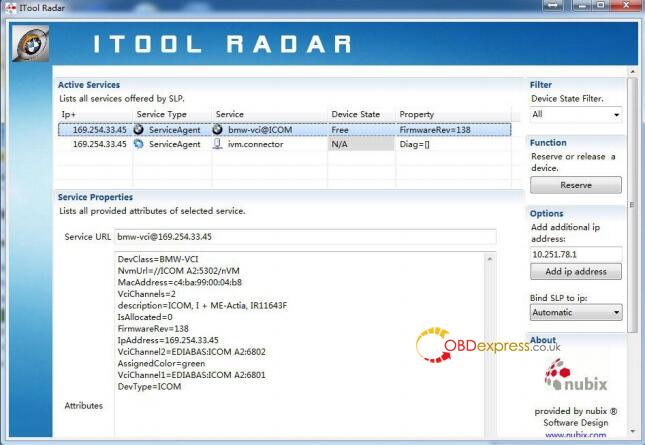
2. Open IE and enter the ICOM configuration URL: (ICOM’s IP address is subject to actual reading) http://169.254.33.45:58000/

3.Select WLAN Settings, and press the available WIFI information corresponding to the input, after confirming that it is correct, click Save Changes to save the settings

4. Disconnect the network cable and power off to restart ICOM. After ICOM starts, it will automatically connect to WIFI.
5. If usingBWM ICOM softwareand USB-WIFI, the configuration information is Mode: 802.11n, 2.4GHz SSID:ISAP Security Type: WPA2 Personal Pre- shared Key: BmwAp24h
Posted by: OBDexpress.co.uk at
06:48 AM
| No Comments
| Add Comment
Post contains 114 words, total size 9 kb.
35 queries taking 0.0344 seconds, 115 records returned.
Powered by Minx 1.1.6c-pink.

