



December 06, 2017
Yes.VVDIMCUProgrammer(cost 375&euro is good for
And it’s in active development with free updates for now.
But is better to have more
It does not read flash. For flash
VVDI PROG
Part 1: VVDI PROG works with Mercedes EIS
Part 2: VVDI PROG works with EWS3/EWS4
Part 3: VVDI-PROG works with BMW CAS2/CAS3/CAS4

Part
VVDI Prog & EIS W203 2J74Y/3J74Y (MC68HC(9)08AZ60)

VVDI Prog & EIS W203 1J35D/4J74Y (MC68HC(9)08AZ60)

VVDI Prog & EIS W220 (W215) 1J35D/4J74Y (MC68HC(9)08AZ60)

VVDI Prog & EIS W220 (W215) 1J35D/4J74Y (MC68HC(9)08AZ60)

VVDI Prog & EIS W220 (W215) 2J74Y/3J74Y (MC68HC(9)08AZ60)

VVDI Prog & EIS W220 (W215) 2J74Y/3J74Y (MC68HC(9)08AZ60)

VVDI Prog & EIS W639 0L02M/1L02M (MC68HC(9)08AZ60)

VVDI Prog & EIS W639 1J35D/4J74Y (MC68HC(9)08AZ60)


Part 2: VVDI PROG works with EWS
How to use VVDI-Prog to read and write EWS?
VVDI Prog EWS wiring diagram…
VVDI Prog & EWS3 adapter

VVDI Prog & EWS4 adapter

VVDI Prog & BMW EWS4.X xL86D/0M89C (MC9S12DJ64)

VVDI Prog & Land Rover Range Rover EWS (2004-0 3L40K/4L40K (MC9S12DT12
" data-blogger-escaped-sizes="(max-width: 425px) 100vw, 425px" data-blogger-escaped-srcset="http://blog.obdexpress.co.uk/wp-content/uploads/2017/12/VVDI-PROG-LANDROVER-RANGE-ROVER-EWS2004-08-425x600.jpg 425w, http://blog.obdexpress.co.uk/wp-content/uploads/2017/12/VVDI-PROG-LANDROVER-RANGE-ROVER-EWS2004-08.jpg 600w" data-blogger-escaped-style="border: 0px; font-family: inherit; font-size: inherit; font-stretch: inherit; font-style: inherit; font-variant: inherit; font-weight: inherit; height: auto; line-height: inherit; margin: 0px; max-width: 100%; padding: 0px; vertical-align: baseline;" data-orig-src="http://blog.obdexpress.co.uk/wp-content/uploads/2017/12/VVDI-PROG-LANDROVER-RANGE-ROVER-EWS2004-08-425x600.jpg" height="600" src="https://images-blogger-opensocial.googleusercontent.com/gadgets/proxy?url=http%3A%2F%2Fblog.obdexpress.co.uk%2Fwp-content%2Fuploads%2F2017%2F12%2FVVDI-PROG-LANDROVER-RANGE-ROVER-EWS2004-08-425x600.jpg&container=blogger&gadget=a&rewriteMime=image%2F*" width="425" />

Part 3: VVDI-PROGworks with BMW CAS
How to read/write CAS using VVDI Prog programmer:
VVDI Prog & CAS wiring diagram…
VVDI Prog & CAS2 2K79X

VVDI Prog & CAS2 2K79X

VVDI Prog & CAS3 2K79X

VVDI Prog & CAS3+ 0L15Y

Xhorse VVDI Prog& CAS4 1L15Y

Xhorse VVDI Prog & CAS4 5M48H

Xhorse VVDI Prog & CAS4 5M48H

Xhorse VVDI Prog & CAS4 5M48H

Xhorse VVDI Prog & CAS4 5M48H

Posted by: OBDexpress.co.uk at
06:39 AM
| No Comments
| Add Comment
Post contains 271 words, total size 55 kb.
December 05, 2017
CG100
Why should you choose CG100 programmer?
- Most programmers in market support read & write data for 8 feet chip,
motorola CPUand NECcpu . These chips take up nearly 70% to 80% inmarket . But most of them don’t support other 20% chips,so we need chooseother programmer - CG100 programmer can support balance 20% chips
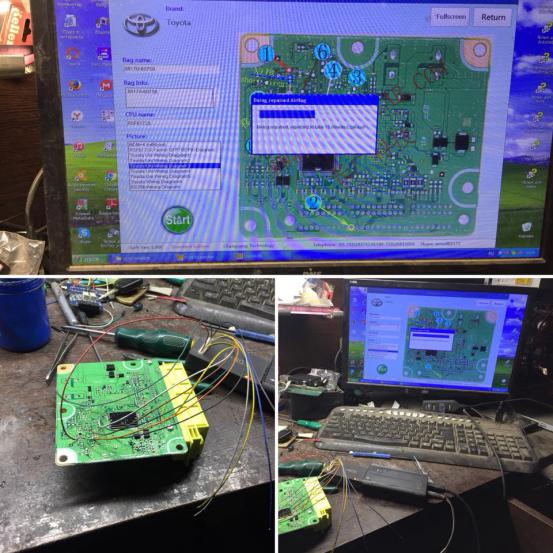
,like ATMELsinglechip , 9S12 series CPU, Renesas, Infineon, ST, NEC etc. besides, It’s a powerful tool for odometer correction,airbag /ECU/stereo repair.
CG100 programmer user manual:
incl.
Source:
Posted by: OBDexpress.co.uk at
06:38 AM
| No Comments
| Add Comment
Post contains 144 words, total size 9 kb.
CG100
Why should you choose CG100 programmer?
- Most programmers in market support read & write data for 8 feet chip,
motorola CPUand NECcpu . These chips take up nearly 70% to 80% inmarket . But most of them don’t support other 20% chips,so we need chooseother programmer - CG100 programmer can support balance 20% chips
,like ATMELsinglechip , 9S12 series CPU, Renesas, Infineon, ST, NEC etc. besides, It’s a powerful tool for odometer correction,airbag /ECU/stereo repair.
CG100 programmer user manual:
incl.
Source:
Posted by: OBDexpress.co.uk at
06:38 AM
| No Comments
| Add Comment
Post contains 144 words, total size 10 kb.
December 04, 2017
Free download BMW ROAD MAP EUROPE NBT-NEXT 2018-1 Torrent on Mega:
https://mega.nz/#!8DBBBRKY!sWPidYUIZR_aVvPHQr_xYok0v4fBg5d9Rr9N_hy6fBkIf someone needs a FSC Code,
Free way:
go to a forumhttp://mhhauto.com/and the like to post a thread to ask for FSC codes
Paid way:
–ENET cable($15 around) with working E-sys software:
Note that, you can also DIY an ENET cable. Google and search how-to’s. there will be many tutorial.
–BMW ICOMemulator
BMW ICOM A2 ISTA/P is another way to import enabling codes (FSC).
Require:
ZIP archive file with release code (FSC) file (e.g., FZ38042_00020001.xml) and certificate file (e.g., FZ38042_00020001.der)
And Media to copy the files onUSB stick (recommended), CD-ROM media and CD/DVD burner, Floppy disc
In details… Look here:
Part 1: How to useENET E sys cableto generate FSC codes:
BMW-FSC-NBT.rar, for sharing, and i never tested yet.
It generates the FSC in three steps.
But you have to change the "year-parameter†in the batch-file to a later map (e.g. 2016 – or even later – instead of 2014), then it works perfectly.
The Default0x06for 2014 does not work, but0x09does!
See the FSC code generation step by step:
Step 1:READ FSC
Open FSC Generator software on desktop
Click "Read FSCâ€
Select BMW chassis, e.g E-series
ClickConnect
ClickRead VIN
The software will display vehicle information

ClickRead FSC (1B)
ClickSave to File
Exit
Step 2:DECODE FSC
Back to FSC MAP menu
SelectDECODE FSCbutton
ClickLoad fileand load dump bin file
Click "Search†and browse toC:/EC:APPS/a hex
ClickDecodebutton

Finish decoding
Step 3:GENERATE FSC
Back to FSC MAP menu
Select "GENERATE†button
Code has been generated
Open C:﹨EC:APPS﹨code.txt to check the FSC code
PS: If you fail o generate for NBT, try do following settings:
You can actually grab the 1B or DE file from E-sys by doing the following:
FSC Extended
Base variant 0x63 (For HU_CIC or HU_NBT)
Click Identify
Application ID 0x1B for (App ID 27 for CIC) 0xDE (App ID222 for NBT) <— This is the App for your Nav enabler
Upgrade Index 0x1
Move Store FSC from the left to the right
Click Read
Click Save and name the file FXXXXXX_0001B001.fsc for CIC or FXXXXXX_000DE001.fsc for NBT where FXXXXXX is your VIN.
Both CIC and NBT work.
Done!
Part 2: How to useBMW ISTA/Pto import an enabling code (FSC)
Important Notes:
- This import function neither writes the code to the vehiclenor activates the associated function in the vehicle.
The activation will be requested during the measures planrealization.
- When using a USB stick ensure, that it’s formatted as aremovable disc (usually default format). Otherwise the stickwill not be recognized by ISTA/P.
- The FSC file (.xml) & the certificate file (.der) need to beextracted on the media.Do not copy the ZIP archive file on the media.
Procedures:
Select Data management

Select Import activation code and click Import


Insert the media (e.g. USB stick) in ISSS and click OK

Select VIN
Check that the certificate is present. If the certificate column reads not fitted, the .der file is missing on the media and it’s impossible to activate.
Click Start Import

Done!
Source:
Posted by: OBDexpress.co.uk at
09:09 AM
| No Comments
| Add Comment
Post contains 510 words, total size 47 kb.
December 01, 2017
Here is a review fromVxdiag VCX Nano GM user on work
Well… I haveVxdiag VCX Nano GMdevice for weeks. I`m using 9.250 bin.

I can do in my Saab 9-5 2006:
– turn ON SID2 (trip computer, alarm, speed warning etc): function: again SID programming in 6 steps. This was the main reason why I bought VCX Nano GM!
–
– read all DTC and delete them
– configure/activate/change options in DICE,
– read all parameters, signals, read Trionic, start adaptations in AT, check fans etc..
I can not:
– read ABS (need to check again!)
– marry radio
– proper finish SID programming with "OK†message. I need to turn offTech2WINafter interface stop flashing with blue led.
(MyTech2WINis working
When
"NO COMMUNICATION WITH SYSTEM
Check vehicle selected… Check workshop manual 3.5.â€
And nothing more I can do.
– didn`t try SPS (don`t have GlobalTIS yet), I`m afraid of hard lock (
But it`s not working very smoothly. After "Establishing communication†I have an error that there is "NO COMMUNICATION, No communication
But someone from Polanddon`thave any problem with his Saab 9-5 2002.
This is his video…
He can do anything. Including integration with
Posted by: OBDexpress.co.uk at
02:24 AM
| No Comments
| Add Comment
Post contains 285 words, total size 8 kb.
32 queries taking 0.0289 seconds, 119 records returned.
Powered by Minx 1.1.6c-pink.

