August 04, 2016
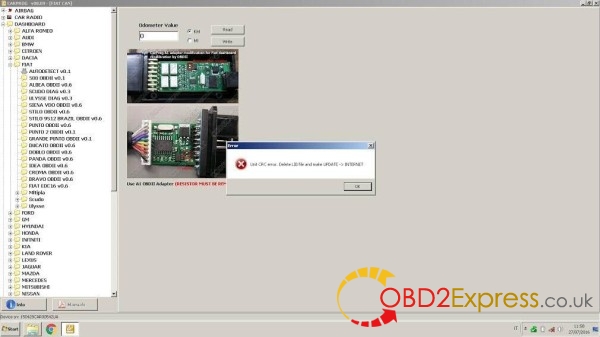
Here is a customer solution ofCarprog v8.21with the following error message:
Unit CRC error: Delete LIB file and make UPDATE -> INTERNET
A1 OBDII adapter (resistor must be rem)
User solution:
TRY ON YOUR OWN RISK!
there are two files software (carprog_v15x.exe) and device LIB file (i.e.
070925CAR001XAB1.lib)
you should copy both files to your laptop after update compleate!!! (the same directory)
or try this:
delete LIB file (located an your software directory)
connect update server to restore it
this will solve your problem if LIB file is corrupted
i.e.
I have two PC`s
1. desktop PC that have internet connection
2. laptop PC on which I`m working
to update device + software I`m use desktop PC
after update compleate LIB file stored on desktop PC is updated to, but on Laptop still not
so if you will connect yourCarprogdevice to laptop without copying LIB file from desktop PC this causes some conflicts
User feedback on solutions above:
I was getting "unit crc error" when working with HC12 MCU. I also work on two different computers...
I deleted the .lib file and updated and it fixed my problem.
http://blog.obdexpress.co.uk/2016/08/04/solve-carprog-v8-21-unit-crc-error-delete-lib-file/
Posted by: OBDexpress.co.uk at
06:29 AM
| No Comments
| Add Comment
Post contains 196 words, total size 2 kb.
August 03, 2016
Here’s a real user experience of DIY coding Lambda O2 sensors on BMW E series M5, viaBMW K+DCAN INPA cable
Tools used:
K+DCAN cable with running INPA 5.0.2
Symptom in a sentence:
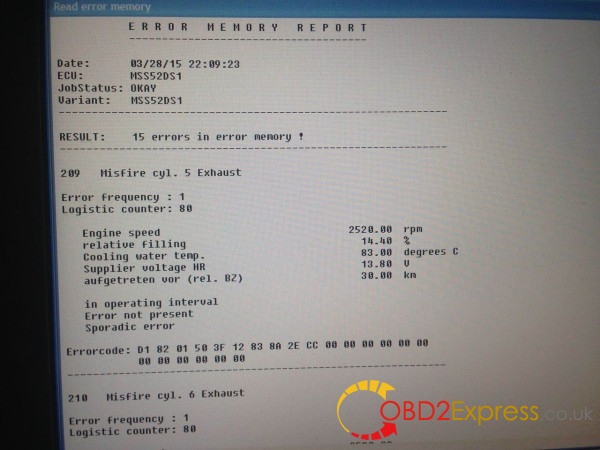
Lambda probe 1 and 2 dropping off, very high INPA RUN UNREST values, bad idle, misfire, sporadic symptoms
Details of M5 setup:
I'm helping a friend with his M5, he's been trying to fix it the last 2 months. From what i've been told, he's changed the 4 CPS, O2 sensors, CCV, plugs, and both vanos boards. I tested both boards today and the solenoids respond as they should. He had issues with vanos first and it appears as if it didn't help at all.
The symptoms i'm experiencing consist of the car starting just fine. It will run great for the first minute or two, then the probe voltage value will dip down to 0. It's really random with what bank it is, usually the right bank(pass side). Sometimes both will drop but when the probe voltage begins to drop, the RUN UNREST values significantly spike on all 8 cylinders. I tried plugging a brand new O2 sensor i had in which did not change anything. A bad connection in the circuit defaults the readings to 0.45 but the values being ~0 indicates something else is going on. Once the reading drops to zero, i can blip the throttle and 9 out of 10 times the readings will quickly jump back up to .75+ or something near the other bank and the car will run absolutely great. Then a after about another 10-15 seconds the probe voltage begins to drop back down the symptoms come back. A check engine light eventually does come up, i've attached all the codes that are present. Misfires on all 8 cylinders.
I pulled the plenum and swapped ICV, check the vacuum lines for leaks and i could not find any. Replaced the plastic elbow on the T fitting that goes on the throttle body side of the ICV. Swapped all 8 coil packs with no change, swapped O2 sensors with no change.
The car is running an Alpha N tune so the MAFs don't make a difference. I put the old tune back on and it did not change the symptoms of the car, it acted exactly the same.
Finally solved!
Eliminated the MAF code, there was some questionable wiring done.
Now i'm getting a O2 code via the K+DCAN cable.
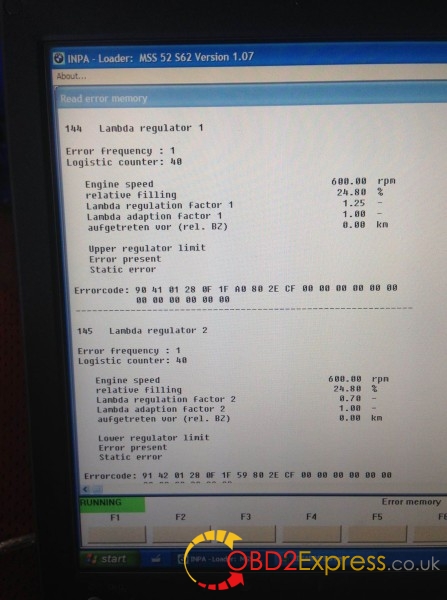
That is likely because the MAFs are toast, but you may need to run the car a few hundred miles to let it re-adapt. Relative filling looks to high for idle. Pretty sure that is calc load which should be 18%. If you go back to Alpha then you will be stuck with bad adaptions. Regardless of what companies are saying we never see the adaptions change on Alpha and the report is always that middle of the road reading which seems to beINPAlying.
The bank 1 O2 sensors were crossed with the bank 2 O2 sensors. Whoever did the clutch install messed it up and the owner has been driving the car like that since and throwing money at parts randomly. He failed to tell me that it started once the clutch was installed.
This explains why when the car was running alpha-N, it would be extremely sporadic. The car relies heavily on the O2 because there is no maf. One bank was getting fueling increased and the other decreased. The increased side would not throw codes and the lean side would. It also explains why the car went back to normal when you revved it, it didn't need the O2 sensors and was relying on the throttle/cam/crank position sensors to calculate fuel ratios.
The MAFs helped calm the car down a little bit because it had a second input from the MAFs which were trying to adjust the fuel trims, but they could only do so much before the car threw a fuel trim code.
Everything is fixed and the car is running just like it should now.
source:http://blog.obdexpress.co.uk/2016/08/03/inpa-setup-on-lambda-o2-sensors-and-bmw-m5/
Posted by: OBDexpress.co.uk at
07:52 AM
| No Comments
| Add Comment
Post contains 690 words, total size 7 kb.
August 02, 2016


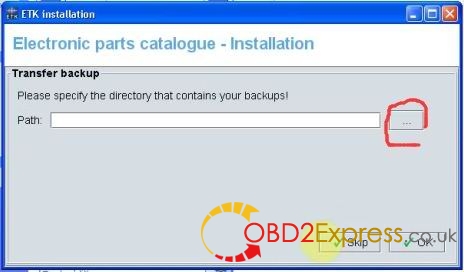
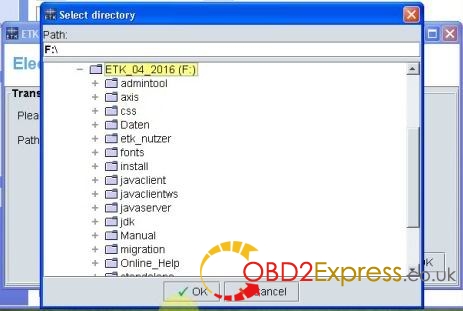
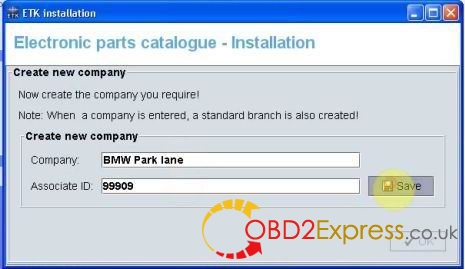





Posted by: OBDexpress.co.uk at
07:14 AM
| No Comments
| Add Comment
Post contains 237 words, total size 12 kb.
32 queries taking 0.0529 seconds, 115 records returned.
Powered by Minx 1.1.6c-pink.